Home Blog Page 22

8 iPhone Settings You Should Know About

You use your iPhone on a daily basis, so you probably know your apps, organisers and messengers backwards. But most people don’t like playing around with their phone’s settings. We found a few of the lesser known iPhone settings which can actually be really useful in terms of protecting your privacy, making travel easier and making things quicker to reach.

Here are ten of our favourite lesser known iPhone settings which we’d like to share with you:

Do Not Disturb While Driving

Do Not Disturb While Driving

This is quite a useful safety feature if you’re on the road often and find yourself tempted with distracting notifications on your iPhone. Head to Settings -> Do Not Disturb and scroll down to Do Not Disturb While Driving. Here you’ll have to option to automatically switch your iPhone into do not disturb mode (which silences incoming calls, messages and notifications) with detected motion, or when connected to your car’s Bluetooth system or when your iPhone is plugged into your car’s Apple CarPlay system.

Limit Ad Tracking

Limit Advertising Tracking

This setting allows you to automatically opt out of receiving ads which are targeted to your interests or location. Go to Settings -> Privacy -> Advertising and use the toggle to turn it on or off. You’re also given an option to reset your advertising identifier which should erase any information which has been historically stored and used by advertisers to serve you targeted advertising.

Limit Your Location Tracking

Significant Locations

You may not be aware, but your iPhone keeps a very detailed list of all of the locations which you’ve recently been to and the ones which you frequently visit. Have a look at our previous article linked which goes into detail on all of the location information available. Fortunately, you can turn this “feature” off by going to Settings -> Privacy -> Location Services -> System Services ->Significant Locations. As you can see, it’s quite well hidden! Under this tab, you can turn the tracking on or off and see all of the tracking data which is available.

Push Calls From Other Devices

Calls On Other Devices

If you’re often around your Mac or iPad or you carry two phones (a work and personal phone), then this is a really useful feature which I’ve found myself using over and over. It gives you the option to automatically push calls to other devices signed in with your iCloud account and on WiFi so that you can answer the call on any of your devices. This way, you can leave one of your phones on your desk while you’re around the office and not have to worry about missing a call. Head to Settings-> Phone -> Calls on Other Devices to turn this option on and set which devices you’d like to receive calls on.

Text Message Forwarding

Text Message Forwarding

Similar to the above with calls, you can also allow your other devices signed into your iCloud account to send and receive text messages from your iPhone. Go to Settings -> Messages -> Text Message Forwarding to choose which devices you’d like to give access to send and receive text messages from your iPhone.

WiFi Calling

WiFi Calling iPhone Settings

WiFi calling is a great feature if you’re in an area with poor mobile network coverage, such as remote locations or in the basement of a building etc.. The call is transmitted over the WiFi network and doesn’t require any network signal to operate. It’s usually billed at the same rate as your standard calls and sometimes free, depending on your carrier. This setting can also be found under Settings -> Phone -> WiFi Calling.

Customise your Control Centre

Customise Control Centre

Your iPhone’s control centre is a quick single screen settings page allowing you to toggle your most commonly used settings on and off. Things like WiFi, Bluetooth, Music Player quick controls, Volume and some quick app launch icons. Most people have used this screen but not everyone knows that it can be customised. Head over to Settings -> Control Centre -> Customize Controls for a list of available controls and icons which can be added and removed from your Control Centre page.

Magnifier For Reading Documents

Magnifier iPhone Settings

Magnifier In Operation

This is not really a setting but its a useful tool which can be found under settings. Go to Settings -> Accessibility -> Magnifier to turn it on. This allows you to triple press the side button (on iPhone X and later) to bring up a magnifier which uses your iPhones camera to act as a magnifying glass, enlarging text or notes and displaying them on your screen to make it easier to read.

Have you got any other useful iPhone settings which you’ve found and you’d like to share? Let us know in the comments section below.

How Many Batteries Do You Need For Your Solar Installation

One of the questions which come up quite often on some of my earlier articles about solar installations is, “how many batteries will I need?”. There are a couple of factors which you’ll need to consider when working out how many batteries you will need for your solar installation, but I’ve tried to simplify it as far as possible.

To start off, you’ll need to know what size inverter you’re going to be using, you’ll need it’s rated power in watts [W]. If you’re not yet sure what inverter you’re going to be using, here is a guide on selecting the correct inverter size for your solar or backup power system.

Next you’ll need to decide which table to work with, and this depends on how significant the load on your inverter is going to be during normal operation. If you expect your inverter to be running at near it’s rated power, so the continuous load on your inverter will be close to it’s rated power output, then use Table 1. The second table, Table 2, is more realistic for household use and is calculated with a continuous load of 60% of the inverter’s rated output. If you’re unsure then rather use Table 1, it will give you a more conservative estimate.

Lastly, you’ll need to know what the capacity of your batteries are and how long you’d like them to last for. A standard 12V deep cycle battery is usually 105Ah, this figure can be found on your battery data sheet or on the label on the battery. The duration in minutes is how long you’d like your batteries to last for. So if you’re going to be using the system in the evenings, then you’d probably want power from 5pm to 10pm, for a total of 5 hours which is 5 x 60 = 300 minutes. If it’s just for a short hour or two backup then you’ll only need them to last for 60-120 minutes.

In order to use the table, you start by looking for your inverter’s power in the left column. Say ours is 1000W and we’re working in Table 1. We then move along this row until we find the number of minutes closest to the figure which we calculated in the previous step, so 300 minutes is closest to 287 minutes. We then then move up this column to the battery capacity row, in this case we get 600Ah. This means that we require 600Ah worth of battery capacity to provide 1000W of inverter power for 5 hours. If we’re using 105Ah batteries then we would need 600 / 105 = 5.7, so 6 batteries of 105Ah to provide the required power.

We can do a similar example using Table 2, for operating at only 60% of the inverter’s rated power. Let’s  use the same figures from above and say our inverter’s power is still 1000W. We then move across the row to find the closest figure to 300 minutes, which is 302. We then move up the column to find the battery capacity and find 400Ah. This means that we’ll only need 4 batteries of 105Ah if we’re only running at 60% of the inverter’s rated power, rather than the 6 calculated using Table 1 at 100% of the inverter’s rated power.

Table 1 – Operating At The Inverter’s Rated Power

how long run 100%

Table 2 – Operating At 60% Of The Inverter’s Rated Power

how long run 60%

Some additional notes on the figures calculated in the tables.

The inverter efficiency is assumed as 95% for Table 1, being a pure sine wave inverter operating at near it’s rated power output. The inverter efficiency in Table 2 is reduced to 90% as inverters are typically less efficient when producing power below their rated output.

In both cases the batteries are assumed to be discharged to 30% of their original capacity. This affects the life of the batteries, the deeper the discharge, the shorter the life of the battery. Some people prefer to design their systems to only allow for discharge to 50% or even 60% of their original capacity in order to extend the life of the batteries.

Do you have any tips, comments or suggestions? Please share them with us in the comments section below, we would love to hear from you.


Amazing Wooden Keepsake Box With 4 Digit Combination

If you’re looking for your next woodwork project and you’ve also got a fascination with puzzles and locks, then this project is definitely one you’ll want to check out. This wooden keepsake box, designed by  features a cryptic pattern on the lid which requires magnets to align four tumblers into one of nine different locations to unlock. It’s a really clever and interesting spin on a combination lock type box which is entirely made from wood and a couple of magnets. I also really like the way the magnet pins are able to be stored in the sides of the wooden box and are pushed out using the box handles.

Peter says that he intentionally didn’t put any further markings on the lid as he didn’t want it to be immediately obvious that the box requires some kind of combination in order to unlock.

You’ll need a fairly comprehensive wood working set up to be able to build the box to the level which he has, and I love the look of the final product. If you don’t feel like your wood working skills are up to this level, then you could also design a similar mechanism using 3d printed or laser cut components.

Here is his video of the keepsake box and it’s locking mechanism:

Have a look at his Instructable’s page for the full build instructions  for the wooden keepsake box along with parts lists and dimensions for all of the components. With some time and a lot of patience, as quoted by Peter, you should be able to build your own as well. You’ll also learn a lot about locking mechanisms and magnets while you’re busy with this project.

Here are a couple of pictures of the final product:

Closed Wooden Combination Puzzle Box

Wooden Combination Puzzle Box

Wooden Combination Puzzle Box With Open Lid

Have you built your own wooden keepsake box? Let us know how it went for you in the comments section below.
DSO138 Digital Oscilloscope DIY Kit & Acrylic Case Assembly

I’ve been wanting to get an Oscilloscope for my work bench for some time now, but they’re generally quite expensive for the amount of use I’m actually going to be getting out of it. I was finding it difficult to justify the cost, and then I found the DSO138 Digital Oscilloscope  kit online, which was on sale for just under $20. It looked very basic, but it would do everything I wanted it to do. I also picked up the acrylic case. The case cost almost as much as the oscilloscope did, I paid around $16 for it. But I figured that since I’d be using it around electronics on my work bench, its probably better to protect the circuit board in some way.

If you’re not up for the challenge in soldering and assembling the oscilloscope yourself, they are also available pre-assembled and ready to use.

Buy Your Own DSO138 Digital Oscilloscope Kit

  • DSO138 Oscilloscope In DIY Kit Form – Buy Here
  • Acrylic Case – Buy Here
  • DSO138 Oscilloscope (Assembled) With Case – Buy Here

Assembling The Oscilloscope

Here’s the video of my unpacking, assembly and testing of the DSO138 oscilloscope and acrylic case. I’ve also put together a write up of the important parts and problems which I encountered during the assembly which follows the video.

As expected, two packs arrive in the delivery, one containing the DSO138 oscilloscope components, manual and PCB and the other containing the acrylic case – with no manual. I’ll start with the assembly of the oscilloscope and then move on to the acrylic case.

The PCB comes with the surface mounted components already soldered in place, but there is still a fair amount of work to be done to complete it.

Surface Mount Components Are Pre Soldered

The manual which comes with the DSO138 digital oscilloscope is quite good, its actually one of the better ones I’ve seen with these types of DIY electronics kits. It has a detailed schematic, components list and assembly procedure as well as a few checks to do before powering it up and a fault finding or trouble shooting guide. It leaves you feeling quite confident that you’ll be able to get the kit working.

DSO138 Digital Oscilloscope DIY Kit Manual

Download The Manual – DSO 138 Oscilloscope Instructions/Manual

I then started with the build. The most cumbersome part was measuring and sorting the resistors, which took quite a bit of time.

The actually build process went quite smoothly. The manual guides you through the sequence and gives you small notes on what to look out for. It also has a check box next to each component to mark them off as they are installed.

Soldering Components DS0138

I then checked the PCB and components again before powering it up. The manual then guides you through testing a few voltages at various test points before plugging the display in. My test voltages were all correct but I still had a couple of issues to resolve before it started working properly.

Testing Voltages After Soldering

My DSO138 digital oscilloscope started up perfectly the first time, but there was no trace visible. I initially thought that this was because the trace was just off the screen and I tried flipping through the switches and connecting the test leads but this didn’t help. This also lead me to discover that the push buttons on the right side were not responding. I switched the scope off and put a multimeter across the push buttons and found that one was short circuit. I replaced the faulty push buttons and then cursor then moved around the display but there was still no trace visible.

Oscilloscope Booting Up

After a bit more investigating and testing various voltages, I found that one of the resistors was faulty. I replaced it and the trace then appeared.

Oscilloscope Trace When Touching Test Lead

I then got to work putting the oscilloscope into the acrylic case.

The acrylic case was a bit frustrating to assemble. As mentioned before, there were no instructions provided with the kit and although there are numerous video and pdf instructions available online, almost all of them have notes saying “this is wrong” or “don’t do this” somewhere in them. And they’re all a little different.

If found two main issues with assembling the case.

The first was the component clearances. The bottom inside plate is designed to fit around the PCB components, but the clearances are unnecessarily tight. If any components were skew, as was the case with my power socket, it won’t fit. I tried to trim a piece off and landed up cracking the top corner. This doesn’t really affect the build but it is noticeable through the other clear layers.

The second was the headroom above the components. There is not much headroom allowed for the PCB components beneath the inner acrylic layers. If your PCB components are not all completely flush with the PCB then you’ll probably have a difficult time trying to get the internal layers into place without bending or forcing them. This is particularly true for the ceramic capacitors.

DSO138 Oscilloscope in Acrylic Case

Overall, I think that the DSO138 digital oscilloscope is quite a useful and functional scope for it’s price. It’s great for home and hobby use and does everything you’d expect from a small and basic digital oscilloscope.

Testing Oscilloscope Input With Function Generator

I’m not sure that the success rate is for this kit, but there seems to be a large number of people complaining on forums that their scope is dead, display is dead or that there is no trace visible. This seems to suggest that it’s not the easiest kit to get working, but it also may just be that it’s quite popular and there are a large number of people who have tried putting one together.

Have you build this kit or any other oscilloscope kit? Let us know how it went for you in the comments section below.

Small Space Gardening – All You Need To Know To Grow Your Own Veggies & Plants

Modern homes are becoming smaller and smaller and many people are choosing apartments over free standing homes. This usually means sacrificing on space, particularly in your outdoor and garden areas. Fortunately, you don’t need a lot of space to grow your own veggies, herbs and plants. You don’t even really need a garden at all. Small space gardening is an increasing trend and there are a wide range of plants and veggies which have been specifically developed to be grown in confined spaces and containers.

Choosing Your Garden Type

The first step in starting with small space gardening is deciding what type of garden you’d like to create. There are typically three main types of small space garden:

  • A small garden bed.
    • A garden bed is the largest of the small space gardening options and is suited to those who have a small outdoor section to their home which includes some lawn, a paved section or an existing small garden bed. The area doesn’t need to be particularly big, a 2m x 1m (6′ x 3′) or even a 1m x 1m (3′ x 3′) section of garden bed is more than adequate to grow your own plants and veggies in.
  • A garden box or large planter.
    • For those who don’t have a garden or outdoor area as such, but still have some form of balcony or patio, you may want to consider getting a garden box or planter. This is essentially a wooden or plastic container designed to be filled with soil to create a free standing garden bed. You’ll want to give some thought to the type and positioning of the planter as they can be heavy to move around once filled and often require water runoff for their drainage holes.
  • Individual containers.
    • The final and most compact solution is best suited for those with a really small patio or balcony or those who need an indoor solution. This option involves setting up a shelf, desk or bench with a container or multiple containers in which to grow your plants and veggies. You can even get free standing trays or indoor grow houses which are specifically designed to hold potted herbs and veggies and manage water runoff/drainage.

Location Considerations

Location Considerations

The next consideration is where to place your small space garden. If you’re using individual containers or a garden box, then you’ll have some choice in where it can be placed. You may be a bit more limited if you have a fixed garden bed. Either way, you’ll need to either decide where to place your garden in order to grow certain types of plants or veggies or decide on which types of plants or veggies can be grown given a certain placement.

The following aspects will determine where or what can be grown:

  • Sunlight
    • Herbs and veggies typically require a lot of sunlight, often at least 6 hours a day. Some plant varieties require much less and can cope with being in low light indoor areas. Just because you don’t have a sunny spot, doesn’t mean you can’t grow veggies, some varieties of lettuce, broccoli and kale can survive in limited light conditions.
  • Water Access
    • Herbs and vegetables also require regular watering and smaller gardening areas are more sensitive to watering frequency as they have less capacity for water storage. Drip irrigation systems are a popular choice for small space gardening as they are quite clean and deliver water directly to the plants roots rather than spraying the leaves and top soil. It’s also easy to add nutrients to the water in drip irrigation systems.
  • Space
    • While you can grow veggies almost anywhere with the right equipment, you can’t grow any type of veggie anywhere. You’ll need to be realistic in your expectations with regards to the size and quantity of your herbs, veggies and plants. You won’t be able to grow a tomato vine, pumpkins or a row of corn in your apartment. You’ll need to select plants which are specifically cultured to grow in small spaces, especially if you’re using smaller grow containers indoors. Most packets of seeds or seedlings will give you some information on the size of the full grown plant as well as its water and sunlight requirements.
  • Soil Type
    • The final consideration, and one of the easiest to control, is the soil type. Once you’ve decided on what type of plants you’d like to grow, you’ll need to get the correct soil for them. Soil is an important part of growing herbs and vegetables as it contains important nutrients and can affect the taste of the final produce. This is one of the reasons why fruit tastes different in different regions (think of wines).

Succession Planting Is Key For Small Space Gardening

Succession planting is a great technique for small space gardening whereby new seeds or seedlings are planted every few weeks in limited quantities throughout the growing season. This way you stagger the ripening or fruit bearing stage so that you’ve always got just enough produce at just the right time for your family to consume.

There is no point in planting a bed of lettuce when you know that your family won’t be able to consume the 50 heads of lettuce which are finally produced in a two week period before they spoil. So rather stagger the planting phase such that your garden produces a head or two a week for three to four months and you’ll get much better value out of your garden.

Succession Planting

Don’t Discount The Windowsill

Growing veggies, and particularly herbs, indoors on a windowsill is a fantastically easy and low cost option for plants which are frequently harvested. It’s a really easy option for beginners and putting the herbs in a prominent place in your kitchen not only looks attractive but also means that they’re less likely to be forgotten and left unwatered. You can even build your own cheap windowsill greenhouse so you don’t have to worry too much about watering them at all.

So what are you waiting for? Get started with small space gardening today and you could have your own home grown produce in just a few weeks. Let us know your tips and tricks for your small space veggies or herbs in the comments section below.
Share This Post

Small Space Gardening - All You Need To Know To Grow Your Own Veggies & Plants

Pro Tips For A Home Office Makeover

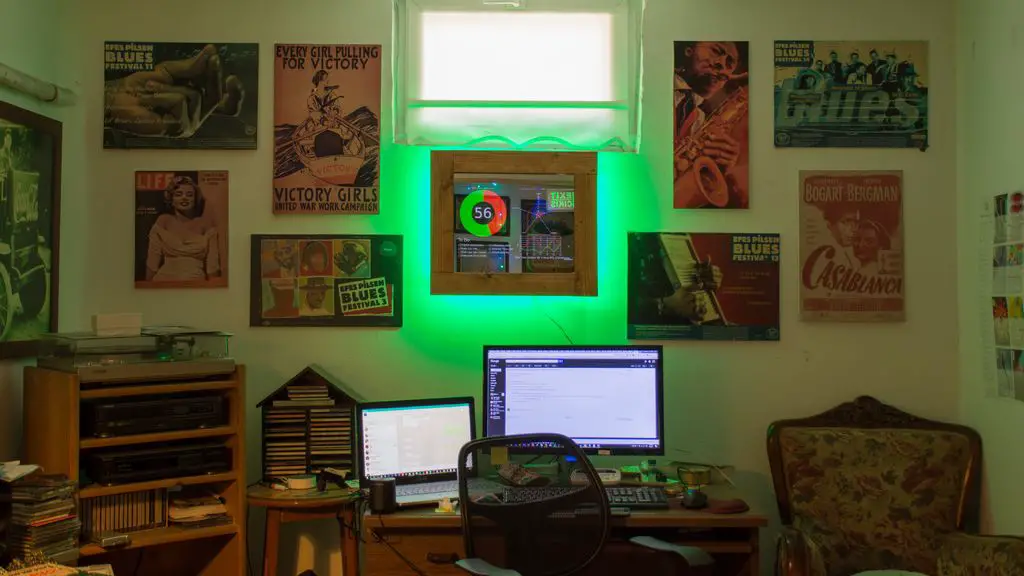
Your home office is a great space for you to focus on your work without distractions. A functional and organised home office will make you feel more energetic and productive. So how about getting started with your own home office makeover? It doesn’t need to be complicated or expensive.

Here are some great tips and steps to follow to give your home office a fantastic makeover without breaking the bank.

Organise Your Existing Office

Before you start buying anything new, you’ll need to organise the old. Work through any old paperwork and equipment and decide whether you really need it and how or where it should be stored. Sort your paperwork into piles, one for trash and a few to be filed. If you don’t have any files or folders, add these to your makeover shopping list. The same goes for your equipment. Place any equipment you need into one area of the room and make piles for trash, donation or storage. I’m usually quite sceptical about storage, don’t just put things into storage because you’re afraid of throwing them out. Only keep equipment which you are genuinely going to use.

Find A Style Which Inspires Your Work

Next you’ll need to decide what type of work area you’d like to create. Have a look online for some ideas for furniture, storage and functional components which you’d like to include in your home office space. This will help you to create an end goal so that you have a clear idea of what you are working towards in your end product.

Keep in mind that you don’t need to buy everything new. You can probably reuse your old desk and chair, even if they just need a varnish or a fresh coat of paint. You can easily turn and old wooden desk into one which looks brand new by spending a day sanding and repainting it.

Decide How To Separate The Area Or Room

A home office or work space needs to be an area which is free from distractions. Ideally, it needs to be isolated from the rest of the house, such as a room with it’s own door. A lot of people don’t have a whole spare room which can be dedicated to an office, so think about how you could include a room divider, a book shelf or indoor plants to close the area off from the rest of the room.

Start With The Walls

Now comes the time to actually get to work on your makeover. You’ll want to do the larger items first, so the walls are a good place to start. Get these touched up or re-painted first, then work on any fixtures such as built in cupboards or shelves, then add the furniture and finally finish off with the decor.

Invest In More Compact Tech

Invest In More Compact Tech

If you tend to hold on to your tech related equipment quite long, you’ll probably have a lot of bulky and outdated things cluttering up your work space. An office makeover is the perfect opportunity to upgrade a few of these items to minimise their footprint. Get rid of out dated equipment like fax machines and replace desktop scanners and printers with all in one units. Ditch the old wired keyboard and mouse for wireless ones.  You’ll be surprised at how much space you can save by simply switching to newer technology, it doesn’t even need to be the latest.

Make Sure That You Have Good Lighting

Lighting is one of the most important parts of a functional work space, you don’t want to be straining your eyes to read or see your keyboard. If your work space is not near large windows or you do a lot of work at night, then you’ll want to install a couple of lights in and around your work space. The best lights for a work space are overhead LED strips or integrated tubes which can be mounted to the underside of overhanging shelves or cupboards. If you don’t have either of these, then consider installing LED down-lights in the ceiling above the desk.

Get An Office Plant

Get An Office Plant

Plants are a great way to decorate an office space. They’ll dampen sounds and purify the air around your work space. Find small, low maintenance, potted plants to put on your desk or a slightly larger one for the floor next to your desk. They also make great room dividers.

Keep Your Area Organised

Clutter doesn’t lend itself to a productive work environment. You’ll want to invest in a couple of home and office organisation products. These can include filing cabinets, storage boxes, monthly planners etc.. There are loads of ideas for home office organisation online, so start searching for some ideas.

Have you done your own home office makeover? What are some of the ways in which you made it into a more functional and organised space? Let us know in the comments section below.
12 Home Design Trends Making Their Mark On Home Improvement In 2020

2020 is the start of a new decade, one which promises rapidly changing home improvement and DIY trends to keep up with the swift advances in manufacturing capabilities and technology. If you’re thinking about a home renovation project or designing your new home, we’ve put together a list of 12 design trends which we’ve seen a sharp increase in over the last few seasons, paving the way into the new decade.

Multi-function Kitchen Islands

Kitchen islands are definitely a popular home design trend in the last decade and people are now expanding on their functionality. It is not out of place to see a modern kitchen island with a built in hob, preparation sink/bowl, chopping surfaces, hidden garbage bins, a variety of storage and even wine and beverage coolers.

Two or Three Tone Cabinets

Two Tone Cabinets

Instead of the traditional single tone cabinets and islands, modern home design incorporates some variation by having a different colour for the above and below counter cabinets or making the cabinets around your kitchen island a different colour to the ones around the walls. This is a great way to add some variety and depth to your kitchen.

Cabinet Door & Handle Face-lifts

With modern kitchen cabinet prices and the good quality of traditional cabinets, people are simply choosing to replace the cabinet doors and sometimes just the pullers/handles as a means of giving their kitchen an update. It’s an easy update to do and can be a really effective way to modernise your kitchen.

Paint Makes Things Look Good Again

People are always looking at ways in which they can save money, and paint is a popular and effective tool for home renovations. Paint is relatively inexpensive and can be a great way to revive an old item of furniture, add colour to a room or even to update your old outdoor patio set (even the cushions!).

Chandeliers and Large Lighting Features

Home Design Around Lighting

Modern lighting has seen a return to the use of chandeliers and large lighting features to make a statement or create a focal piece in a room. People are considering lighting choices during the early home design phase and are even designing rooms around the lighting. And for good reason. Effective lighting is one of the best ways to make your home look and feel more designer and luxurious.

Double Vanities

Double vanities used to be exclusive to high end hotels and luxury residences but their practicality has lead to them become a popular addition to modern bathroom design and remodelling. Another great addition is to install floating vanities so that you can easily access and clean the floor around and underneath the vanities, while creating an illusion of more room.

Shower Ledges

Shower ledges are not necessarily new but they’re becoming increasingly popular in modern shower designs. They require a lot less building effort than a traditional niche and they mean that you don’t need to hang unsightly caddies or put up baskets or racks which inevitably start to rust.

Minimalist Living Rooms

Minimalist Living Room Home Design

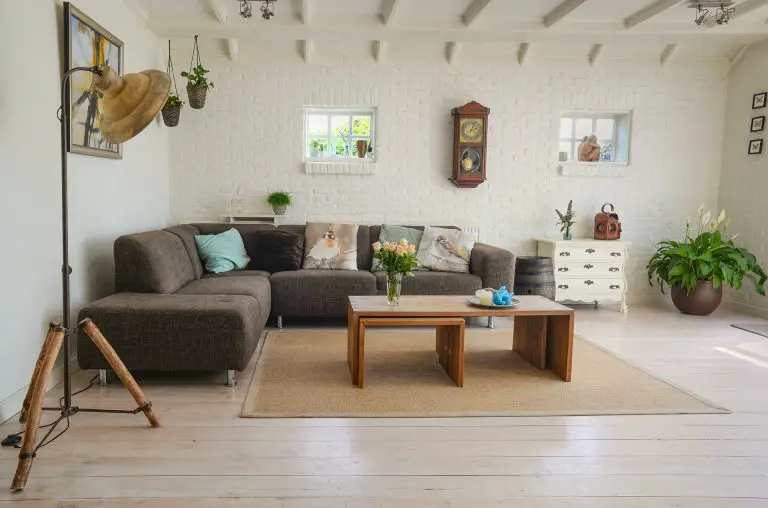
Living rooms used to feature a wall to wall array of cabinets housing your television, VCR and audio equipment as well as book shelves, drinks cabinets and storage for all of your vinyls, CDs, VCR tapes, DVDs etc. With the majority of these done away with in the last decade, living rooms have become far more basic. New decor trends centre around a good quality sofa and coffee table with a large, smart TV mounted on the wall over a simple and small TV unit.

Focus Around Energy Saving

Many home renovation decisions now involve looking at ways to save energy or save money in the day to day activities around the home. People are happy to spend more on a renovation project, such as by installing water tanks, grey water systems, solar panels or better insulation if it means that they will save money down the line and generally live a more environmentally friendly lifestyle.

Tech Is Becoming A Part Of Modern Homes

Tech around the home

Technology is rapidly finding a place in our homes. Smart lighting and home automation used to be reserved for tech enthusiasts and show homes and often provided more frustration than ease of use. This has since changed as companies have found affordable and easy ways to integrate modern technology into our homes with minimal disruption. Modern smart lighting doesn’t require your whole home to be rewired and smart vacuum cleaners are left to roam your home when you’re at work, while smart home hubs are becoming increasingly intelligent and are able to control everything from your lighting to locking your doors and ordering a pizza.

Create A Statement With Your Home’s Entrance

Your home’s entrance is often the first thing guests and passers by will see, so people are spending more money on making sure that this area looks good. Have a look at some of these great ways to upgrade your home’s entrance and improve your home’s curb appeal.

Competitive Markets Mean Luxury Is Becoming Commonplace

Competitive markets mean that there is always a gap for smaller companies to gain market share by capitalising on differentiation, usually by adding “luxury” features to existing products. Think of custom sized cabinets and soft closers on hinges and drawer slides, these were only found in high end custom renovation projects a few years ago but are now commonly available from a range of timber outlets and home or DIY stores.

What are some of the home design trends you’ve noticed or incorporated into your home? Let us know in the comments section below.

A Sliding Deck Pool Cover – A New & Stylish Way To Cover Your Pool

A quick search on the internet reveals a number of creative ways to keep your pool or built in hot tub covered, both for safety and for insulation and cleanliness. This new sliding deck pool cover, by a French company Octavia, is our favourite, it features an integrated raised deck to match your current deck and uses rails to easily allow the deck to be slid out of the way to open up the pool for use. The best part is that you can still use the deck for chairs and tanning while the pool is open.

Sliding Deck Pool Cover Closed Up

Sliding Deck Pool Cover Opened Up

Rails In Grass For Deck Pool Cover

Why Do You Need A Pool Cover

A pool cover has a number of benefits, besides being a safeguard for children and animals, here are some other reasons to consider installing one on your pool:

  • It helps to prevent leaves, dirt and debris from entering your pool. This allows you to run your filtration system for fewer hours, saving your money on electricity, and keeps the floor and surface cleaner for longer between sweeps and skims. Have a look at these tricks for maintaining your pool throughout the seasons.
  • A cover prevents heat loss. If you run a solar or electric water heating systems, you’ll want to keep the heat in as long as possible and a proper cover is key to this.
  • Reduce your chlorine and other chemical consumption. A cover prevents sunlight from entering the pool, reducing bacteria growth and preventing the UV light from degrading the chlorine.
  • Let’s not forget about safety. The WHO (World Health Organisation) states that drowning is the 3rd leading cause for unintentional injury deaths worldwide. A cover, especially a rigid one like this, goes a long way to prevent accidents, keeping the pool completely covered and potentially locked up.

Do you have a pool cover installed over your pool at home? What type of cover do you have and would you consider installing something like this?

Make Your Own Mechanical Watch Movement Cufflinks

In this project, I’ll be showing you how to make your own watch movement cufflinks using the mechanical watch movements from two old watches. There are loads of watch movement lookalike cufflinks available online, but these ones are made using real vintage watch movements taken out of an actual watch.

To start off, you’ll need to find two old mechanical movement, wind-up watches with identical mechanisms. A good place to start looking is to go down to your local watch repair shop or jeweller and ask them if they have any old movements or watches lying around. They don’t need to be working anymore, so they’ll likely be ones that the jeweller couldn’t repair and they will usually be happy to give you a few or sell them quite cheaply. You can also buy old damaged movements online from sites like e-bay.

Here’s a video of the assembly process, read on for detailed step by step instructions:

What You Need For This Project

  • 2 x Mechanical Watches, Movements or Inners
  • 2 x Cufflink Blanks – Buy Here
  • Gel Super Glue – Buy Here
  • Cufflink Gift Box (Optional) – Buy Here

How To Make Your Watch Movement Cufflinks

Watch Movements With Face

If the movements haven’t already been removed, you’ll need to take the movement, along with the face out of the watch. This is usually done through the back cover of the watch. Open up the cover and use a screw driver to pry the mechanism out. These old mechanisms are usually quite strong around the edges but be careful that you don’t scratch them.

Removing Hands From Watch

Hands Removed From Watch

Next use a flat tipped screwdriver or tweezers to remove the hour and minute hands from the face of the watch. These usually just pop off.

Back of Watch Face

Removing Movement From Watch Face

Now insert your screwdriver between the mechanism and face and gently pry the face away from the mechanism. It doesn’t really matter if you damage the face or part of the mechanism as you won’t be using the face, and this part of the mechanism is the back side of the cufflink.

Removing Hour Hand Cog

Once the mechanism is free, you’ll need to make the back face flat by removing the hour hand cog and the shaft which drove the minute hand. Pry the cog off with your screwdriver or tweezers and then use side cutters or clippers to cut the shaft off flush with the back face.
Removing Minute Hand Shaft

Feel the surface of the mechanism and make sure that it is completely flat so that the blank cufflink disc is able to be glued flat onto the mechanism.

Two Identical Watch Movements

Mechanical Watch Movement

Repeat this process for the second watch mechanism so that you have two identical mechanisms which are free of any protruding shafts, pegs or adjustment screws.

Blank Cufflinks

Next you’ll need to get some blank cufflinks. These are also widely available online. You’ll need a pair with at least a 6mm diameter blank plate although 10mm to 16mm ones work best to glue onto the mechanism. Try to find good quality ones and they’ll last a long time.

Gel Super Glue

Adding Glue To Blank Cufflink

Use superglue or epoxy to glue the blank cufflink onto the back of the mechanism. Apply a generous amount of glue and make sure that you choose an unobstructed flat surface on the back of the mechanism to glue it to in order to reduce the risk of it coming off. Glue both into the same area on each mechanism and make sure that they are the same orientation.

Gluing Movement onto Blank Cufflink

Allow the glue to dry or cure and your cufflinks are now ready to wear.

Holding In Place

Glued Onto Cufflink

They also make a great gift, which you can complete by putting into a small cufflink jewellery box. Small wooden boxes are great and are often able to be laser engraved to personalise them.

Completed Watch Movement Cufflinks

Mechanical Watch Movement Cufflinks on Shirt

Watch Movement Cufflinks Up Close


7 Ways Modern Technology Can Improve Various Industrial Sectors

Modern technology has brought forth numerous benefits for various leading industries. Things such as modern machinery, artificial intelligence, the IoT, blockchain, and extended reality make huge changes in the industries they manage to penetrate.

The technology itself experienced some significant innovations and will only continue to do so. That is why every business nowadays should look for ways to implement modern technologies in their offer. Otherwise, they risk becoming entirely obsolete. So, let’s see how modern technology can improve various industrial sectors of today.

The IoT

The IoT

The main idea behind the internet of things is to enable people to more easily connect to everything and everyone. As such, it is the perfect tool for businesses looking to improve their operations. For instance, the IoT can change the way products are being designed and created. Not only that but it can also greatly influence the way those products are being presented to the audience. When combined with machine learning, the IoT can help industries tailor their offers better which will increase the response and engagement those industries will receive.

Extended reality

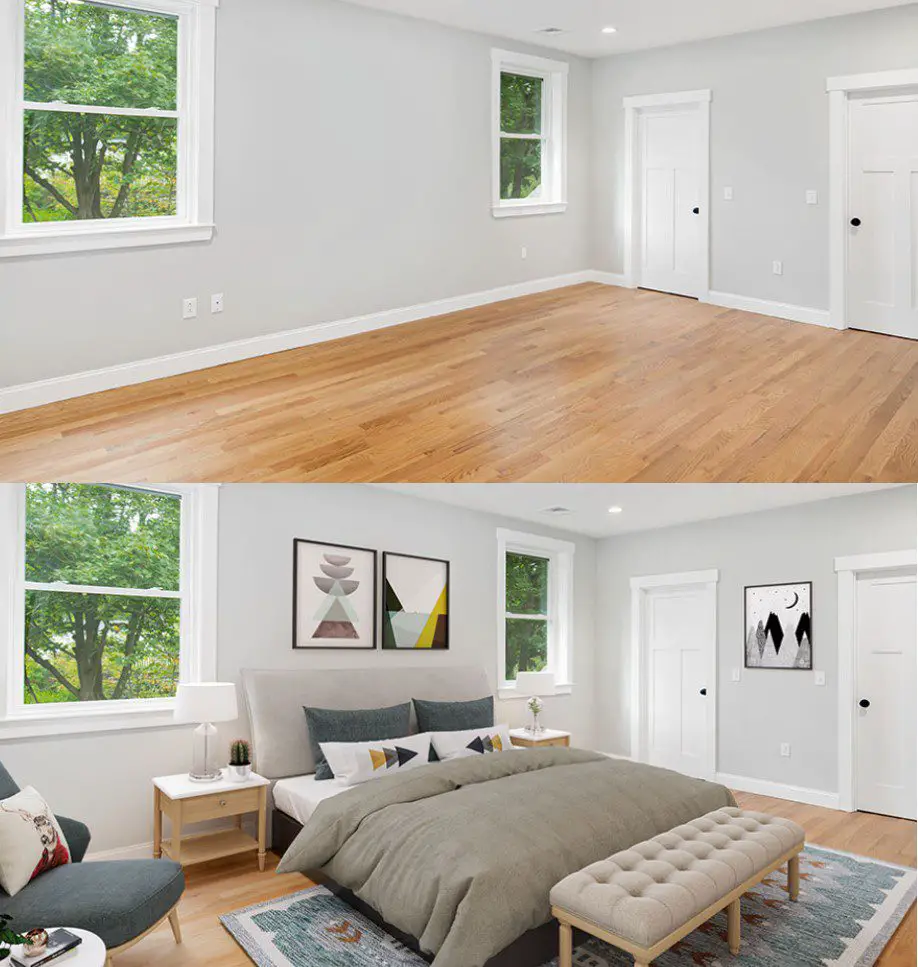
Virtual, augmented and mixed realities are already being implemented in various industries. From the entertainment industry and education to healthcare and home improvement industry. For instance, staging showing and even pretend-decorating a home has been made significantly easier thanks to VR and AR. Nowadays, thanks to virtual reality, you can view a property from the comfort of your own home, without necessarily having to drive all the way to the property’s location. On a similar note, you can use AR to virtually equip the space with different types of furniture, which is greatly useful for interior designers and decorators around the world.

B2B online marketplaces

Since the majority of businesses from various industries have already shifted their ventures online, it comes as no surprise that B2B online marketplaces have experienced such growth in 2019. This year, we can only expect them to grow and develop further. Aside from brick and mortar commerce, industries such as the gas and oil industry will also notice huge benefits this online market will present them with. Not only will it be easier for these giants to obtain the necessary working tools, such as high-quality oilfield equipment, but they can now do so from sellers located all around the world. Online marketplaces have become seriously effective nowadays, and with the use of AI-powered shipping software and streamlined transportation tools like drones, most of the local deliveries could be performed within hours.

Recognition software

Recognition Software

Recognition software is another piece of modern technology that found its place in various industries. Businesses dealing with security, fashion, construction and even autonomous vehicle production can greatly benefit from implementing some type of image or face recognition in their endeavor. For instance, the fashion industry embraced this trend by creating an app that recognizes outfit pieces worn by photographed individuals. Once you take and upload a picture of – let’s say – a certain pair of shoes, you can learn all the information necessary about the shoes in question, such as the manufacturer, where to buy them and how much they cost.

Blockchain

Blockchain-based currencies have been steadily gaining in popularity. That is just one of the reasons that this piece of technology will continue to rise steadily. More and more businesses will start using blockchain not just to offer their audience an alternative method of payment, but also to improve the overall security. Since blockchain is virtually impossible to hack and tamper with, it becomes quite obvious why more industries should embrace it.

Cloud computing

Cloud computing has became an integral part of a modern-day business world. Moreover, cloud computing jobs are among the most in demand tech jobs in the world. The simple fact that the cloud doesn’t need to be maintained and updated on a regular basis – at least not by its users – says a lot about this piece of modern tech. Thanks to cloud computing, businesses can nowadays group together and unify all of their business information and documents that can be easily accessible by anybody with proper authority – anywhere in the world. This, of course, eliminates the need for some other type of file and information sharing solutions. It also makes the entire process significantly faster. And since in the business world time is money, it’s understandable why so many industries choose to stop wasting it.

Drones

Drones

Finally, when they first appeared on the market, drones were mostly used for military purposes. Soon after that, they’ve become widely available and everyone could get themselves a flying, remote-operated set of eyes. Nowadays, drones are being used in various industries more than ever. Amazon, the leading online shopping giant, is working on implementing drones in their delivery services. Moreover, drones are also being used as an additional home security system. They’re also being used in the healthcare industry to deliver things to different sections of hospitals; in various warehouses not only to monitor the employees but also to ensure that everyone’s safe.

As you can see, modern technology truly has the power to bring the entire industrial sector to a whole new level. Therefore, no matter the industry you’re operating in, check out some of these pieces of modern technology and see how you can use them to better your business efforts.