


Last year I built my own version of the TRMNL from scratch, and it quickly became one of my most popular projects. Rather than simply showcasing their own hardware, I took advantage of the fact that the platform is open source. I designed my own enclosure, added a display and electronics, installed TRMNL’s software, and created a completely custom BYOD (bring your own device) version.
Now TRMNL has released their latest model, the TRMNL X, and it isn’t just a larger version of the original. It introduces a number of hardware improvements while keeping the same minimalist philosophy that made the original so appealing, displaying useful information without notifications, distractions or another bright LCD screen in your house competing for your attention.
After spending a couple of weeks with it, here’s a look at what’s changed and whether it’s worth considering over the original.
Here’s my video of the TRMNL X, read on for my write-up:
Where To Buy The TRMNL X
Use the code mklements at checkout to get $10 off
First Look At The TRMNL X’s Hardware & Features
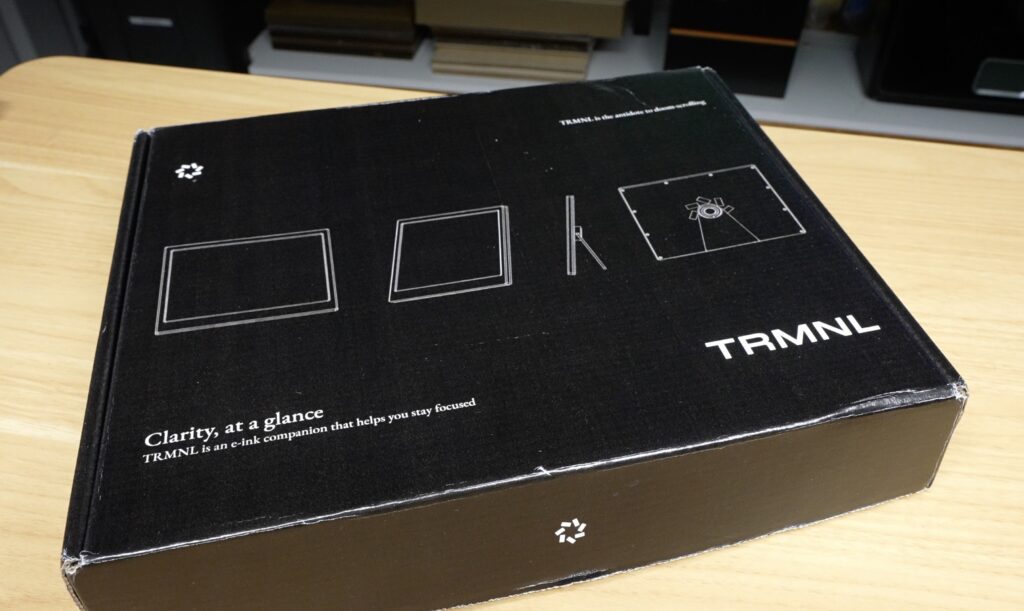
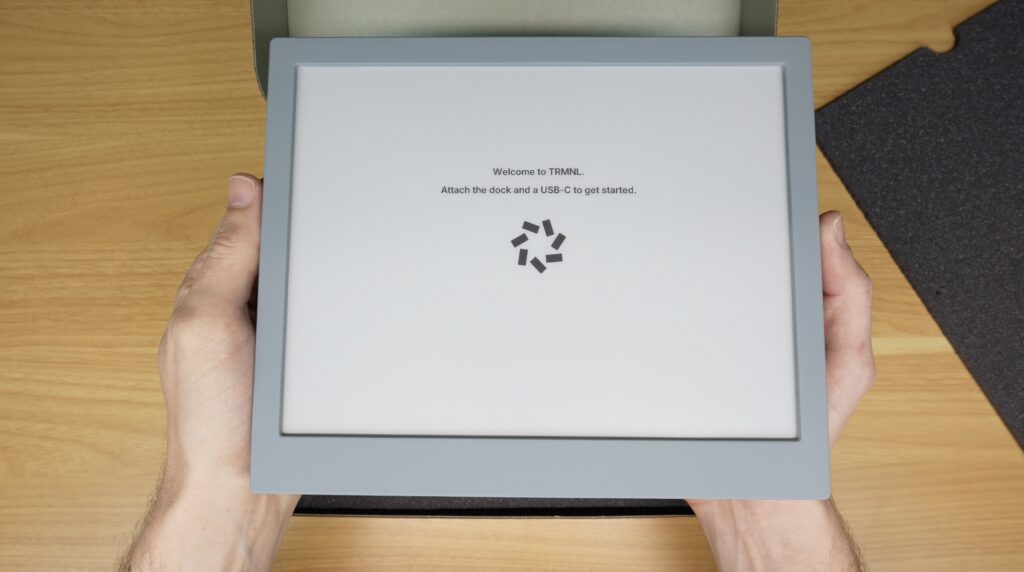
The TRMNL X comes in a large black box with white text on it and includes the TRMNL X itself long with the charging puck and mount, a charging cable, microfibre cloth.
A Much Larger Display
Let’s start with the most obvious change, the display size.
The original TRMNL was designed as a compact desktop or wall-mounted information display. The TRMNL X significantly increases the available screen space with a 10.3-inch e-ink display running at a resolution of 1872 × 1404 pixels.
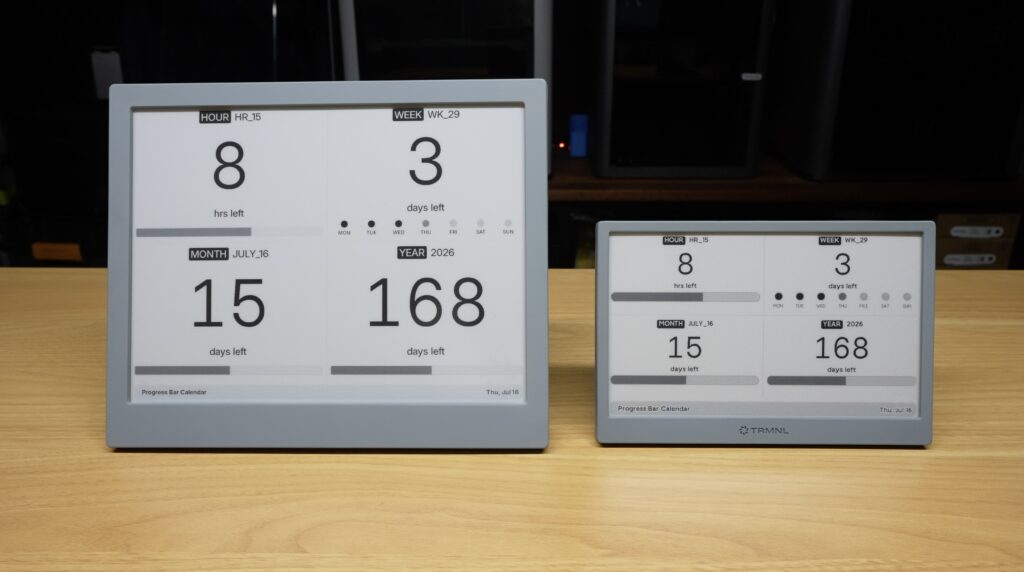
The extra screen area makes a noticeable difference to day to day use. There’s enough room for larger text, more detailed graphics and, perhaps most importantly, layouts that combine multiple pieces of information without feeling cluttered or too small to read.
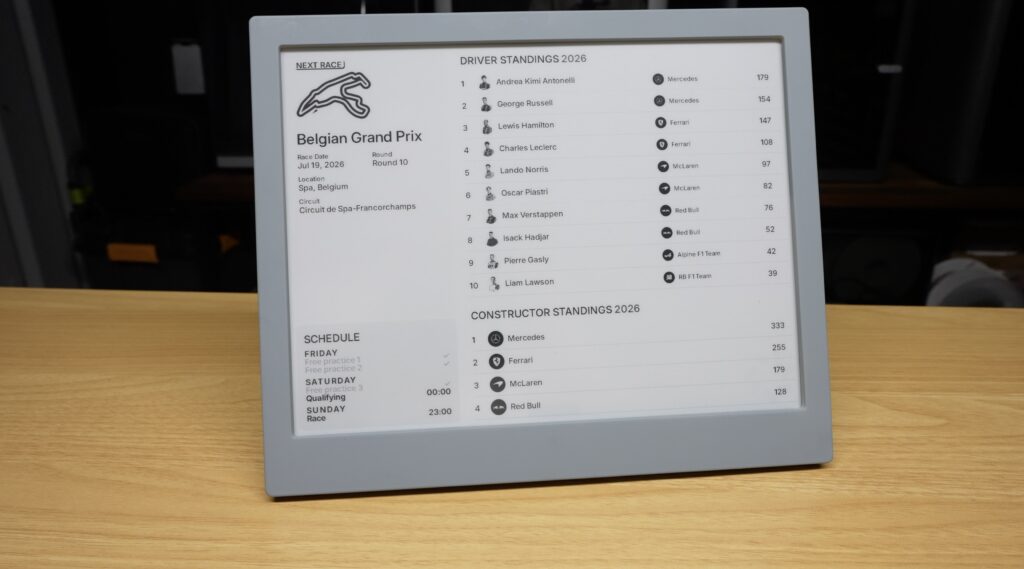
Whether you’re displaying a calendar, weather forecast, task list or system dashboard, the larger display allows much more information to be shown at a glance.
A Clever Magnetic Mounting System
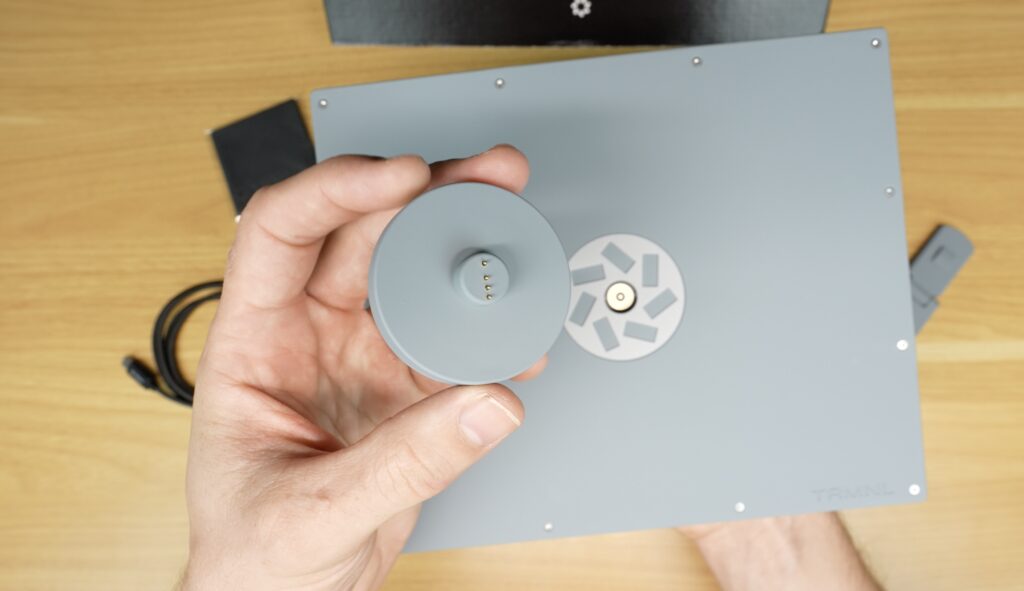
One of the new hardware additions is the new magnetic mounting puck.
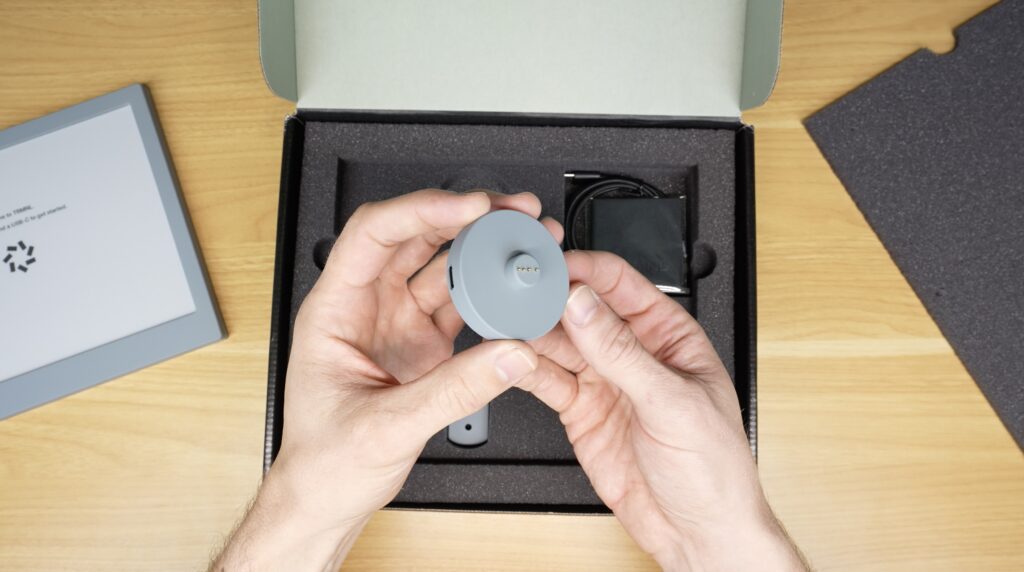
Rather than plugging a charging cable directly into the display, the USB cable plugs into to the mounting puck. The display then snaps onto it magnetically using built-in contacts.
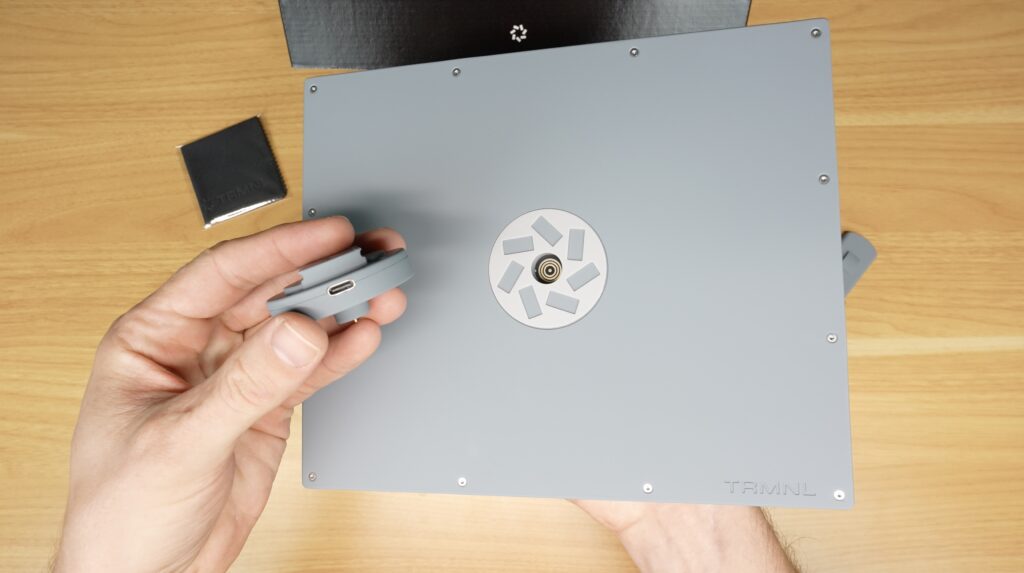
This simple design makes the display easy to mount for charging, rotate between portrait and landscape orientations, or relocate entirely. The puck itself can be mounted to a wall, desk, refrigerator or almost any flat surface using the included mounting plat and the display then attaches and detaches as needed.
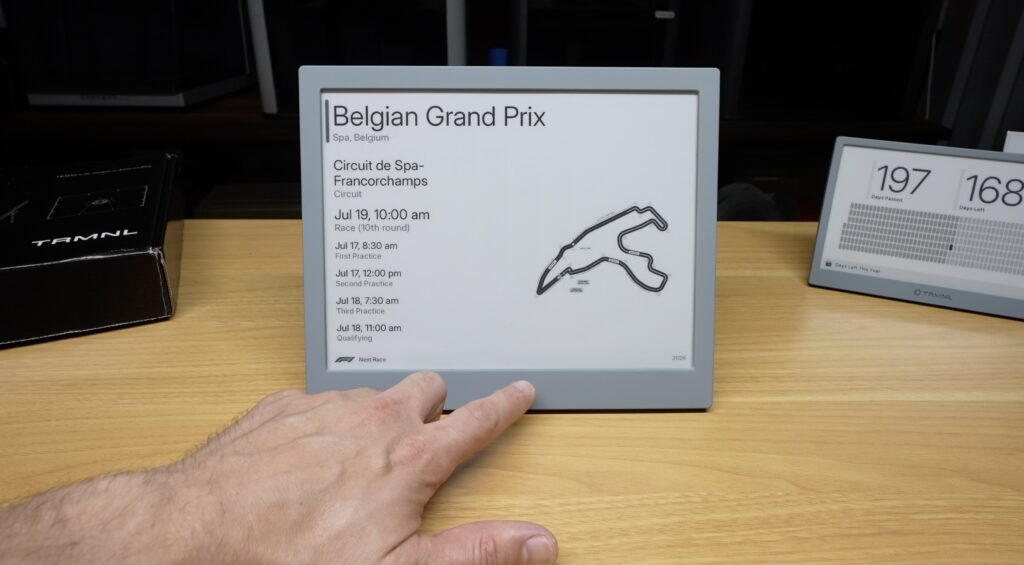
There’s also a new touch sensitive bar beneath the screen. Pressing or swiping it manually refreshes the display or reloads the current page or playlist, making it easy to cycle through screens without waiting for the next scheduled update. Since this e-ink display is designed to refresh infrequently to maximise battery life, having a manual refresh option is quite useful.
Other Hardware Improvements
Internally, the TRMNL X includes a number of other welcome upgrades.
Battery options have increased to either 6000mAh or 12000mAh. These provide approximately two to six months of runtime between charges depending on how frequently you set it to refresh.
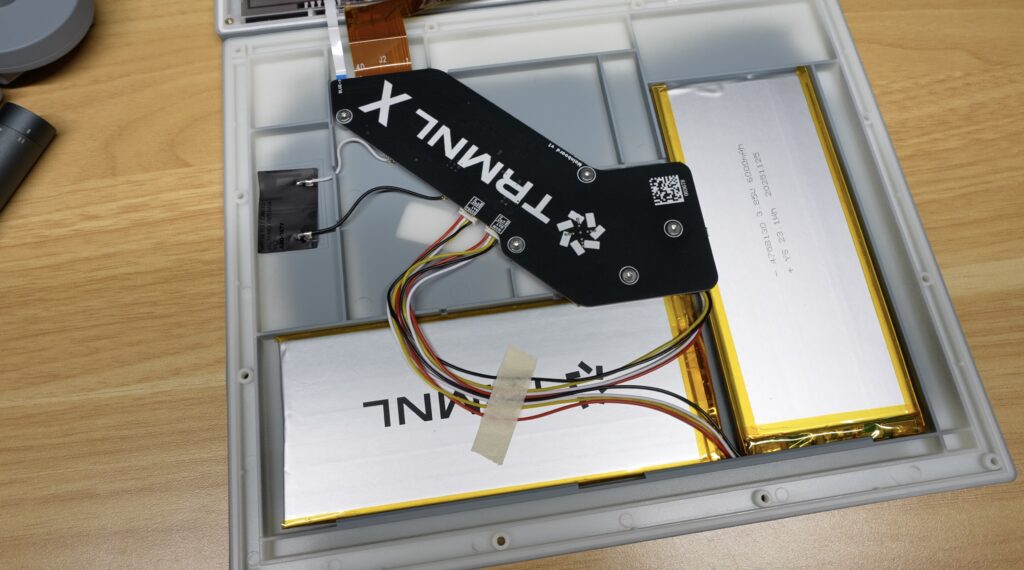
Wireless connectivity has also been improved and now supports both 2.4GHz and 5GHz Wi-Fi, this is great considering the 2.4GHz band is often flooded with smart home devices.
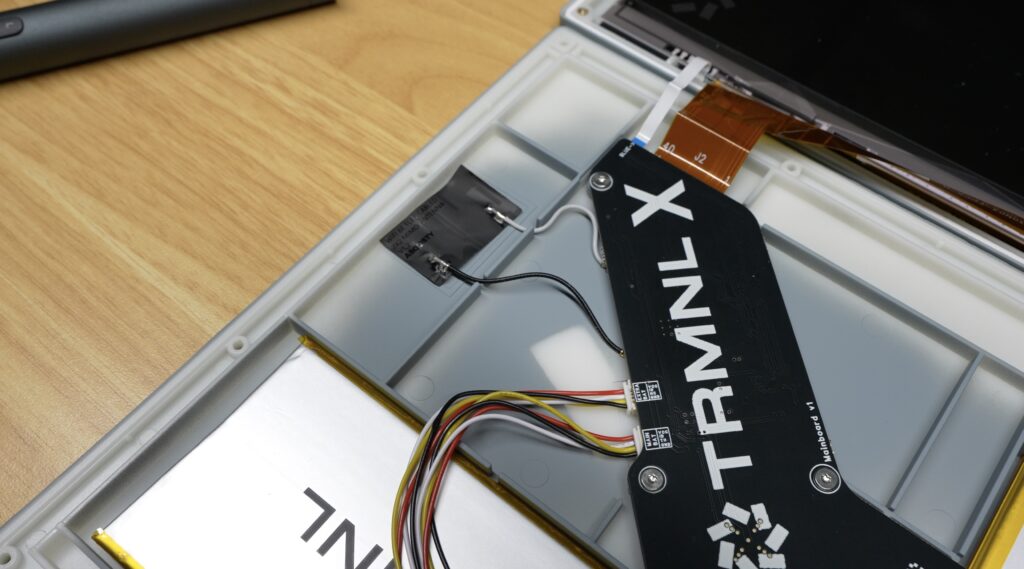
An integrated accelerometer automatically detects the display’s orientation, allowing it to easily switch between portrait and landscape layouts.
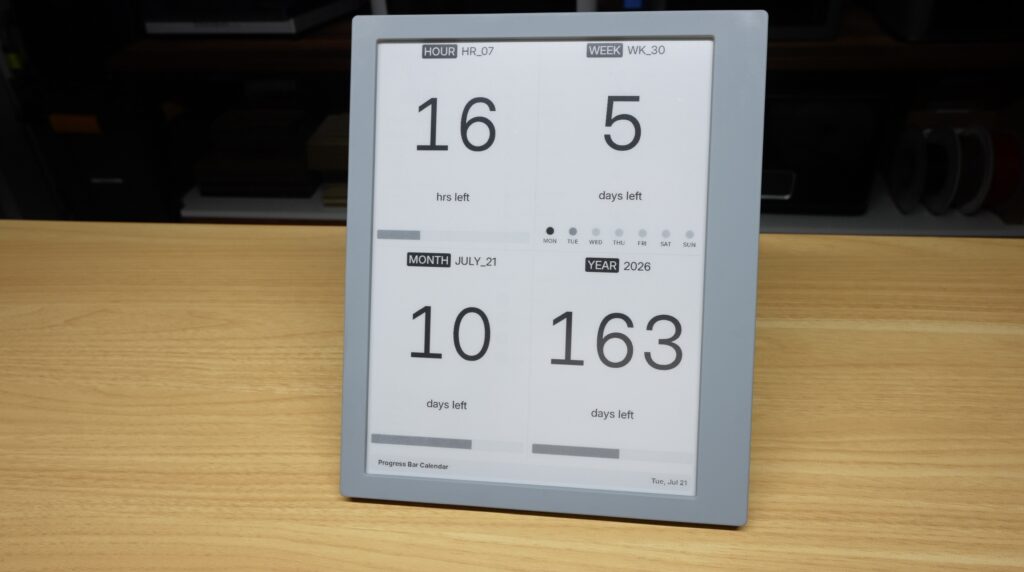
The Software Is Still The Important Part With The TRMNL X
As good as the hardware is, it’s only half of the TRMNL experience, the software is the important part.
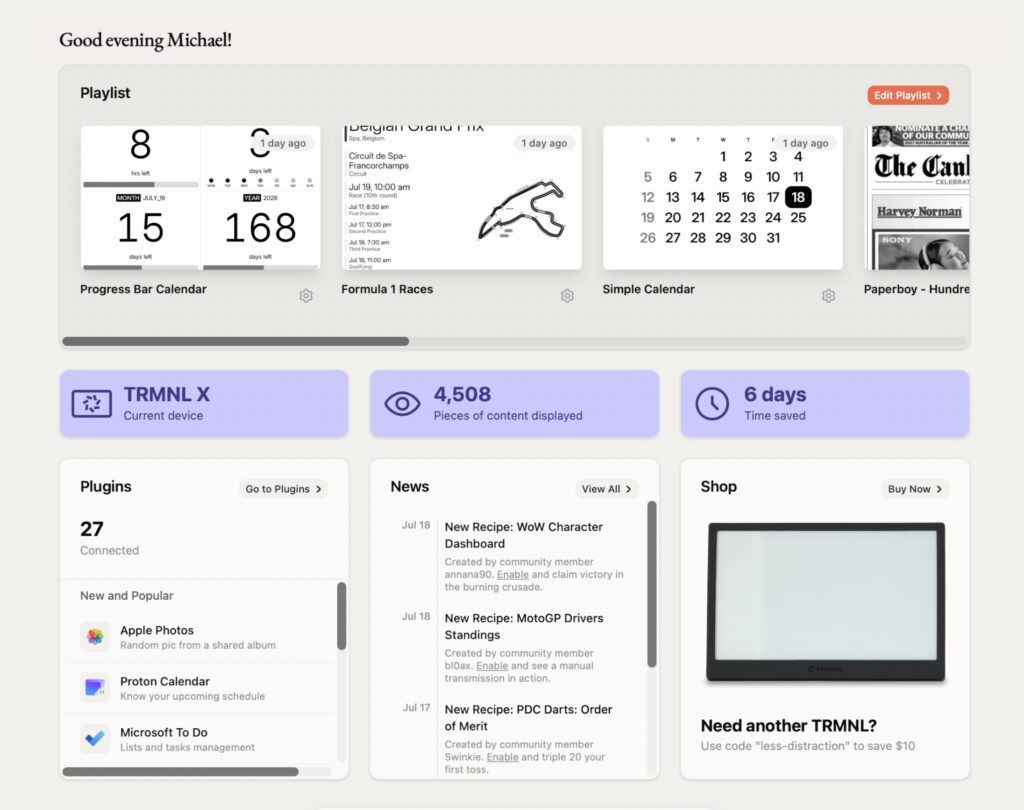
Content displayed is managed through TRMNL’s server, where everything revolves around three main areas:
- Plugins, which are essentially the applications that display individual content pages.
- Recipes, which are community created plugins.
- Playlists, which control how different screens are displayed throughout the day.
The playlist system is particularly flexible. Rather than simply rotating through screens in sequence, you can configure exactly what appears based on the day of the week, time of day or even set up multiple plugins or recipe to be displayed on a single page, as feature that’s particularly good on the TRMNL X.
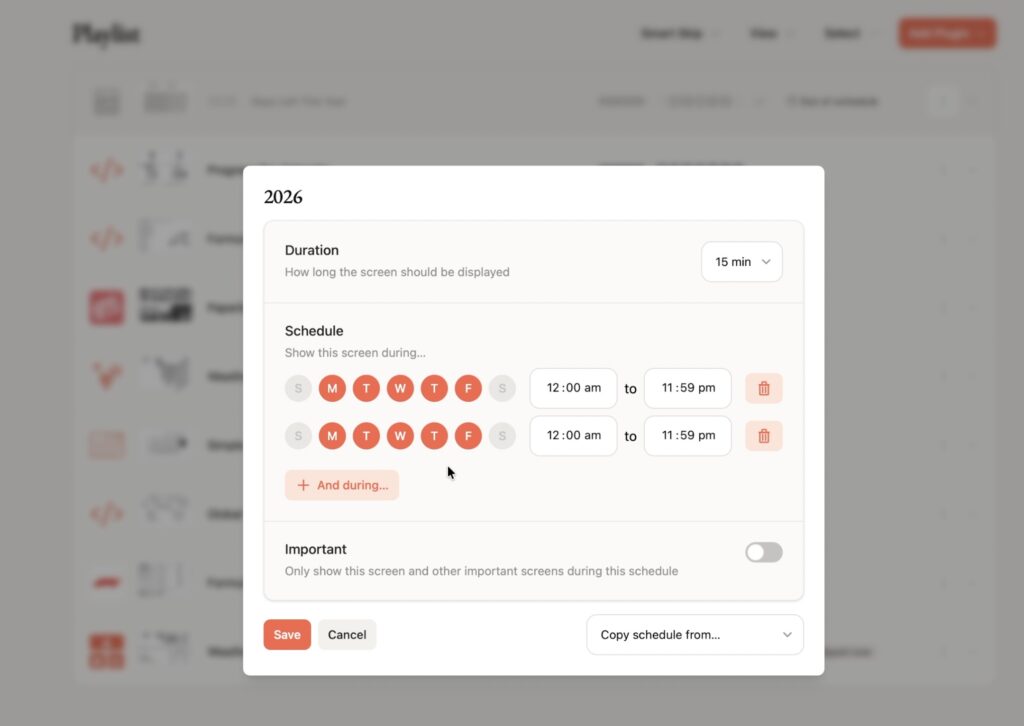
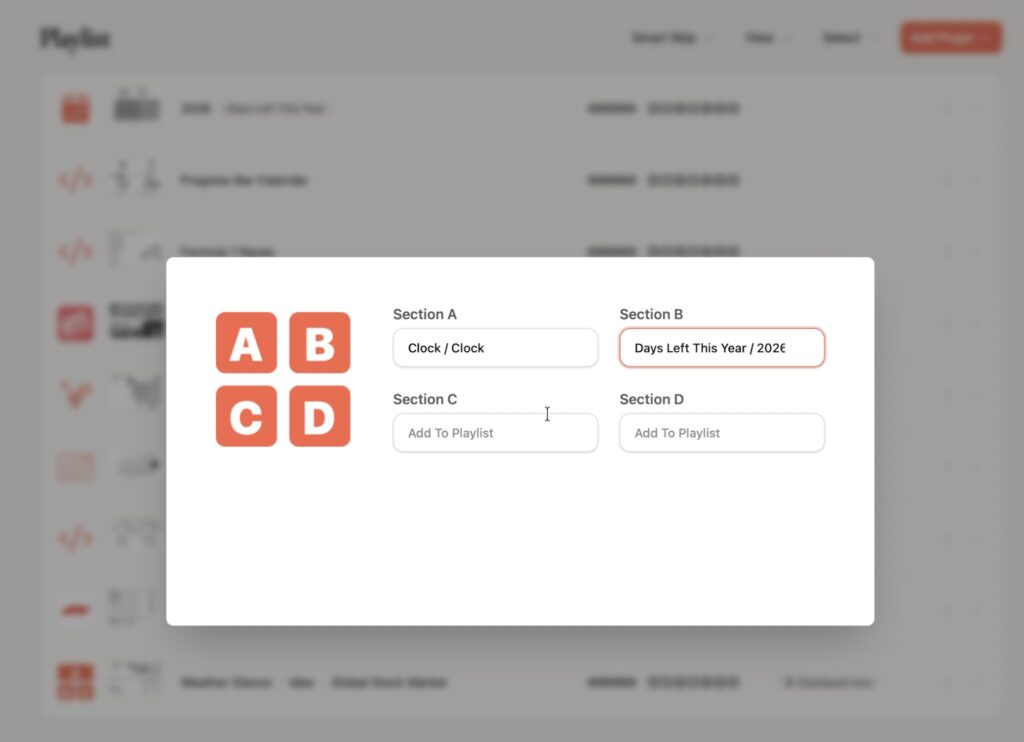
For example, you could display your calendar, weather and news each morning or create a combined “Start My Day” dashboard, then show only your task list and calendar while you’re working, and automatically change to a dinner recipe in the evening.
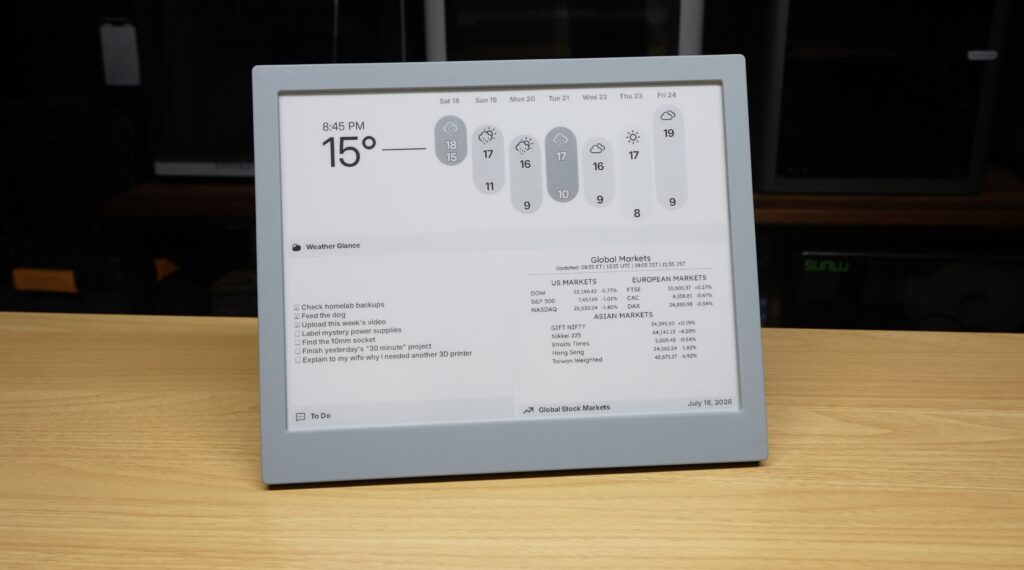
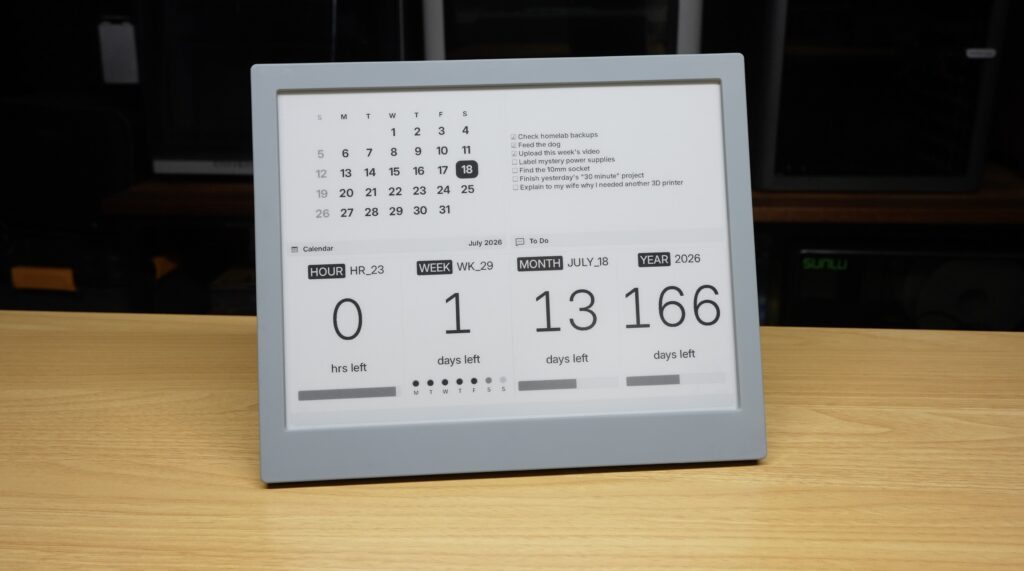
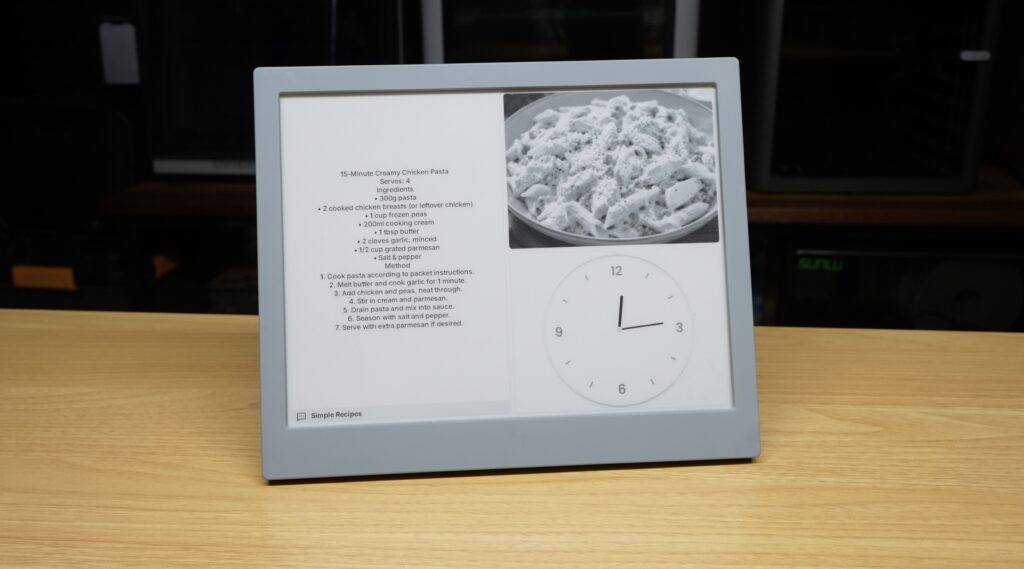
The larger display on the TRMNL X really enhances this functionality because there’s enough room to easily combine multiple plugins onto a single screen without everything feeling cramped.
Photos Look A Lot Better
One area thats easy to see the upgrade is with image quality. The TRMNL X has roughly 80% higher pixel density than the original display and increases greyscale rendering from 4 levels to 16 levels.
In principle those numbers don’t sound anll that exciting, but the real-world improvement is very noticeable.
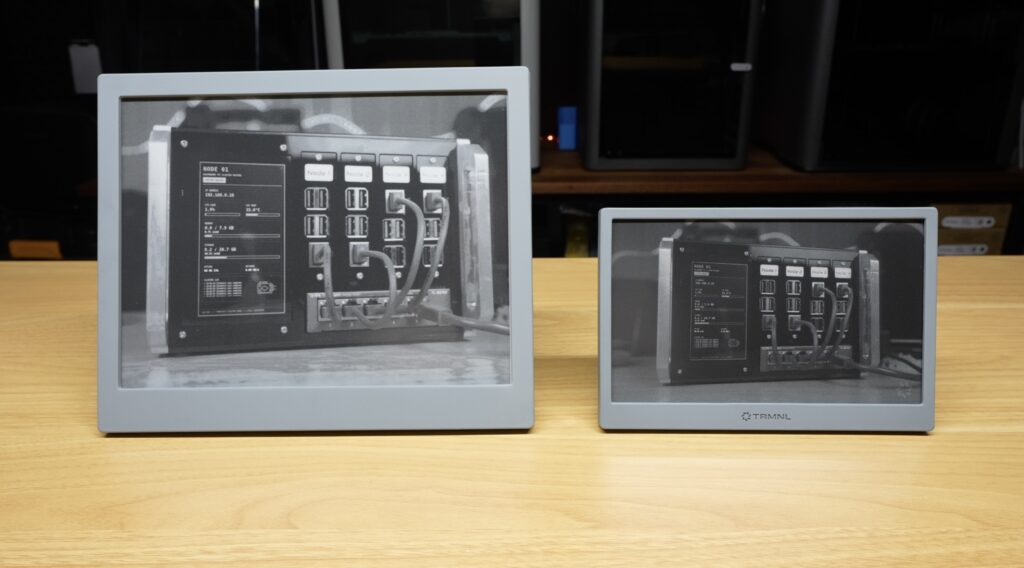
Photographs look significantly smoother, gradients are much cleaner and overall image quality is a lot more natural. This improvement doesn’t come across well on camera, but it’s immediately obvious when you see the display in person.
Repairability Is One of TRMNL’s Biggest Strengths
There’s another aspect of the TRMNL ecosystem that I think deserves far more attention.
I use my original TRMNL on our refrigerator as a family calendar. I glued a couple of magnets to the back so it sticks to the fridge for day to day use and can be removed whenever it needs charging.
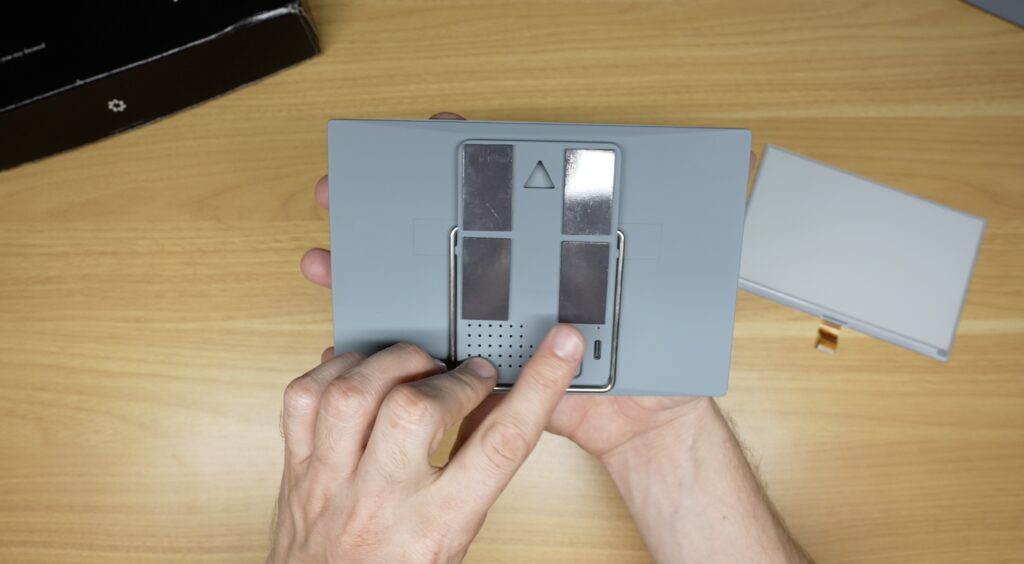
A few weeks ago, however, I accidentally knocked it off. It landed face down and cracked the e-ink display.
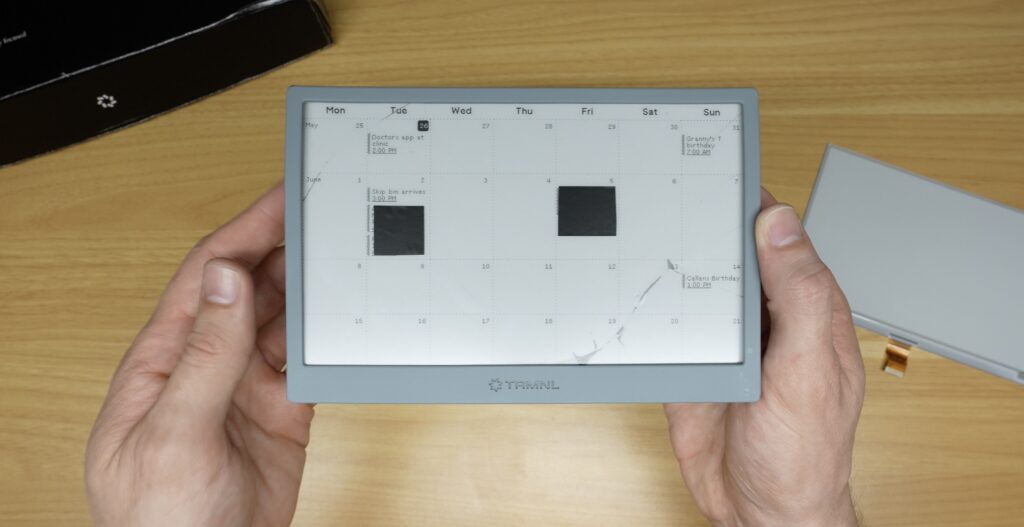
For most consumer electronics, that would be the end of the device. Either replacement parts aren’t easily available or the cost of repair exceeds the cost of buying a new one.
TRMNL takes a different approach. They openly support repairs and hardware modifications. They sell replacement parts for failed components, publish part numbers and make it straightforward to source compatible hardware yourself.
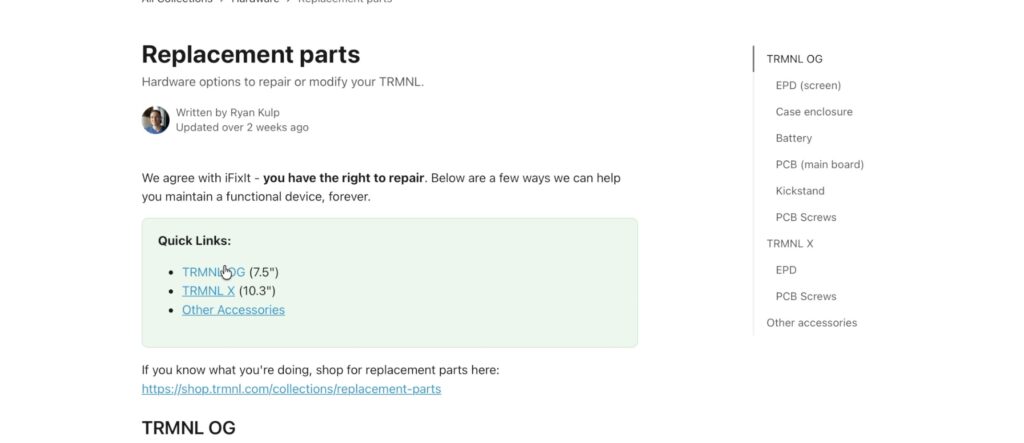
So rather than replacing the entire device, I found the correct display through a local supplier, bought it for much less than the cost of a new TRMNL and replaced it myself.
After waiting for shipping and spending only a few minutes fitting the new display, the TRMNL was working again.
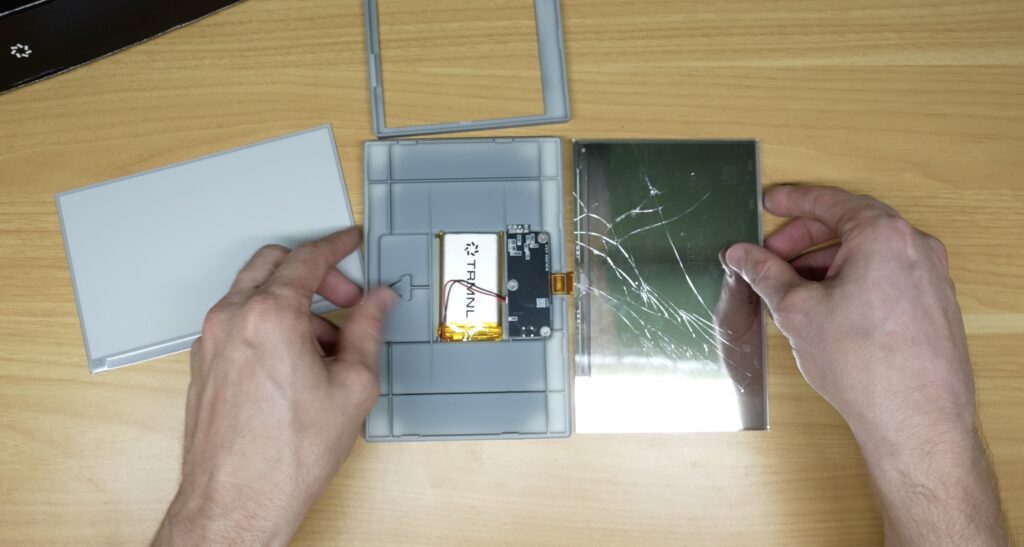
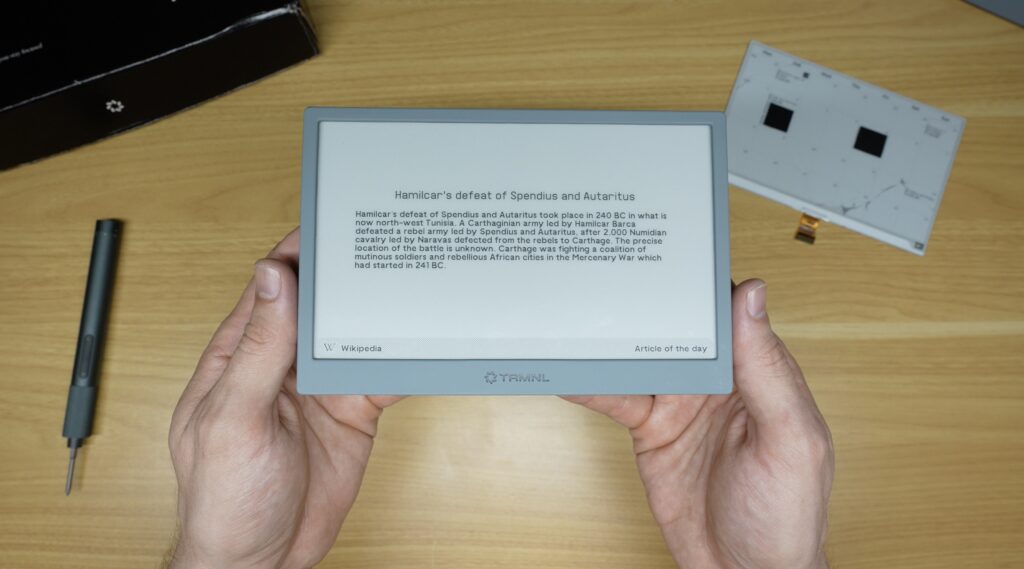
It might not be the most glamorous feature, but it’s one of the things I appreciate most about the platform. TRMNL isn’t trying to stop you opening the device or force you to replace the entire product when one component fails. Their focus on repairability is rare and I think deserves more recognition.
Should You Upgrade To The TRMNL X?
So is the TRMNL X more useful than the original?
For me, the answer is yes, but not simply because it’s bigger. It’s because the additional display area changes how the device can be used.
The original TRMNL works really well as a personal desktop display or a dedicated information panel showing a single application.
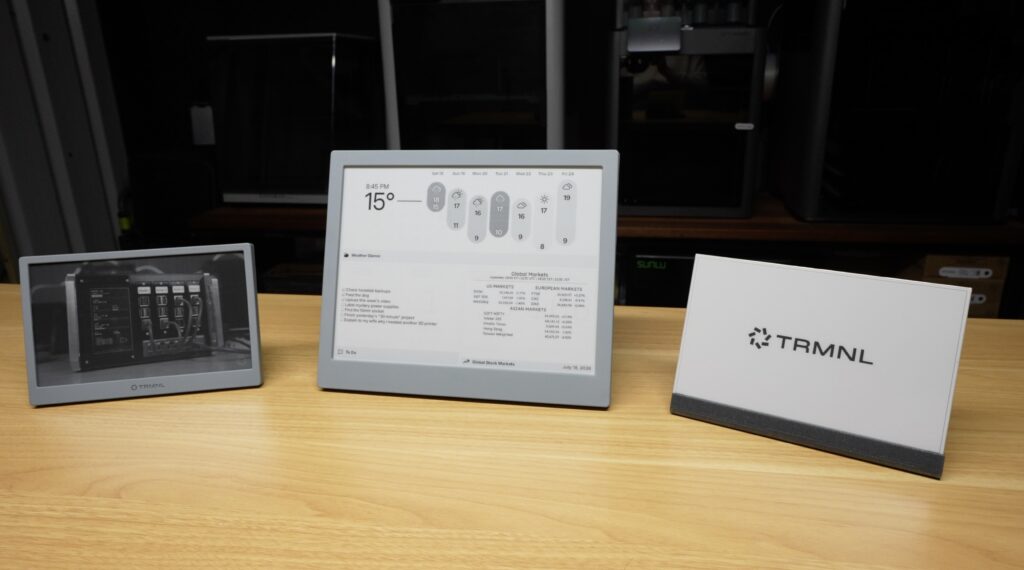
The TRMNL X feels much better suited to shared spaces such as a family kitchen, home office or workshop where you want several pieces of information visible at once.
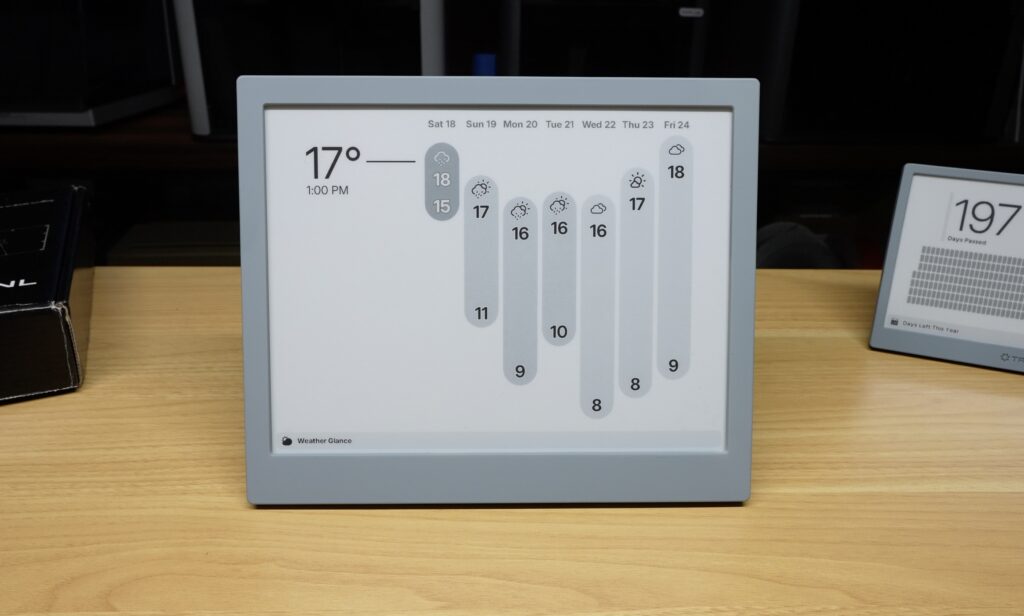
The magnetic mounting system also makes moving, rotating and repositioning the display quite convenient.
That said, I do have a concern about the pogo pins attaching the USB port to the TRMNL X. Since charging is done through the pogo pins, I would have liked to see a secondary USB charging port on the display itself as a backup in case those contacts eventually wear out.
Still Open, Customisable and Self-Hostable
One of the biggest reasons I like TRMNL is that the platform remains open and highly customisable. It’s easy to use TRMNL’s hosted service, but you’re not locked into it.
If you’d prefer to keep your data entirely within your own network, you can self-host the server locally and serve your own content directly to your TRMNL. That means your information never has to leave your own home.
The team has continued to improve both the software and documentation, making self-hosting quite accessible. Today it’s essentially as simple as spinning up a Docker container on a PC or server within your home network.
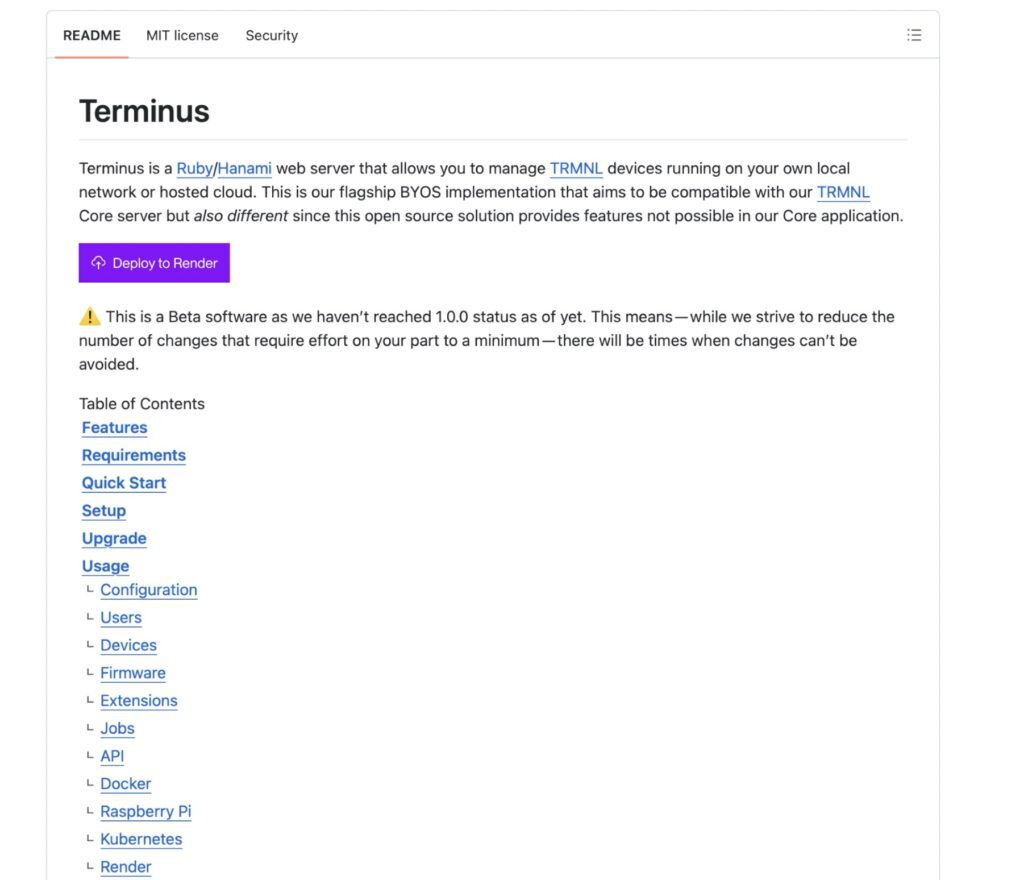
For anyone already running a homelab, NAS or always-on server, this is an especially attractive option.
Final Thoughts On The TRMNL X
The TRMNL X is much more than just another e-ink display.
It’s a flexible platform for building an information display tailored to your home, workshop or office. Whether you want a family dashboard, a home status display or a workshop command centre, the larger screen makes those use cases a lot more practical than the original model.
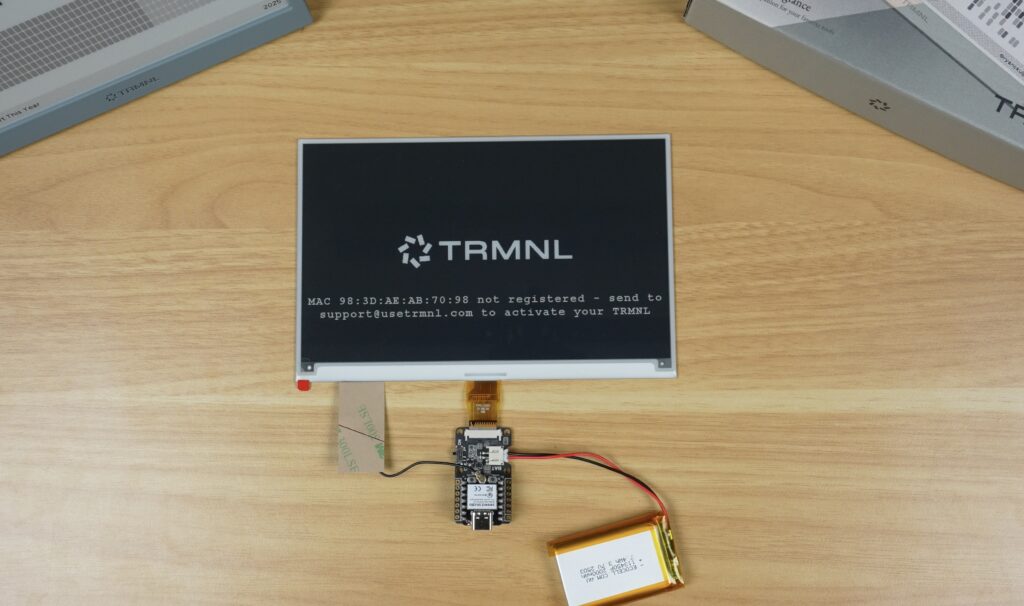
Perhaps most importantly, they continue to support open hardware, repairability and user customisation rather than locking owners into a closed ecosystem.
At over US$300, it‘s not exactly cheap. However, that price includes continued access to TRMNL’s hosted platform without an ongoing monthly subscription, a pricing model that’s quite rare and one I’m sure most people would prefer.
If you’d like to learn more, here are the links to each display. For anyone looking for a distraction-free information display that can grow alongside their projects, it’s well worth a look.
I love this deep dive into the TRMNL X! E-ink displays are such a game changer for sustainable tech.