


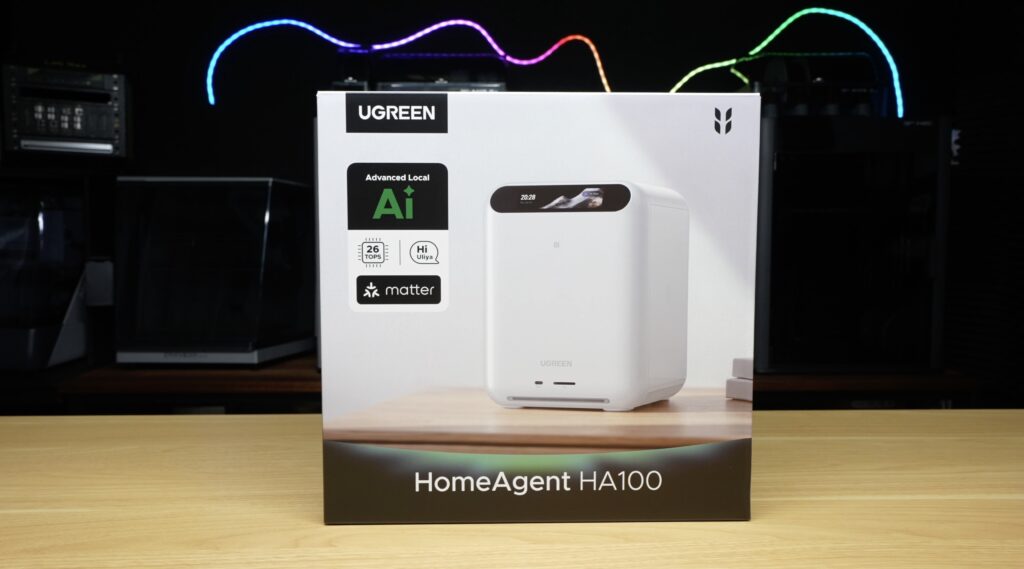
The UGREEN HomeAgent HA100 is quite a bit more than your typical NAS.
It’s a personal cloud server, smart home hub, home security system and even a local AI assistant, all packed into a single device. It can recognise people and objects in your photos, manage your smart home and security cameras and even answer questions about what’s happening around your home, all locally without relying on cloud-based AI.
It’s an ambitious product from UGREEN, so let’s take a closer look at what it does and how it works.
Here’s my video of the UGREEN HomeAgent HA100, read on for the write-up:
Where To Buy The HomeAgent HA100?
- Reserve from $50 & Save 50% – PRE-ORDER NOW!
- View the HA100 KickStarter Campaign – HA100 Kickstarter
- Smart cameras and accessories coming soon
- WD RED NAS Drives – https://link.amazon/B0gpE4cdN
Tools & Equipment Used:
Sound Level Meter – Buy Here
Power Meter – Buy Here
Unboxing the UGREEN HomeAgent HA100
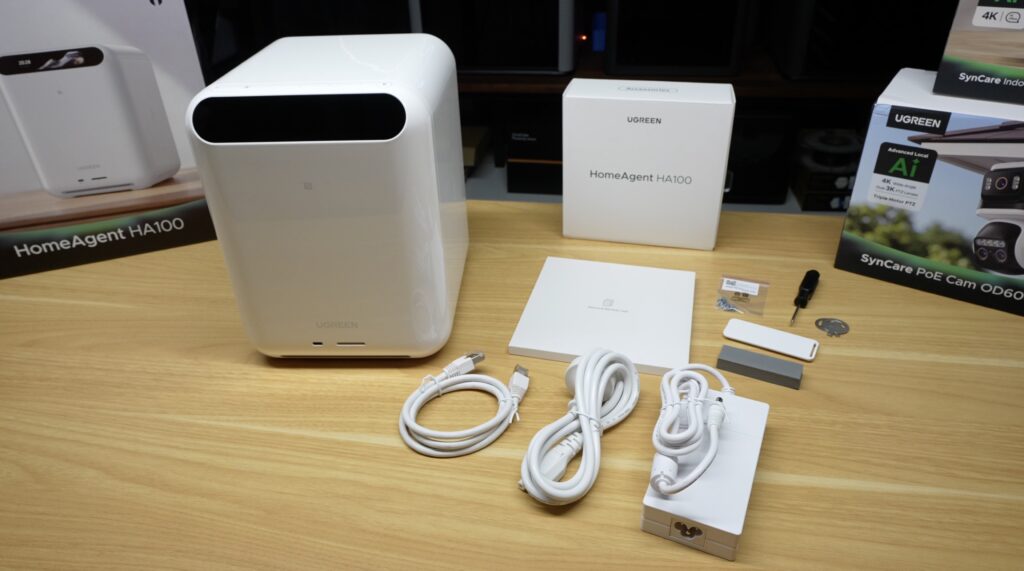
In the box we’ve got the HomeAgent itself and an accessories box.
The accessory box contains the manual and warranty card, an Ethernet cable, power brick, the thickest cooling pad I’ve ever seen, a cover plate, drive screws, a screwdriver and drive bay keys.
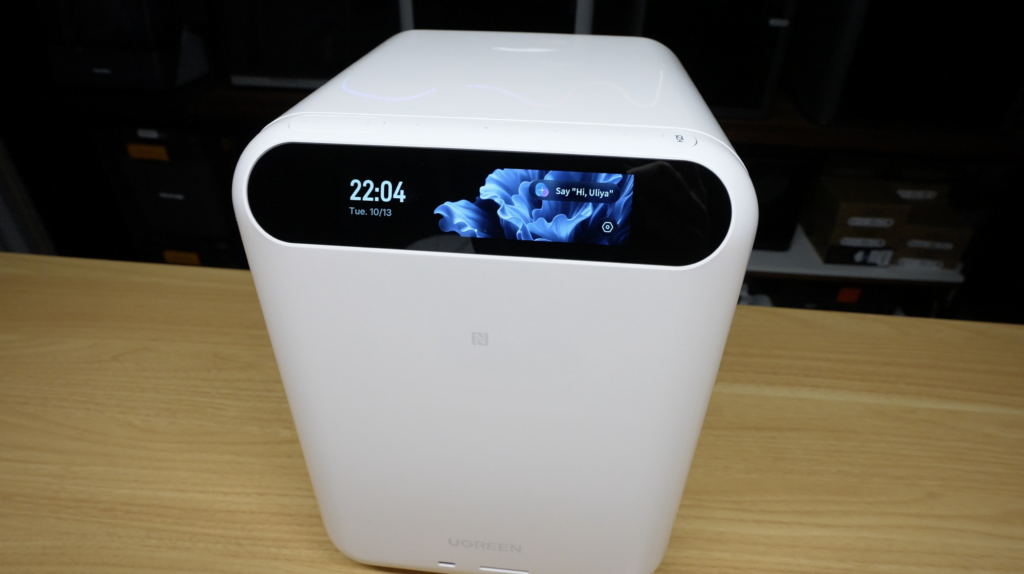
Taking a look at the HomeAgent, at the front we’ve got this black bar which is actually a 3.93-inch colour TFT touchscreen. Above it is the four-microphone array with volume adjustment buttons on the left and a microphone isolator button on the right. Then at the bottom is a USB-C port and a full-size SD card reader.
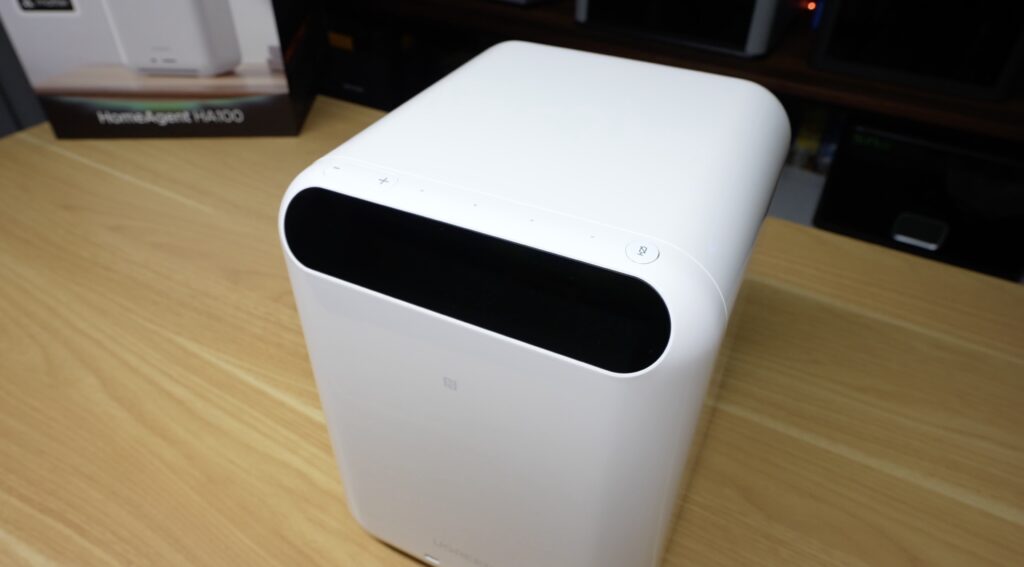
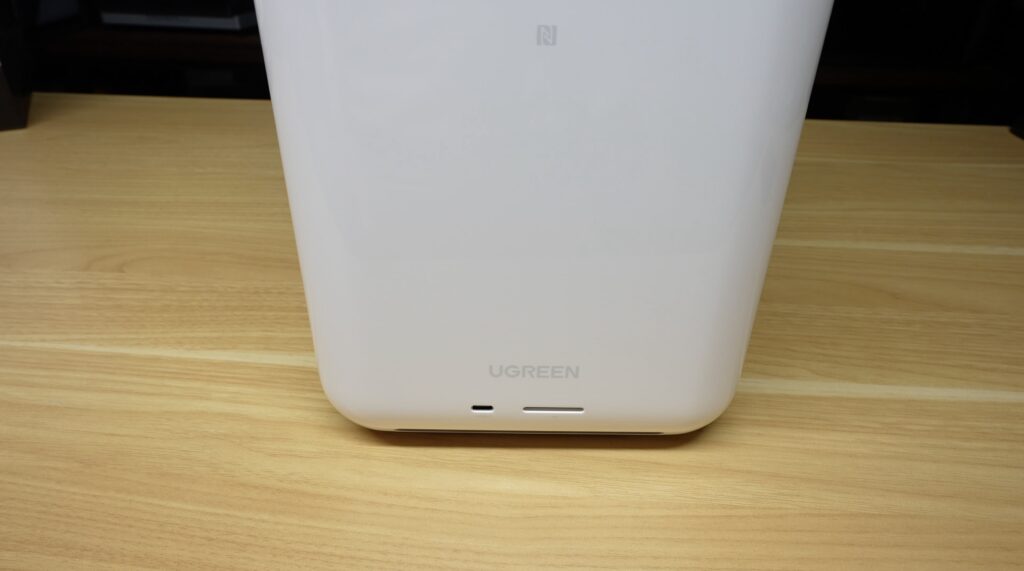
The two sides just have ventilation and a logo on them and around the back we have a removable magnetic dust filter covering a 140mm fan for cooling.
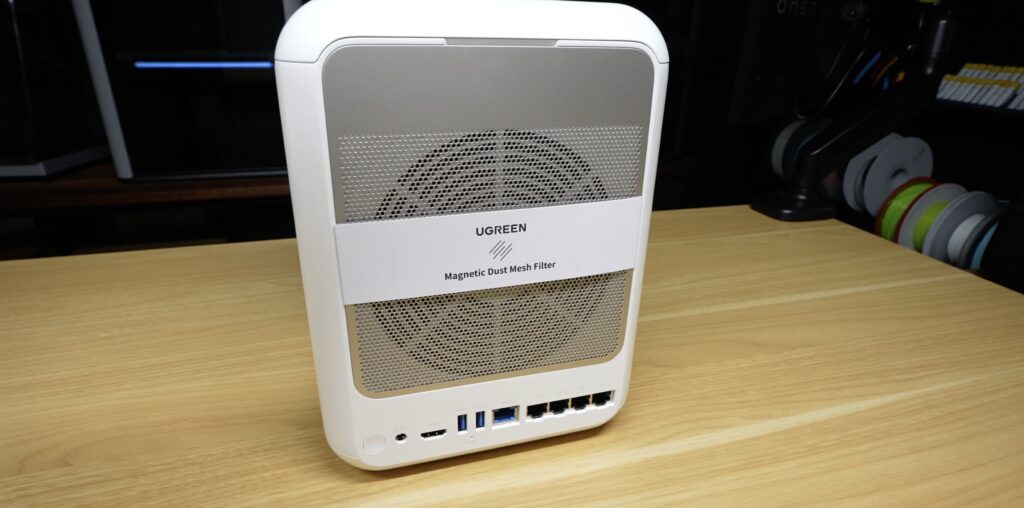
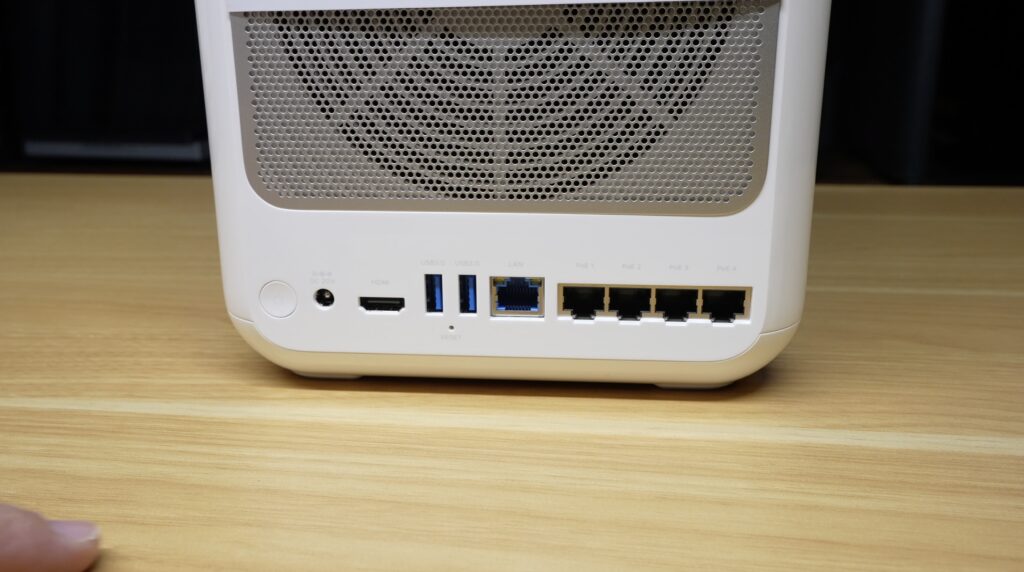
Below that, from left to right, is the power button, 20V DC input, HDMI port, two USB 3.0 Type-A ports, a 2.5G network port and then four 100Mbps PoE ports for surveillance cameras.
Hardware and Specifications
Internally, the HA100 has an eight-core ARM-based Rockchip RK3588 processor, which from my previous SBC testing is a very power-efficient chip for its performance. We’ll test power consumption a bit later on.
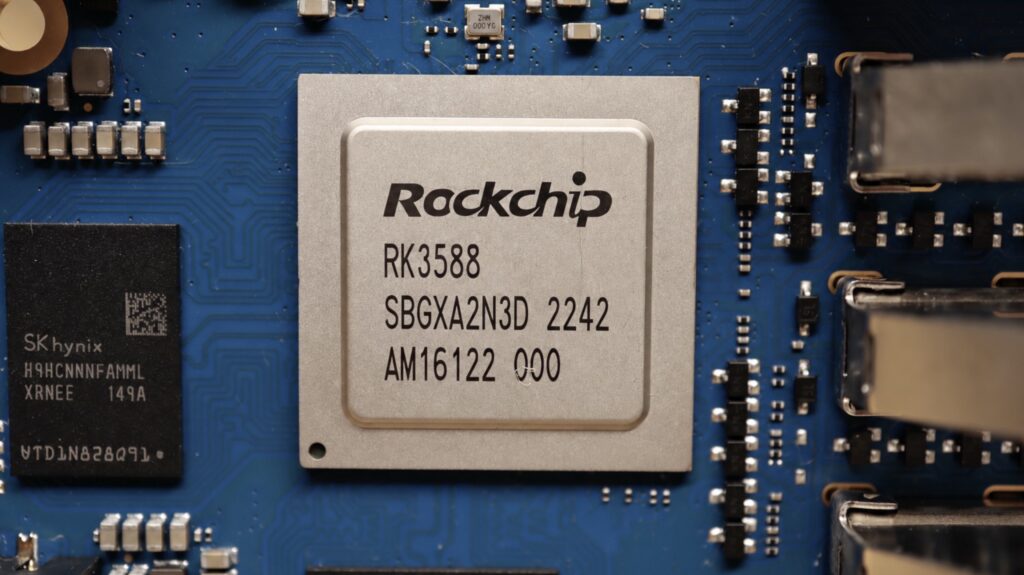
This chip also has an ARM Mali G610 GPU and an integrated NPU that can do up to 6 TOPS, along with that is 16GB of LPDDR5 RAM, and the operating system is installed on 64GB of eMMC storage.
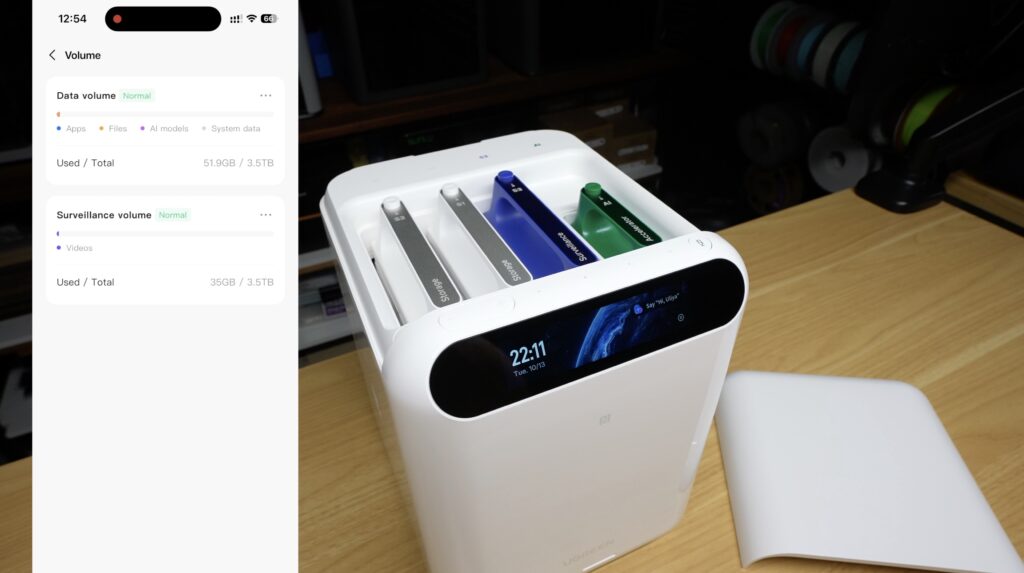
You may be wondering where the drives go since this is also a NAS. There’s a magnetic top cover hiding them.
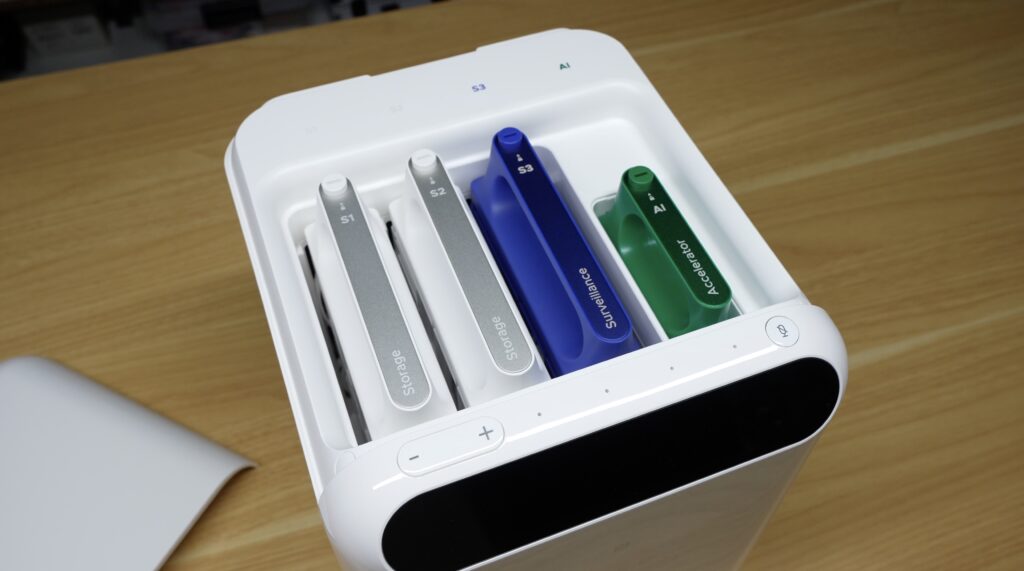
Underneath this cover we have two 3.5-inch storage drive trays on the left and another for surveillance storage alongside them. These bays all have SATA 3.0 connections.
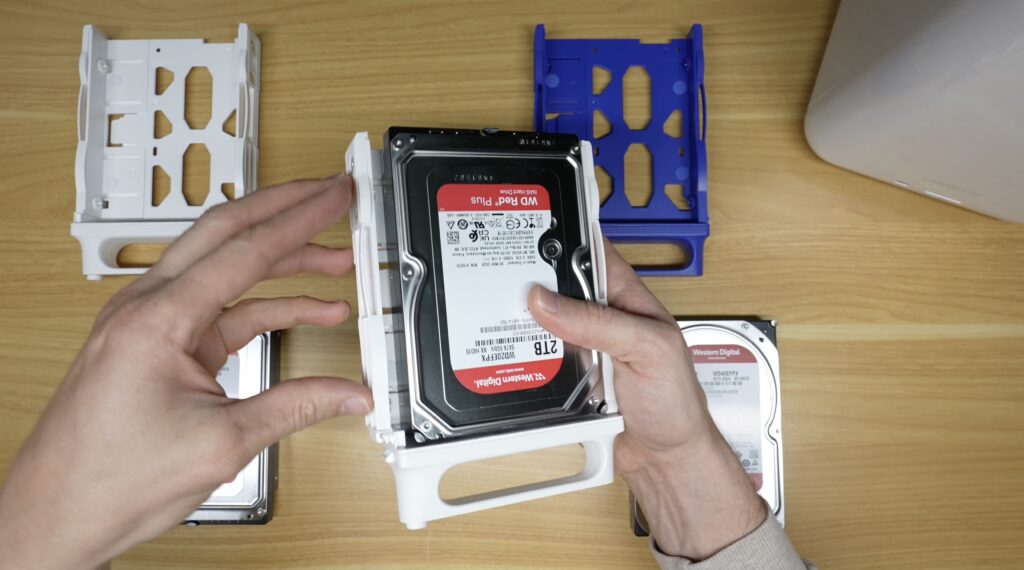
The trays themselves look quite cool and are finished off well with aluminium labels on the handles. They have a single lockable button to eject them, holes for mounting 2.5-inch drives and tool-free installation for 3.5-inch drives.
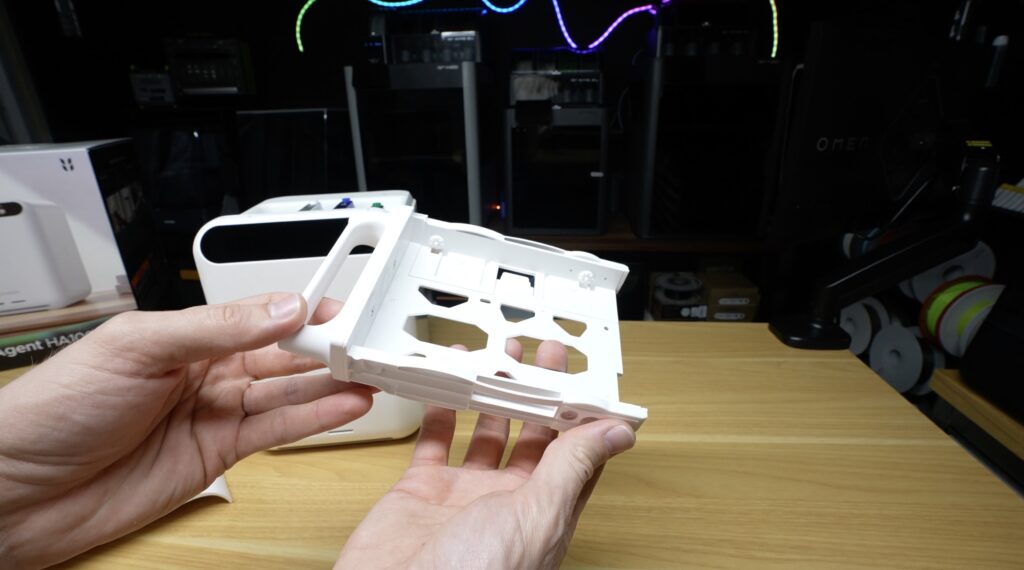
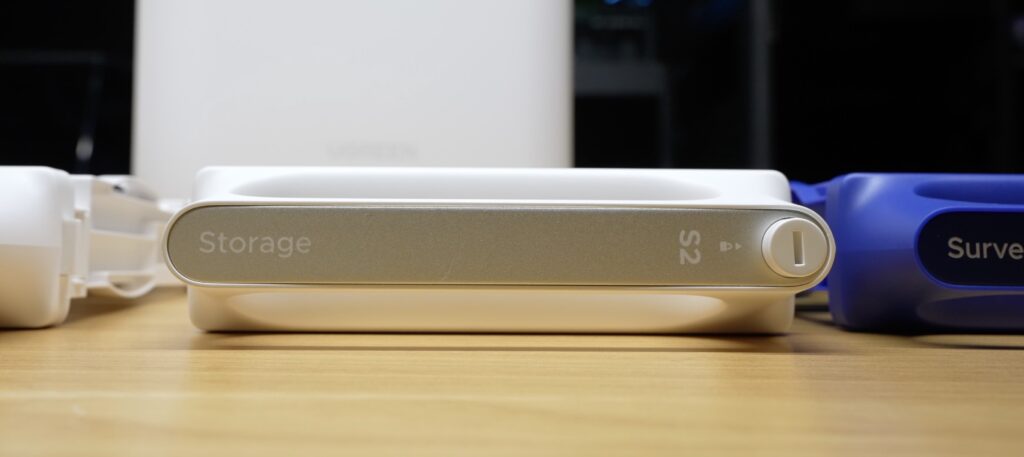
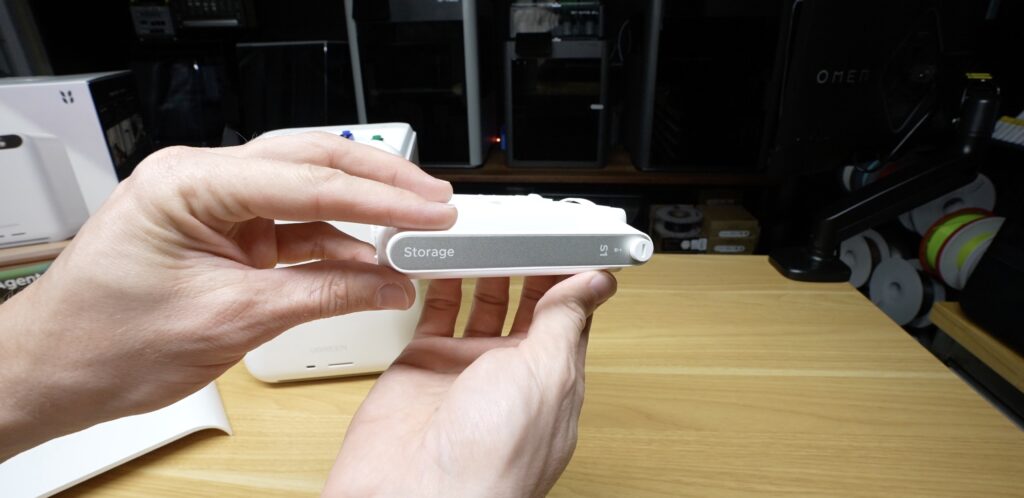
They also have rubberised guides on the end which make installing the drives feel very premium. You don’t have any banging or rubbing of plastic on plastic, and there’s a satisfying click into place at the end.
Dedicated AI Accelerator
Alongside the drive bays we’ve got the AI accelerator card. The HomeAgent is heavily marketed towards bringing everything back to your local network, and this is what allows the system to do all of the AI processing locally.
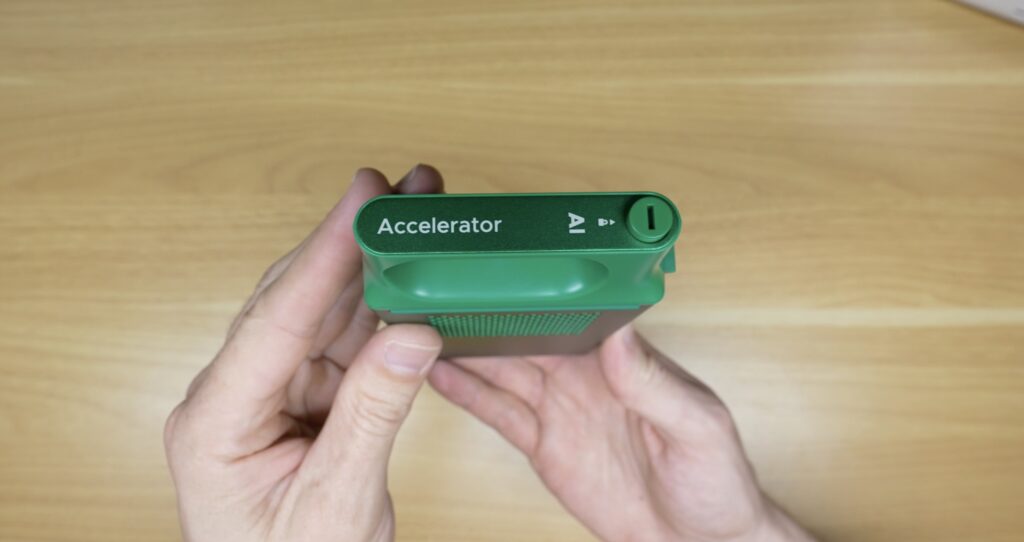
This is an RK1828 AI co-processor with 5GB of RAM in a package with what looks like a PCIe connection. I assume it’s removable because it may be upgradable in future or they might release different models, but that’s not confirmed.
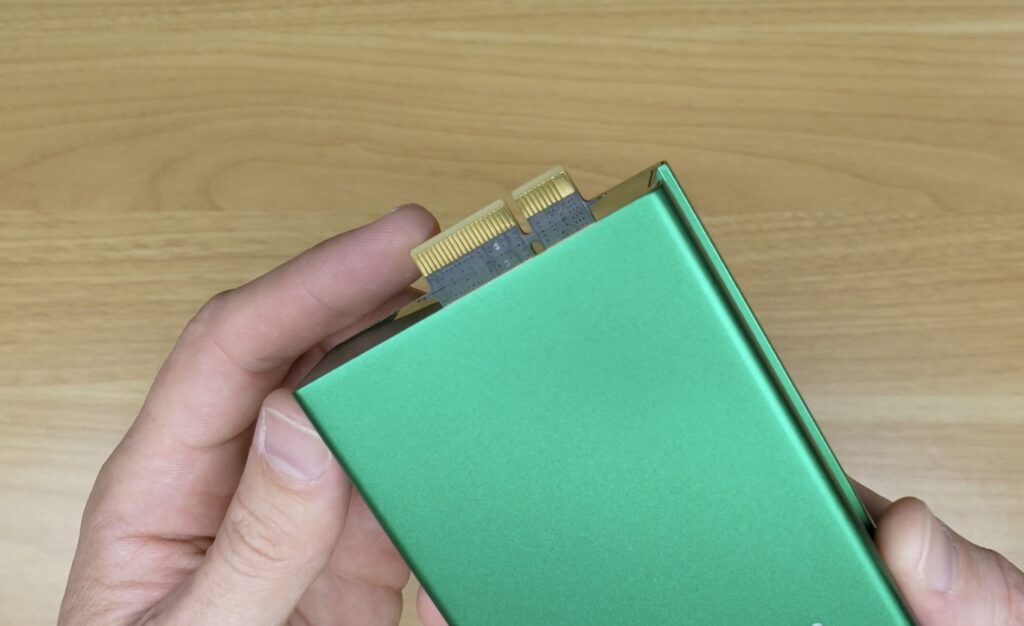
The HA100 is advertised as having 26 TOPS of total AI performance, 20 from this accelerator in addition to the 6 from the NPU. This is a pretty cool offering as I can think of very few NAS solutions that ship with a GPU or AI accelerator ready to run.
All three drives and the accelerator can be locked in place using one of the two included basic keys. These disable the release buttons.
Lastly, at the bottom is another removable cover with an NVMe bay. This is a PCIe 3.0 x1 port, and they include a massive thermal pad for this drive in the accessory box.
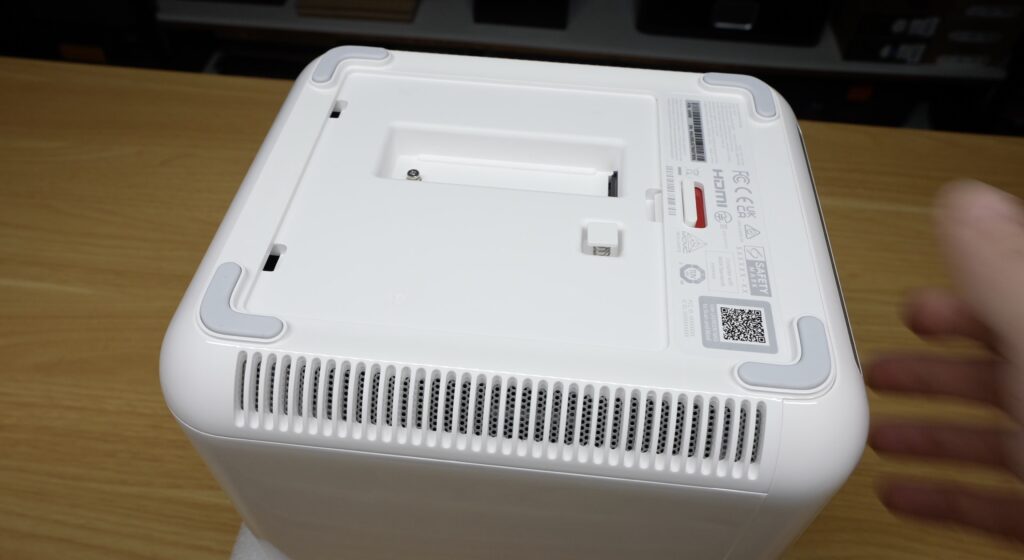
I don’t know how well the shiny white exterior is going to hold up to home use, but it looks pretty cool now and feels solidly built. Even the cover plate isn’t just a thin piece of plastic. It’s reinforced on the inside and has rubber strips on the mating faces.
Installing Drives and Setting Up the HomeAgent
For testing, I’m installing two WD Red 2TB drives in the general storage bays and one 4TB drive in the surveillance bay.
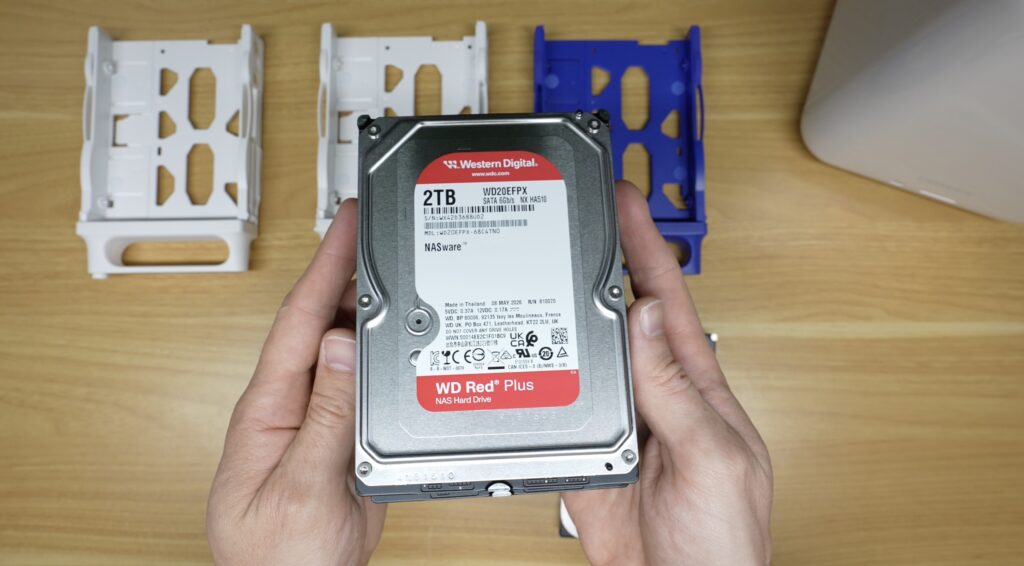
Being tool-free trays, installation is really easy. You just pull out the side, place the drive in and align it with the retainers, and then push the side back in.
With the drives installed, we can plug in power and Ethernet and boot it up. Power is supplied from a 20V 180W adaptor.
On boot, the HomeAgent asks you to pick a language and then use the UGREEN app to discover it on the network and complete setup.
You’ll need the app to do most of the setup and to interact with the HA100. The setup process takes about 10 minutes to complete and includes selecting a RAID 0 or RAID 1 configuration for the drives. After setup is complete, you’ll need to install some apps to suit your workflow. The main apps and features that I’m going to be testing, besides the NAS-related features, are the ones that I think differentiate the HA100 from other NAS products. These are primarily the AI-based features like voice recognition and photo recognition, as well as surveillance and the smart home hub. So I’ve gone ahead and installed most of their preconfigured apps.
NAS Performance Testing
Starting out with the standard NAS functionality, I’ve enabled SMB sharing and mapped the NAS drives to a PC on my network, also running over a 2.5G connection.
I ran file transfer tests across two different file sizes, 16GB and 1GB.
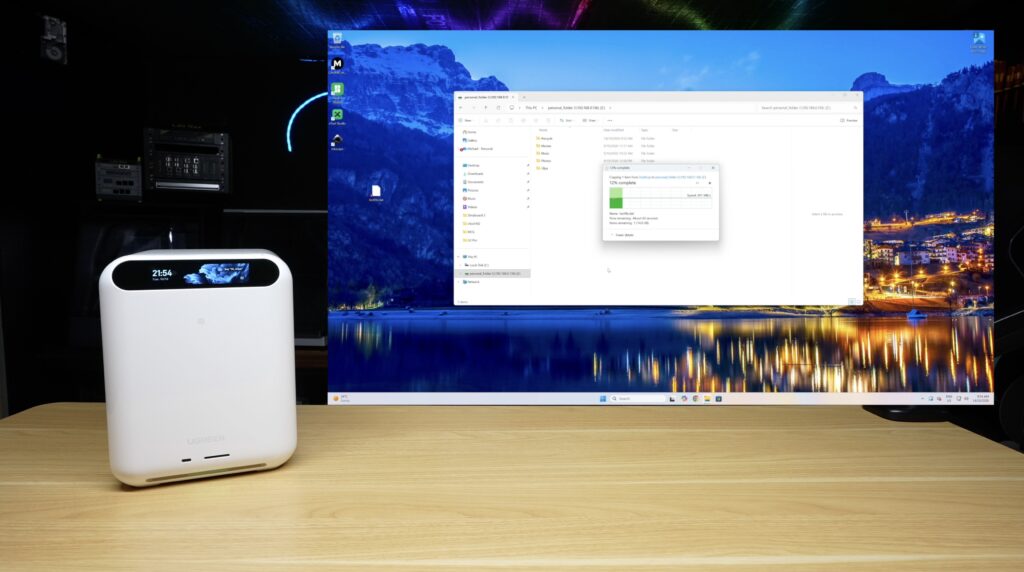
With larger 16GB files, transfers to the NAS start at around 270MB/s for the first few seconds. Then, as RAM fills up, speeds drop down to around 180MB/s. Reads from the NAS are consistently around 190MB/s.
Smaller 1GB files transfer to the NAS at 270MB/s for the full file, and read from the NAS again at around 190MB/s.
So unsurprisingly, the HA100 functions pretty well as a NAS.
Media Apps – Music, Theatre and Photos
The HomeAgent also has a range of media apps like Music, Photos and Theatre, which do exactly as their names suggest.
Music
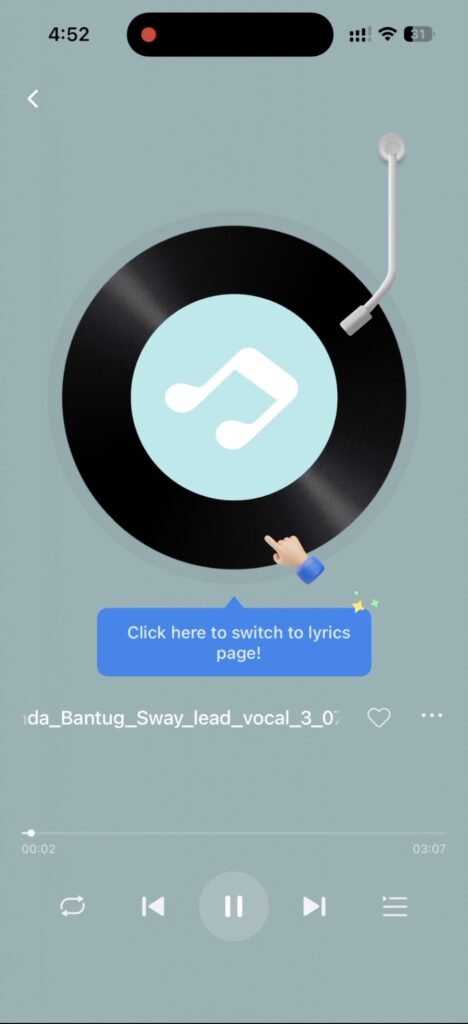
Music is a fairly basic media player that organises your library by artist and album, with support for playlists.
Theatre
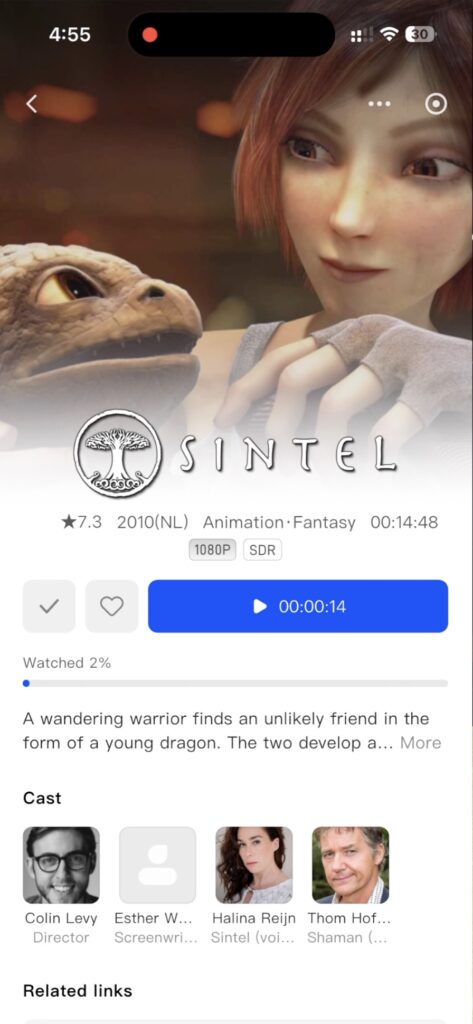
Theatre is also what you’d expect. It’s a media streaming app that automatically scrapes your media folders and presents your movies and shows along with artwork, a description and the cast.
You can also transcode media to lower bitrates.
Photos
Photos gives you a typical Google Photos-style interface with photos ordered by date.
It also uses object recognition running locally to categorise photos and identify similar or duplicate photos. It’s got a few other local AI features allowing you to recognise people and extract text from images.
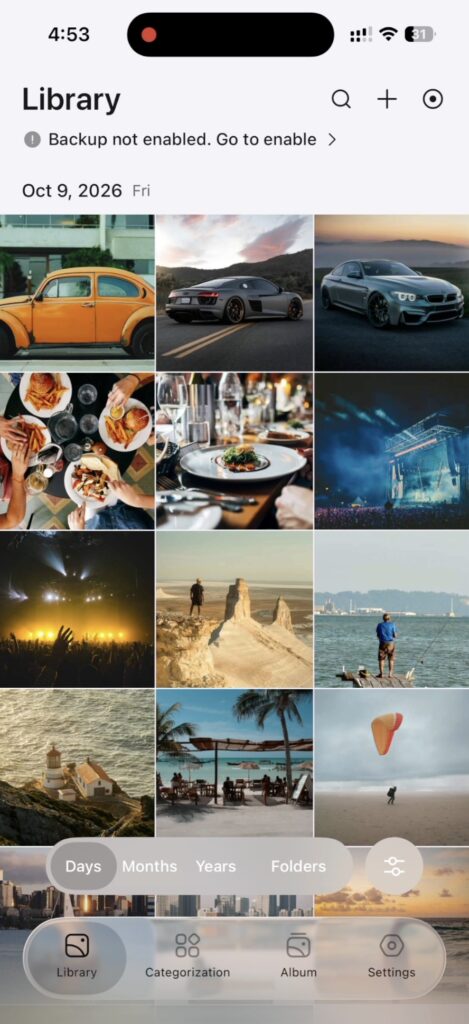

You also get semantic search, so you can easily find photos based on what you remember them including.
Local AI Features and Models
Since we’ve seen some of the AI features in use in the Photos app, let’s look at that a bit closer.
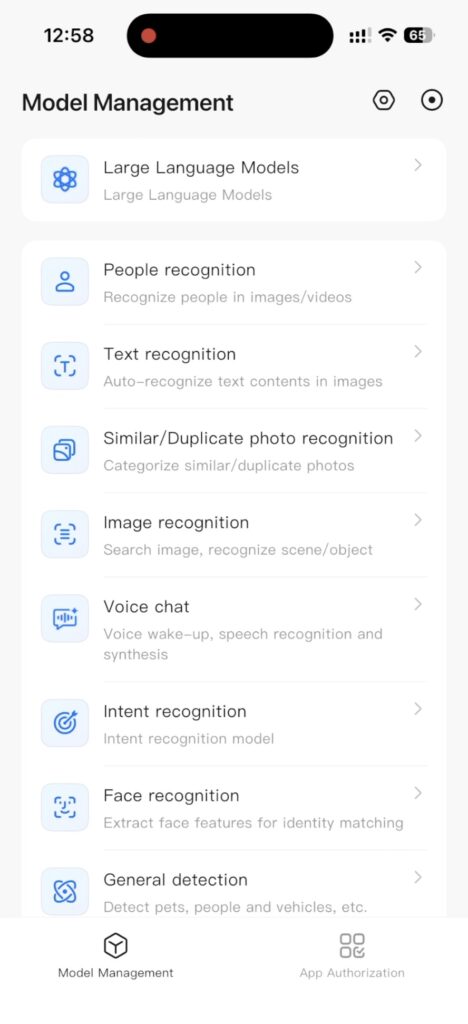
The HA100 runs Qwen3.5 4B by default, although it looks like it’s set up to allow you to choose different models in future. It also allows you to use cloud models if you want more powerful capabilities. It’s a nice inclusion, although this somewhat defeats the “keep it local” philosophy.
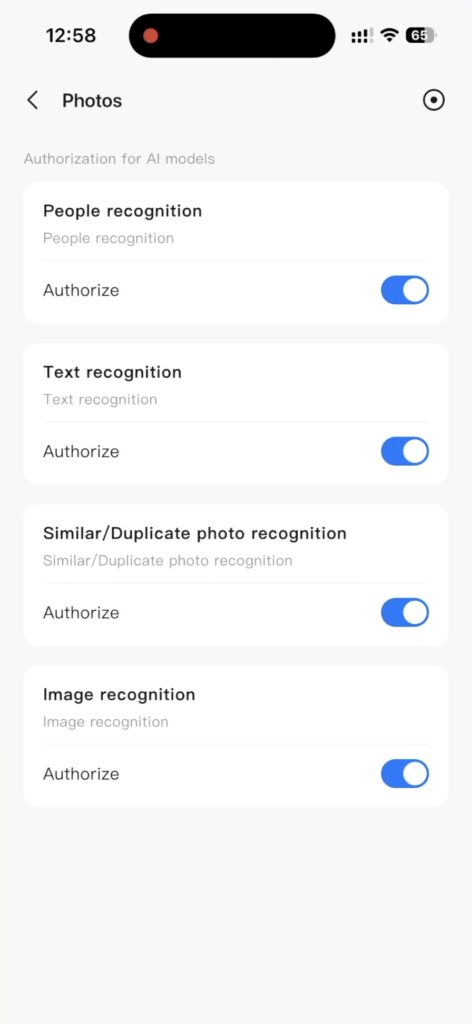
The part I like most about how they’ve implemented this on the HA100 is that they allow you to individually toggle which apps are able to use the AI features and even which models are able to be used by these apps. So you have total control over the AI implementation on the device.
Home Security and Surveillance Cameras
That brings me to the home security features.
The addition of the four camera-focused PoE ports is quite a unique feature, and UGREEN have released three new camera models to pair with it. I have two of these here to test, one indoor and one outdoor camera. The outdoor one supports PoE.
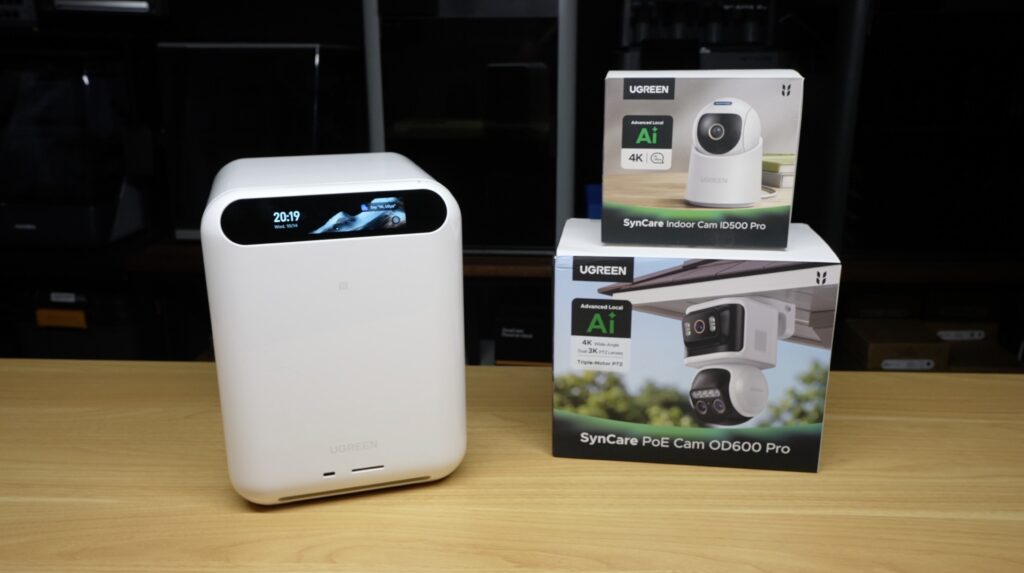
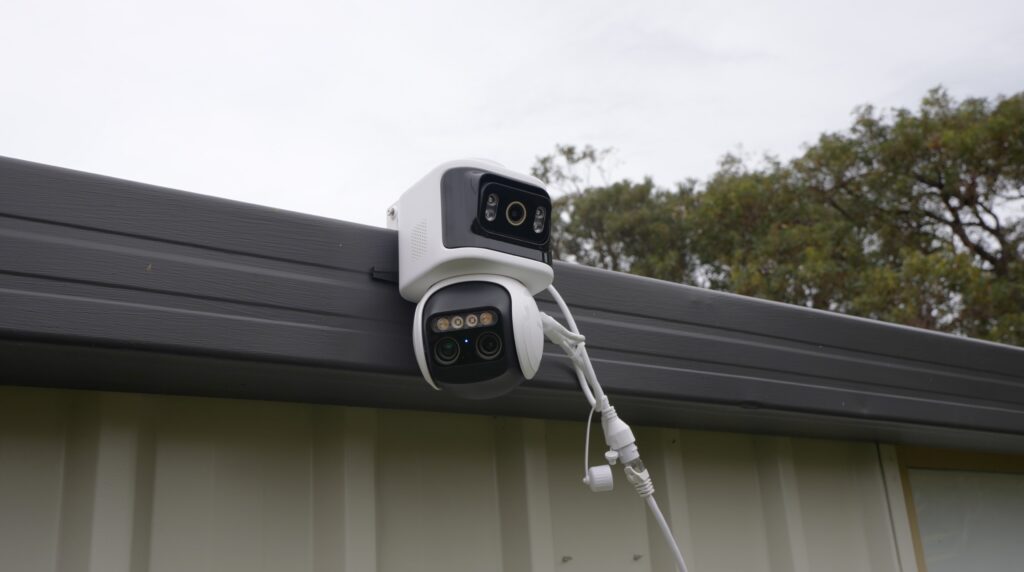
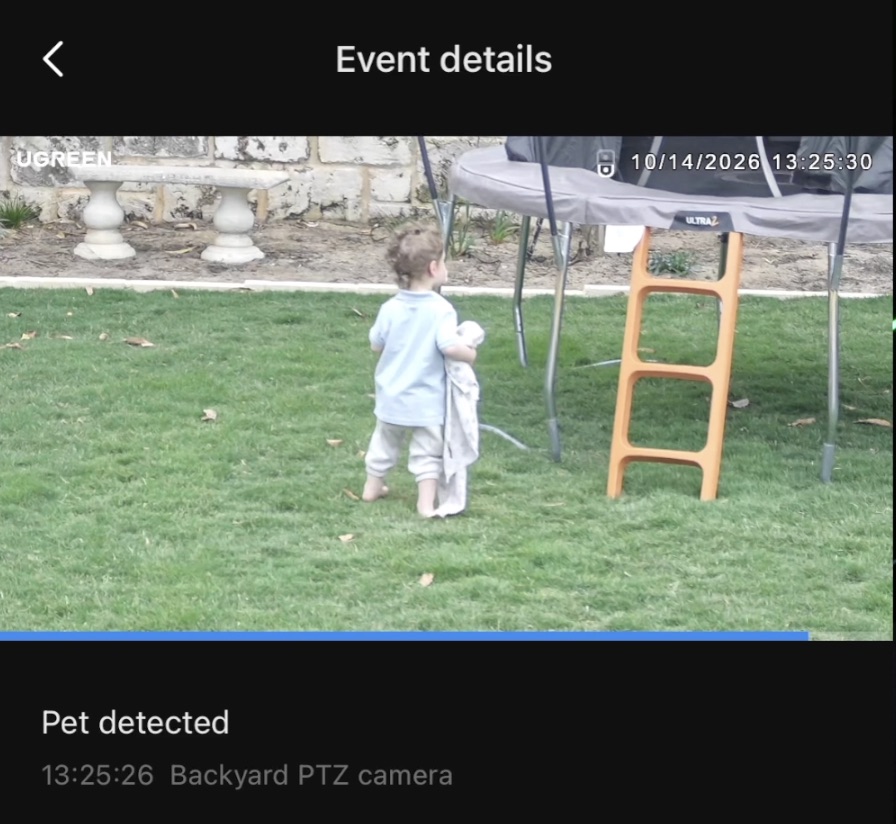
These function much the same as other smart home cameras, but they have a wide selection of local AI detection functions which can be individually selected per camera. From my testing, these work fairly well, with the odd misdetection of my toddler as my dog. Being locally processed means they’re also quite responsive.
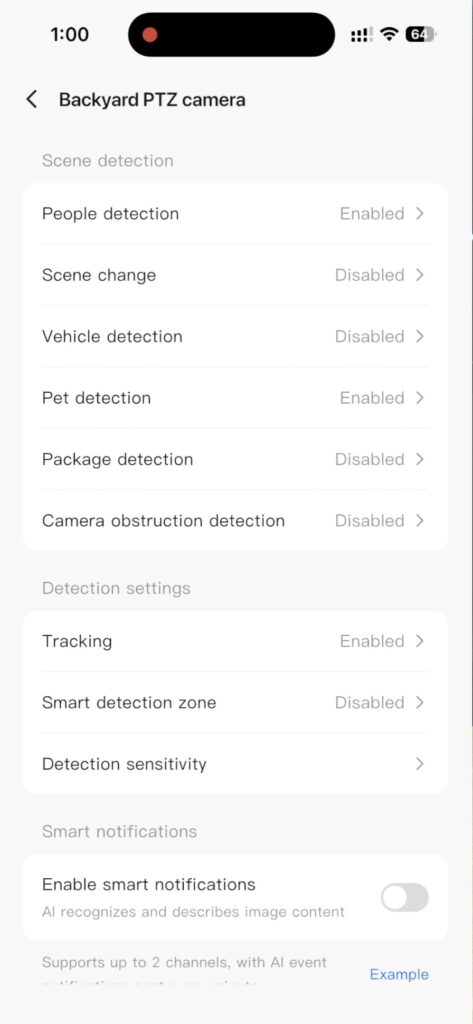
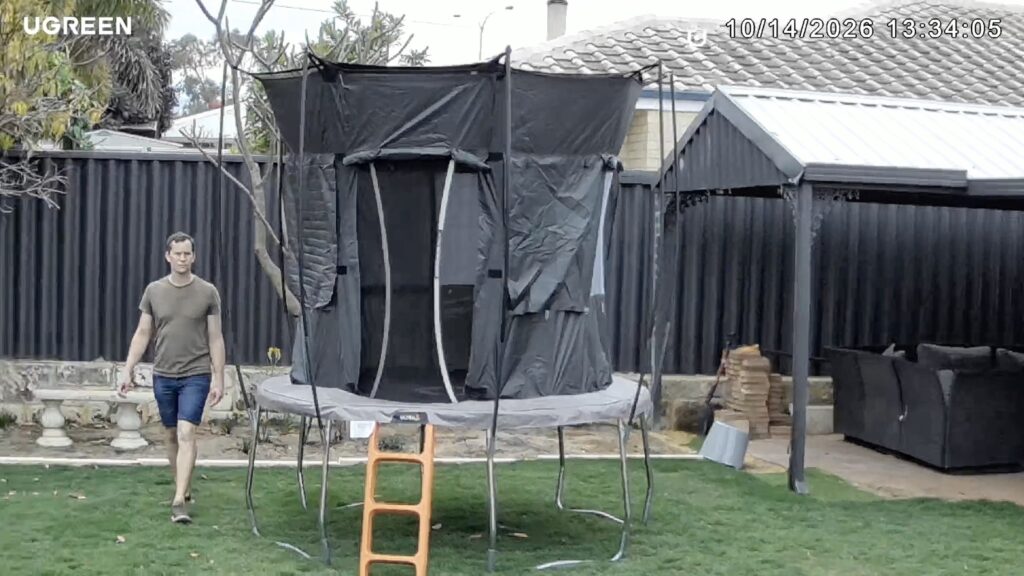
The outdoor camera is particularly impressive with its auto-tracking of subjects. It has no problem tracking people moving behind objects. It’s actually a bit eerie watching it track you.
Smart Home Hub and Voice Assistant
The HA100 also functions as a smart home hub, so it can interact with your smart devices directly. This is also what the voice assistant is currently best set up to control, and you can see and control these devices through the UGREEN app.
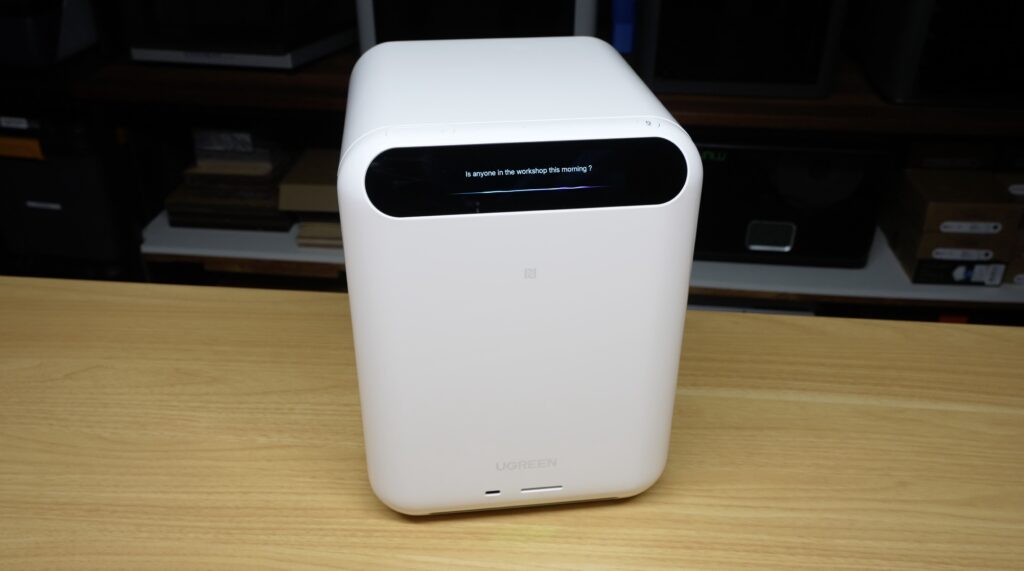
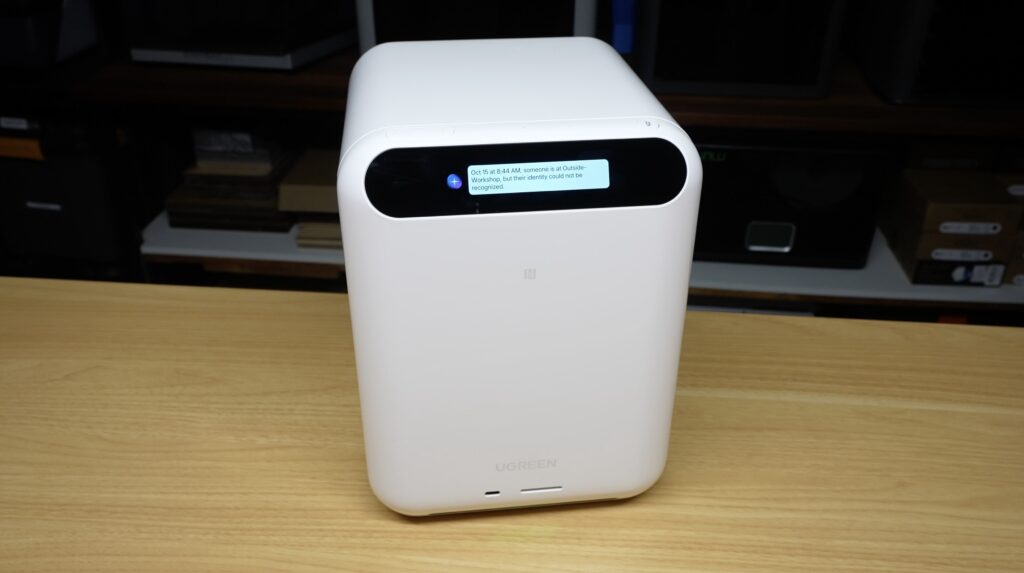
This smart home control functions alongside your existing setup, so you don’t have to pair your devices exclusively with the HA100.
To confirm that the AI assistant is running locally, I unplugged the network cable and it still responded to my questions.
Power Consumption Testing
I then measured power consumption.
The HA100, with my configuration of drives all spun up, uses around 28W at idle and 33W under load.
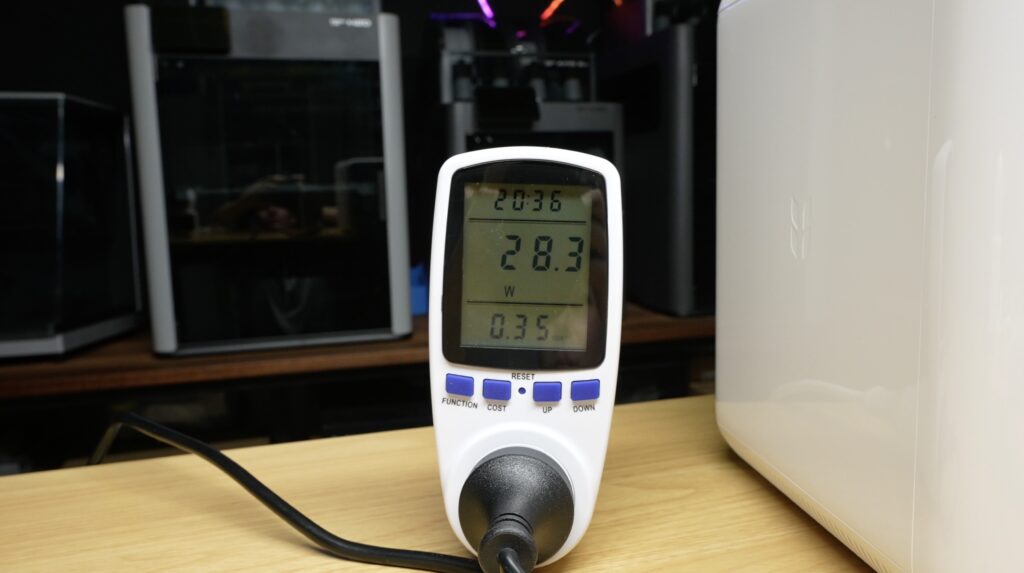
When powering one of the OD600 cameras using its built-in PoE, this goes up by about 4–5W depending on what it’s doing.
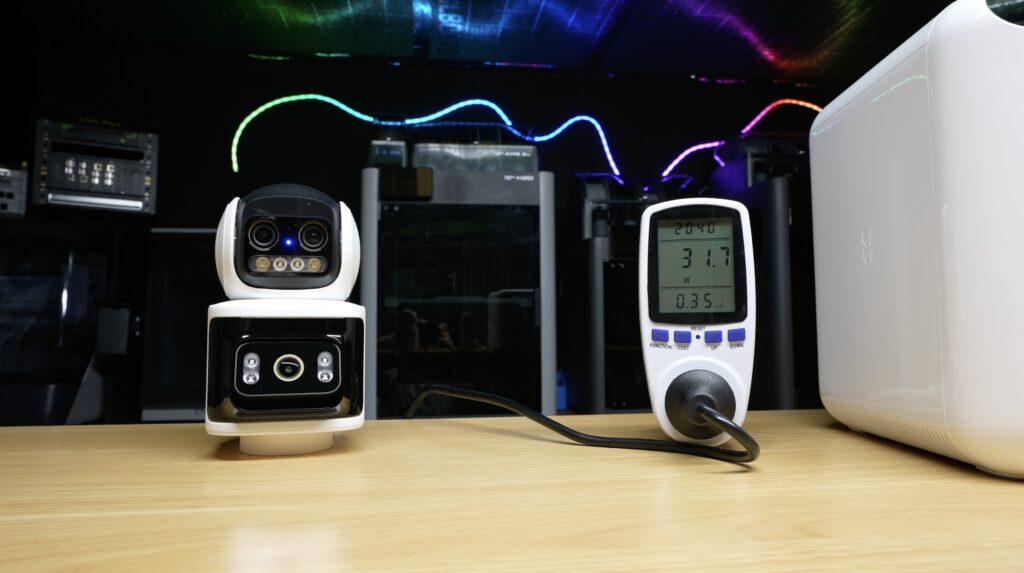
This just gives you an idea of power consumption. Yours is obviously going to vary depending on the type and quantity of drives you install, as well as the PoE devices you connect to it. But I think this is quite low for all that it’s doing.
Noise Levels
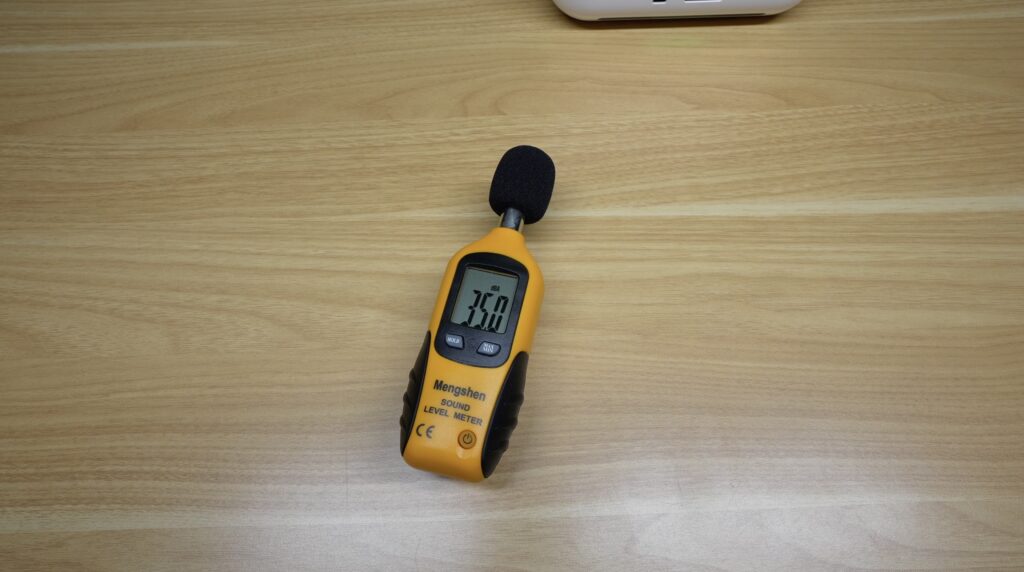
Sound-wise, we’ve seen that the drive trays have rubber damping and the whole device feels solidly built, but even so, it’s really quiet. If you didn’t know this had mechanical drives in it, you probably wouldn’t even notice them. I measured 35 decibels, but that’s pretty much the ambient sound level here in my workshop.
UGREEN HomeAgent HA100 Pricing
In terms of pricing, there are three different versions of the HomeAgent with vastly different hardware, performance and also pricing. This is the consumer-level base version, which costs $799 as their super early bird price and has an MSRP of $1,599. This initial pricing also includes a free indoor camera.
At $800, I think this is pretty good value for money. But at $1,600, the software needs to do a fair bit of work to make this a true all-in-one smart home device and justify the price.
I also say consumer-level because the other two models, the HA100 Pro and the MA100, are significantly more expensive and also more powerful. They’re likely aimed at people who really want to do a lot of AI processing locally, as well as small businesses.
What Could Be Improved?
My only real criticism of the HA100 is that it perhaps does a bit too much in one package. It’s a really functional product that they’ve packed a huge amount of tech into, but realistically you probably don’t want a box of spinning mechanical drives with five network cables emerging from the back in a room where the voice functionality is going to be useful.
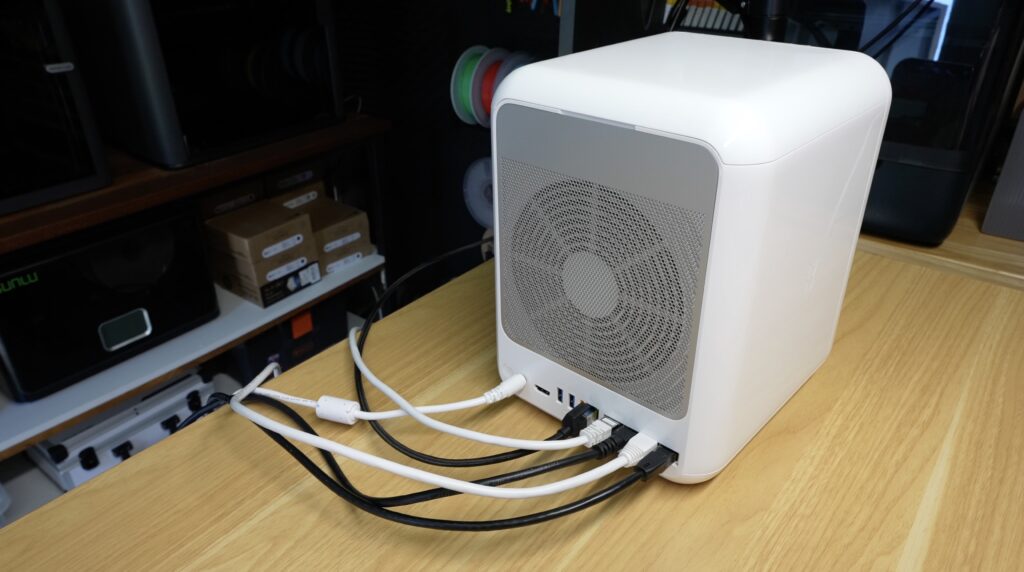
Fortunately, it looks like they’ve already thought of that, and they have a dedicated smart speaker for Uliya. This is a standalone device that you can still have on the same network, but it looks less out of place in your living room or kitchen.
Being a pre-release product, there are also a few bugs and features that are still in development. The current software is quite restricted compared to UGREEN’s conventional NAS lineup, and currently almost all of the functionality is accessed through the mobile app. But given this is going live as a Kickstarter in November, and that UGREEN have a pretty good NAS lineup available already, I expect they’ll have these ironed out when they start shipping them out.
Final Thoughts – Is the UGREEN HomeAgent HA100 Worth It?
Overall, I think UGREEN have done a pretty good job with the HomeAgent HA100. They’ve managed to combine a NAS, security system and smart home hub into a compact, power-efficient device, and the local AI functionality adds some useful features.
The hardware is certainly promising, but whether the HomeAgent becomes a truly useful all-in-one smart home solution will depend on how UGREEN develops its ecosystem and particularly its compatibility with smart home devices from other brands.
Let me know what you think of the HomeAgent HA100 in the comments below, and if you’ve got any questions about the device or any of my testing, feel free to ask.
