


Air quality around 3D printers is something that’s increasingly being discussed, particularly as enclosed printers and higher-temperature engineering filaments have become more common. While most modern printers do a reasonable job of keeping the printing process contained, they’re not completely sealed, and according to some, filament materials can produce particulates and volatile organic compounds while printing.
This is the BIGTREETECH Panda Sense Pro, and it has been specifically designed to help keep an eye on what’s happening around your printers.
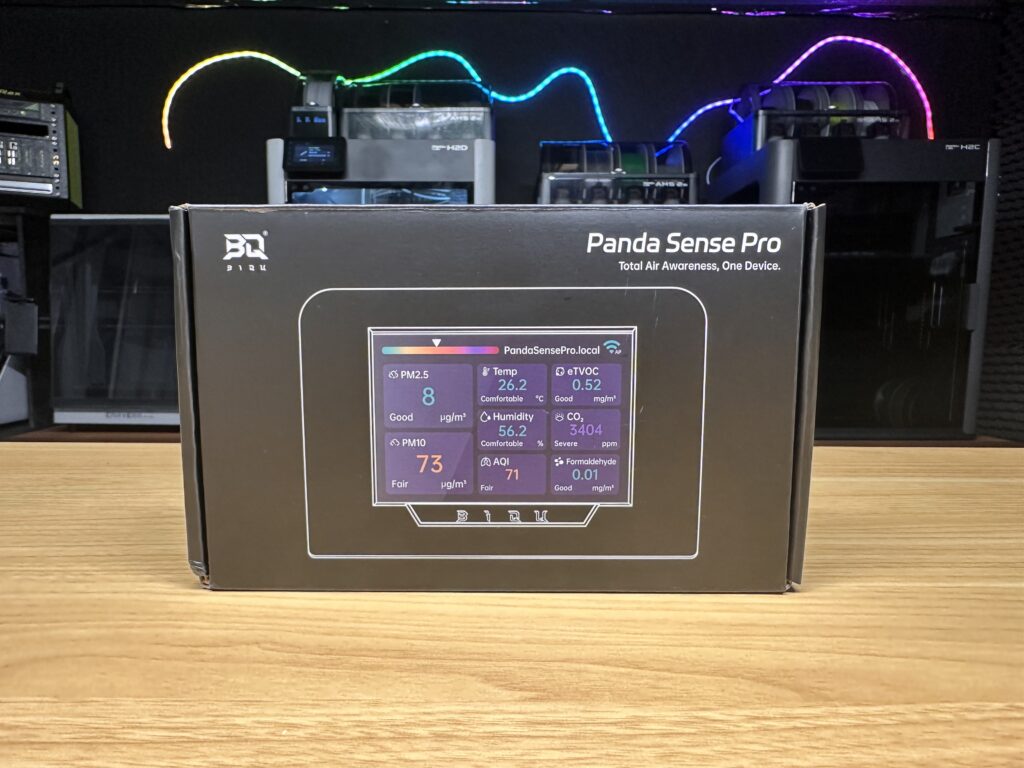
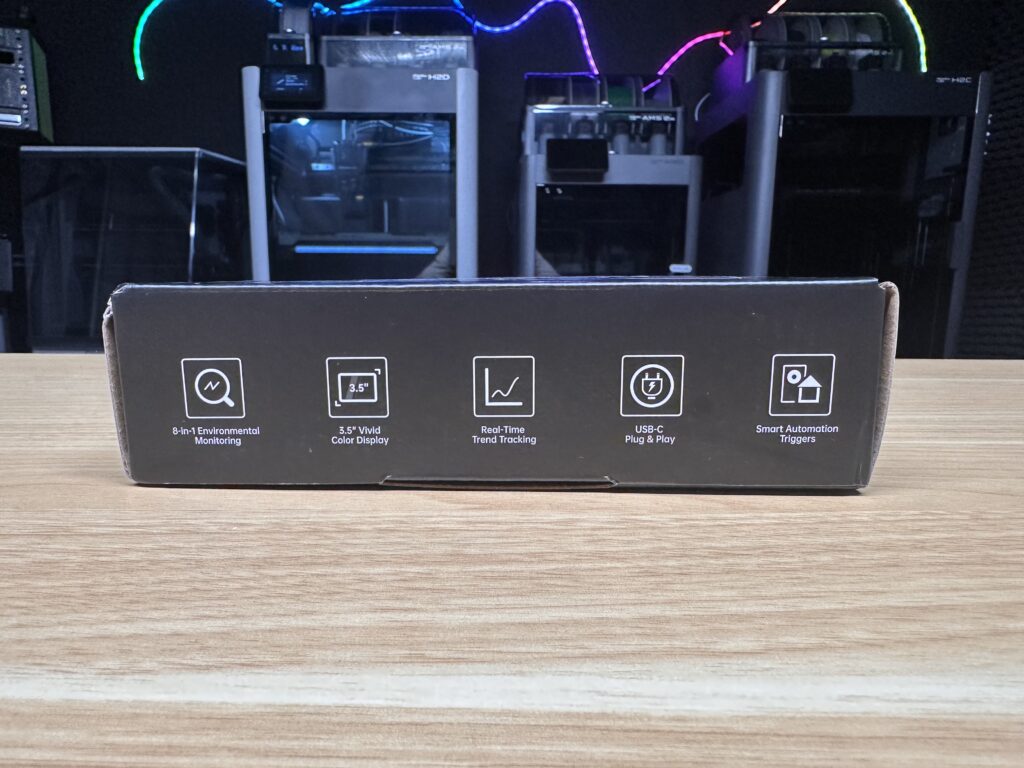
It’s not just a simple temperature and humidity sensor, it monitors eight different environmental metrics, including airborne paritcles, CO₂, volatile organic compounds and formaldehyde. It also includes Wi-Fi, logging and integration options for common 3D printing setups.
BIGTREETECH sent me this Panda Sense Pro to try out, so I’ve spent some time using it around my printers to see what it can tell me about the air in my workshop.
Where To Buy The Panda Sense Pro
What Can The Panda Sense Pro Monitor?
The Panda Sense Pro has sensors that allows it to monitor eight parameters:
| Measurement | What it tells you |
|---|---|
| PM2.5 | Concentration of fine airborne particles up to 2.5 µm |
| PM10 | Concentration of airborne particles up to 10 µm |
| CO₂ | Carbon dioxide concentration |
| Formaldehyde | HCHO concentration |
| eTVOC | Estimated total volatile organic compounds |
| AQI | Overall air-quality indicator |
| Temperature | Temperature |
| Humidity | Relative humidity |
This is quite a broad combination for a workshop or printing room. It covers a range of common environmental indicators rather than focusing on a single pollutant.
PM2.5 and PM10 give you an indication of airborne particulate matter, while eTVOC and formaldehyde monitoring indicates changes in airborne chemicals. CO₂ is useful as an indication of how well ventilated a room is, especially when people are present. Temperature and humidity are also useful measurements for printing and filament storage.
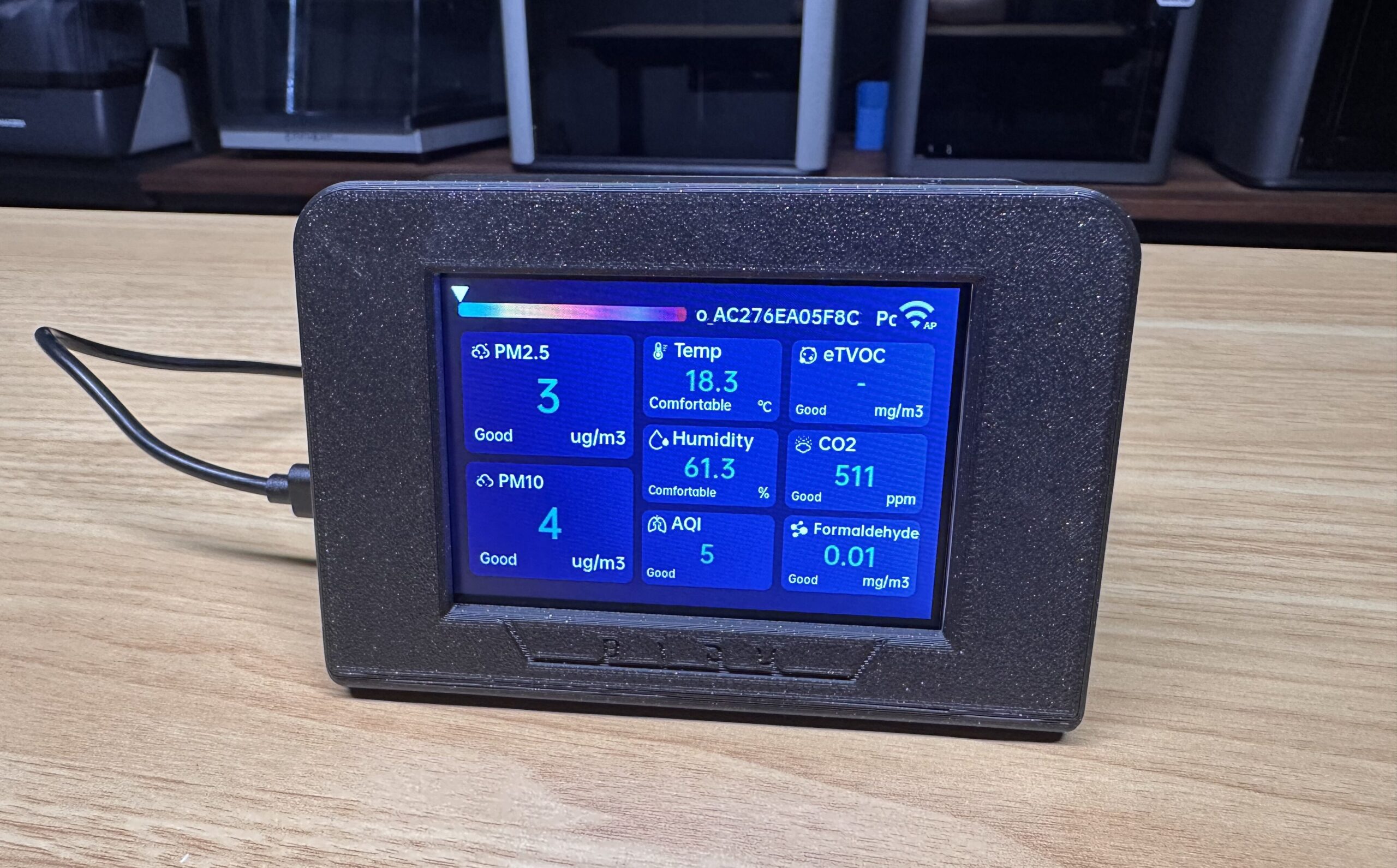
The measurements are all shown simultaneously on the built-in display, so you don’t need an external app or computer to see what’s happening.
What’s Included In The Box?
The Panda Sense Pro isn’t supplied as a completely assembled product, ready to use. In the box you get the Panda Sense Pro PCB, 3.5″ display, temperature and humidity sensor, USB power cable, mounting hardware and a couple of hex keys.
And, because this is BIGTREETECH, there’s also the obligatory little BTT rubber duck.
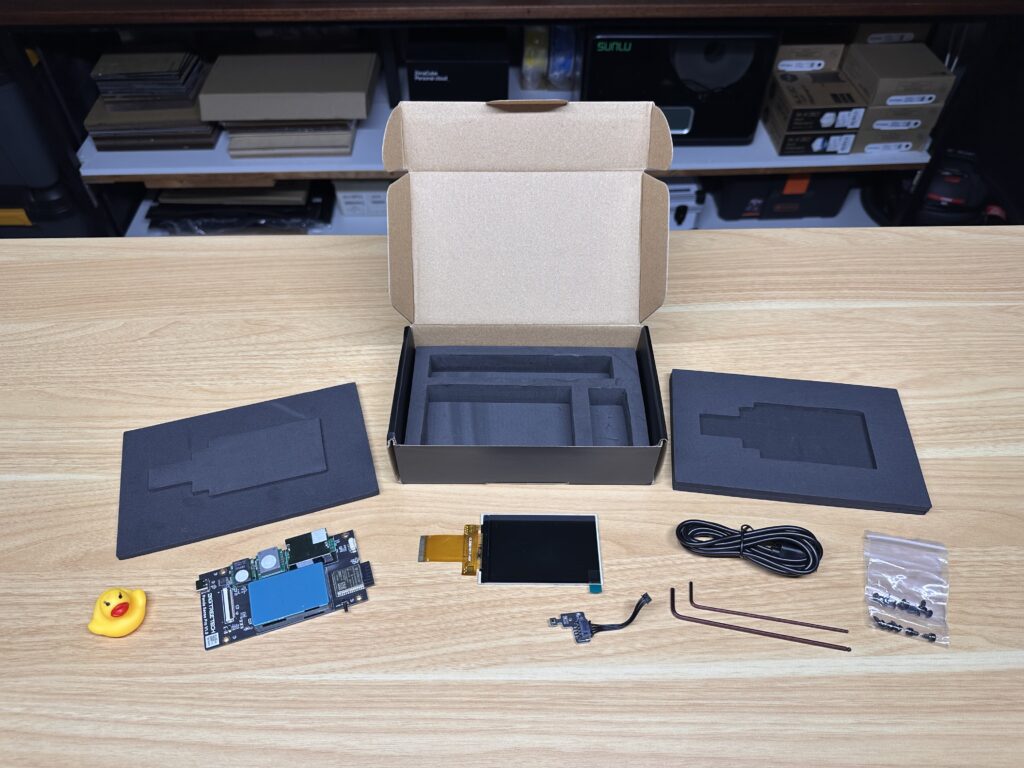
You may have noticed by now that it doesn’t include an enclosure. Instead, BIGTREETECH provides the enclosure design as an open-source 3D-printable model.
I don’t mind this approach for something aimed specifically at people who already own a 3D printer, although it may limit their market a little. This approach keeps the hardware accessible and gives you the option of modifying or completely redesigning the enclosure if you’d like to, allowing you to mount it onto your 3D printer for example.
Printing The Panda Sense Pro Enclosure
I printed their standard enclosure before assembling the monitor. The complete enclosure uses a little over 100 g of filament with stock settings on my Bambulab X2D, so it’s not a large or expensive print.
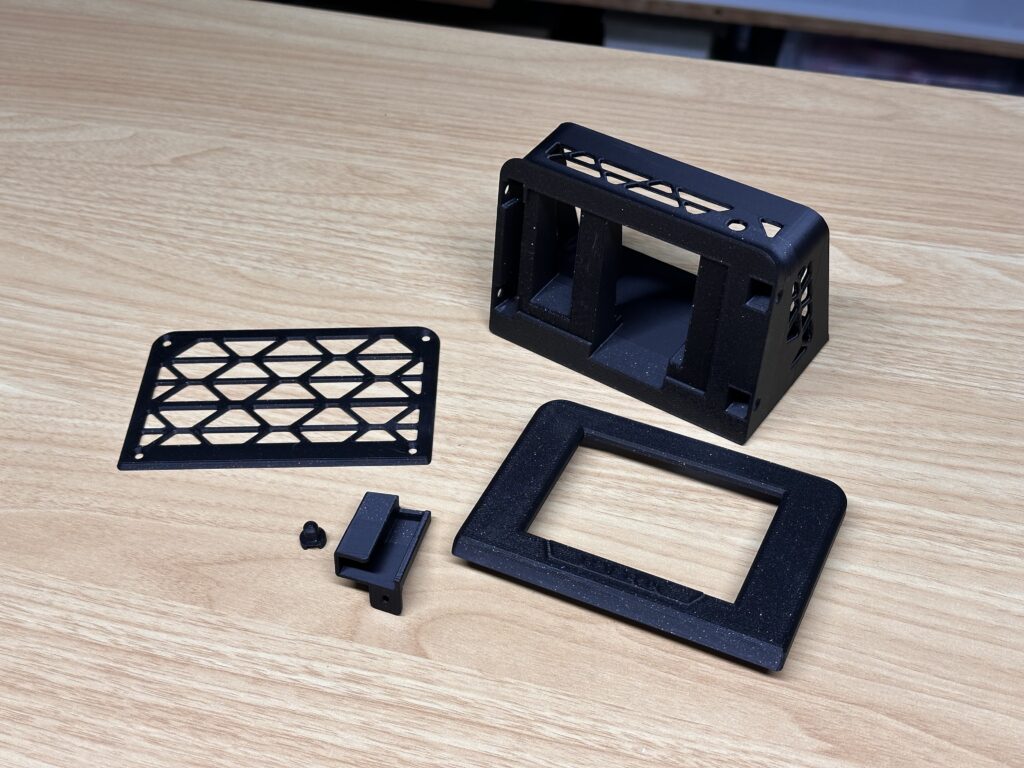
Because the enclosure files are available to download, you can also print it in whatever colours or materials suit your setup, or modify the design if you want to mount it somewhere specific. The downside is that you need access to a printer to end up with a finished product. Out of the box, you’re buying a PCB and display rather than a completed consumer product.
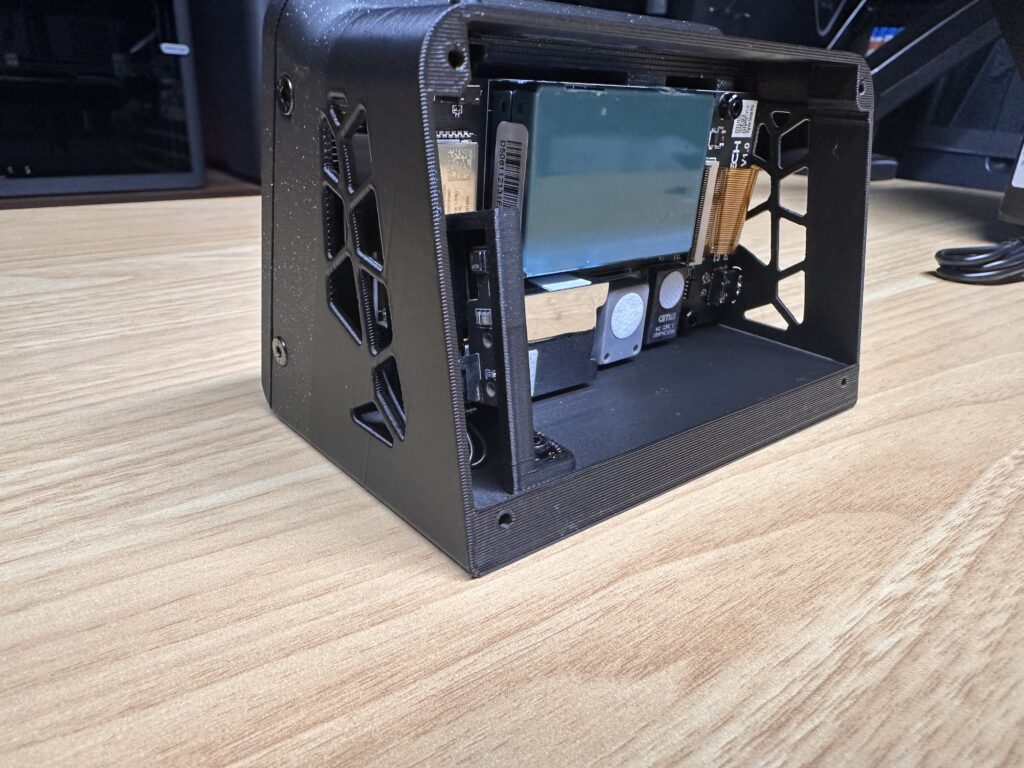
The enclosure is relatively straightforward to print and assembly is also simple. The included screws secure the PCB and enclosure, while the display sits at the front.
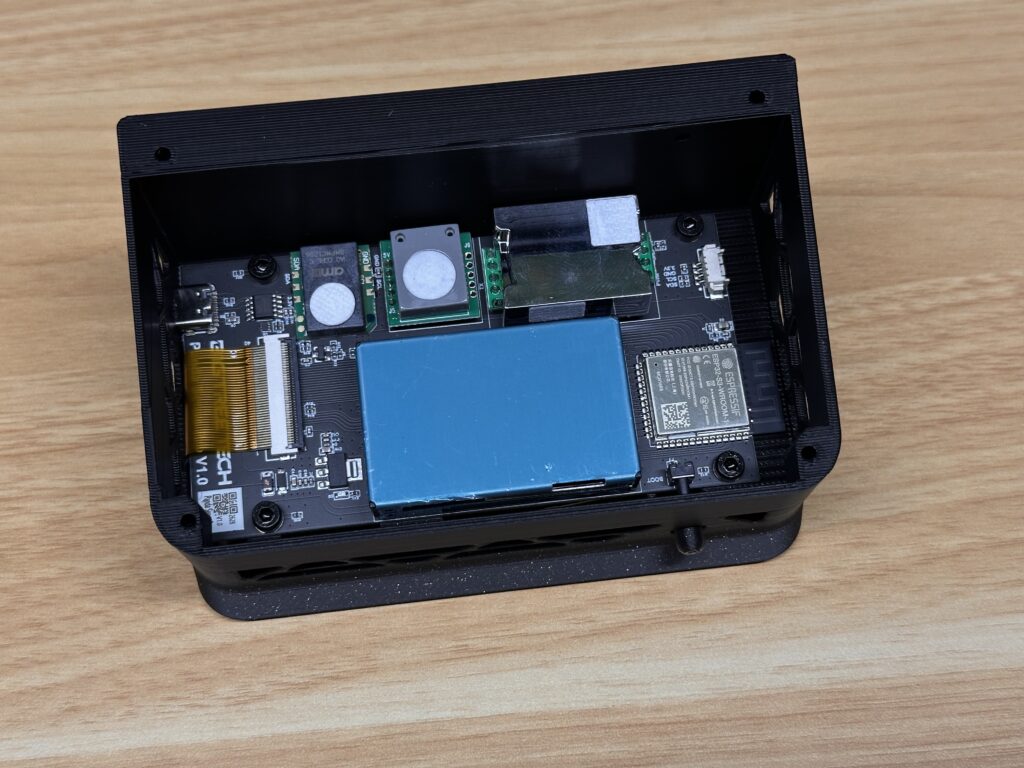
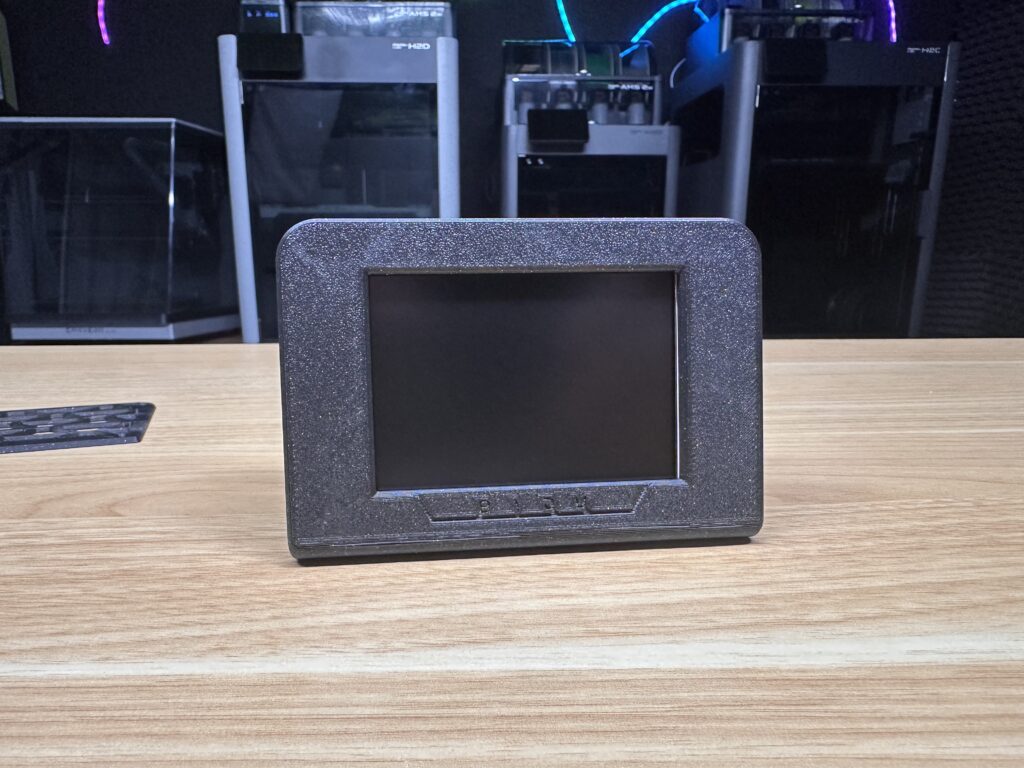
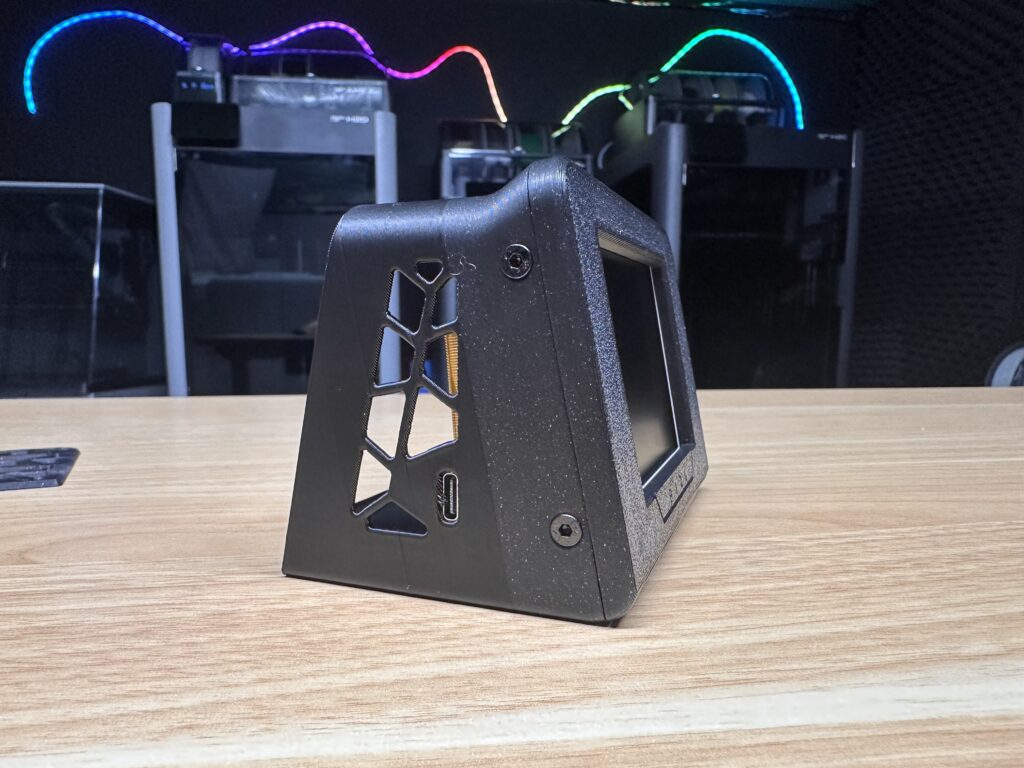
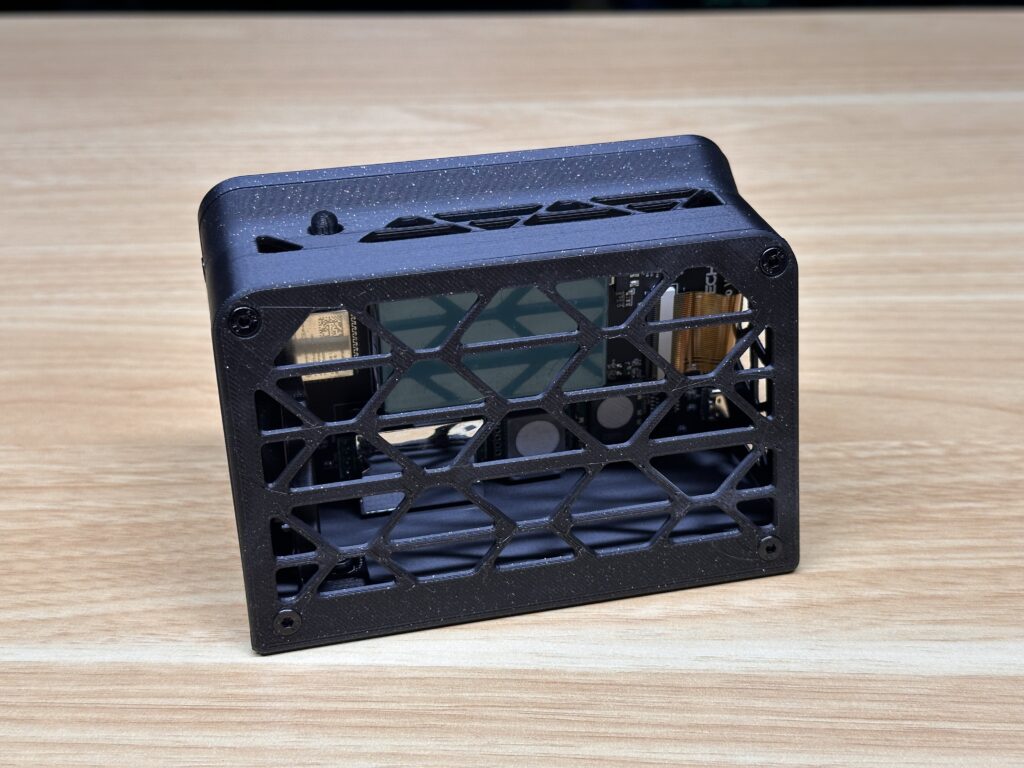
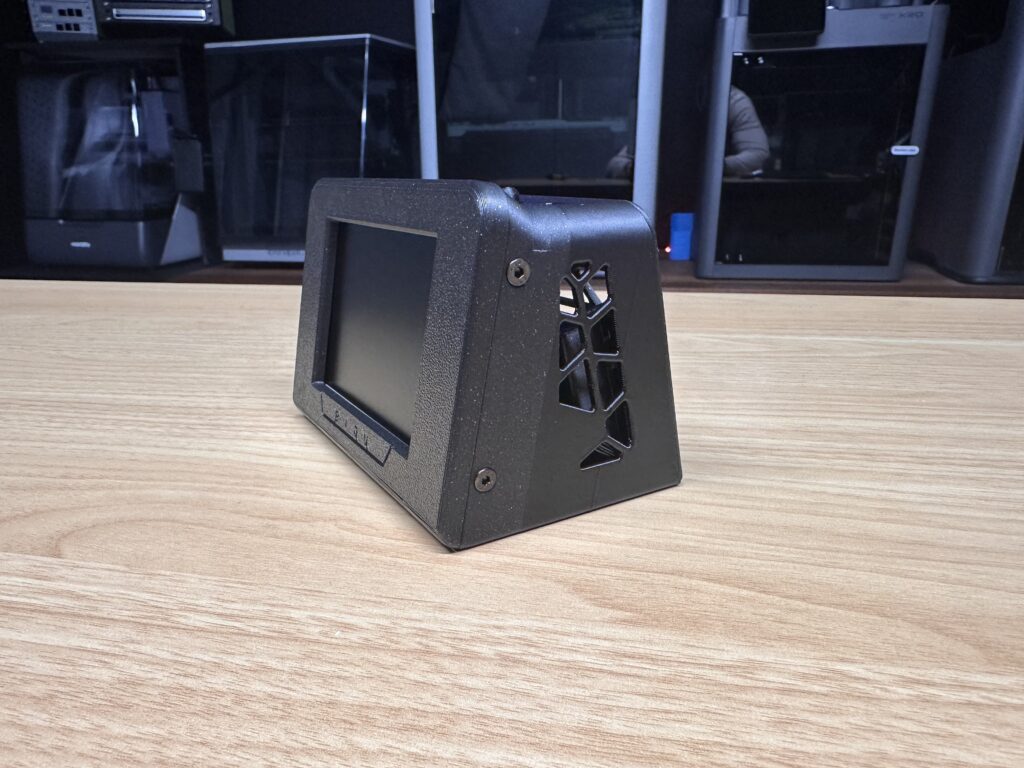
The temperature and humidity sensor in installed behind the PCB and then the back cover closes it up. There are also loads of ventilation openings around the enclosure, which are obviously important for the sensors to accurately sample the surrounding air.
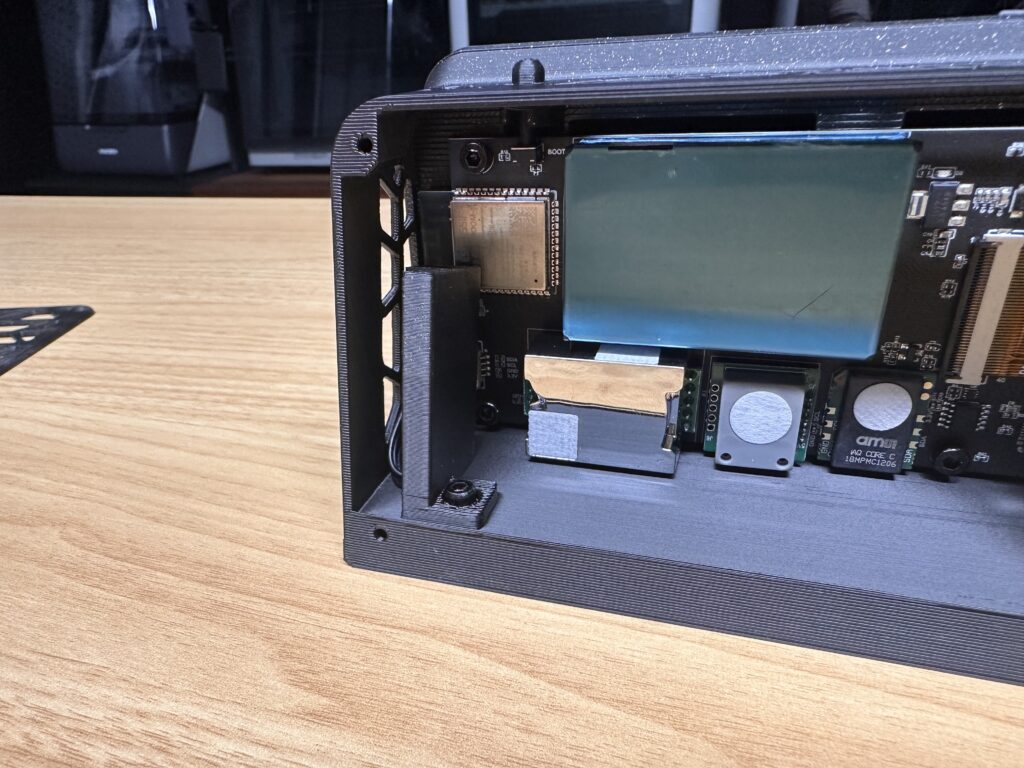
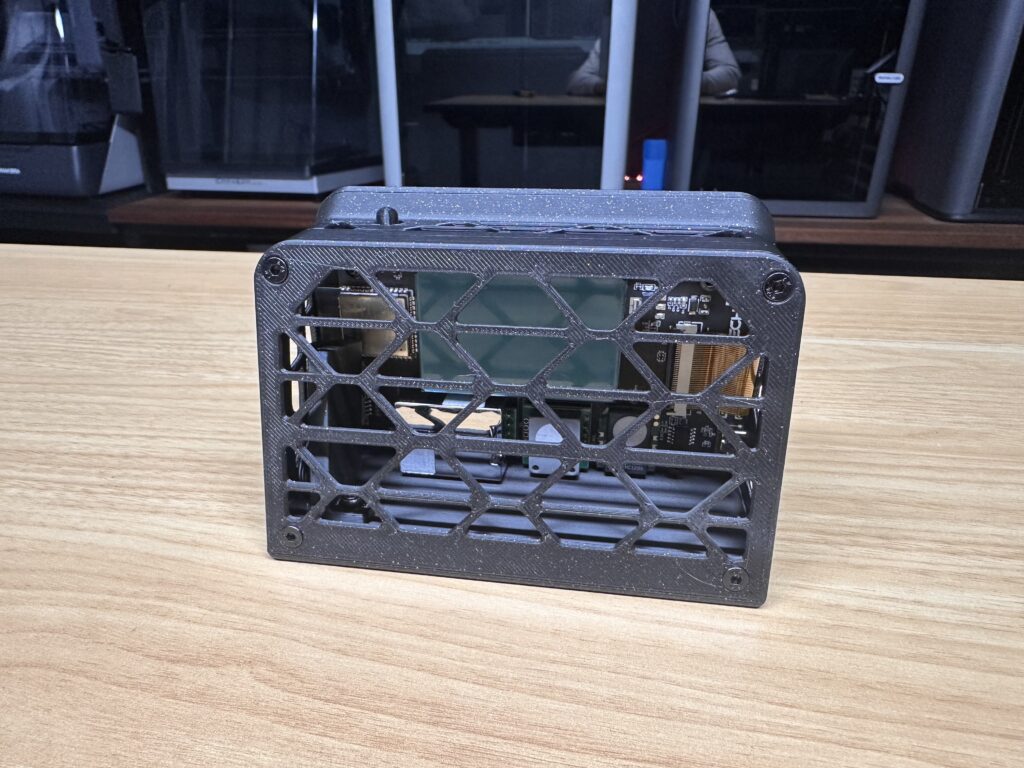
The assembled unit measures around 117 × 80 × 74 mm, so it’s small enough to sit alongside a printer without taking up much room.
Hardware & Sensors
The Panda Sense Pro is designed on a compact PCB which measures 111.5 × 54.8 mm. On the front is a ribbon cable connector to attach the 3.5-inch 480×320 colour TFT display. It’s not a touchscreen, but that’s not really necessary for this device. It displays all eight measurements simultaneously, with colour coding and guiding descriptions like Good, Fair or Severe, making it easy to quickly see if the air quality has changed.
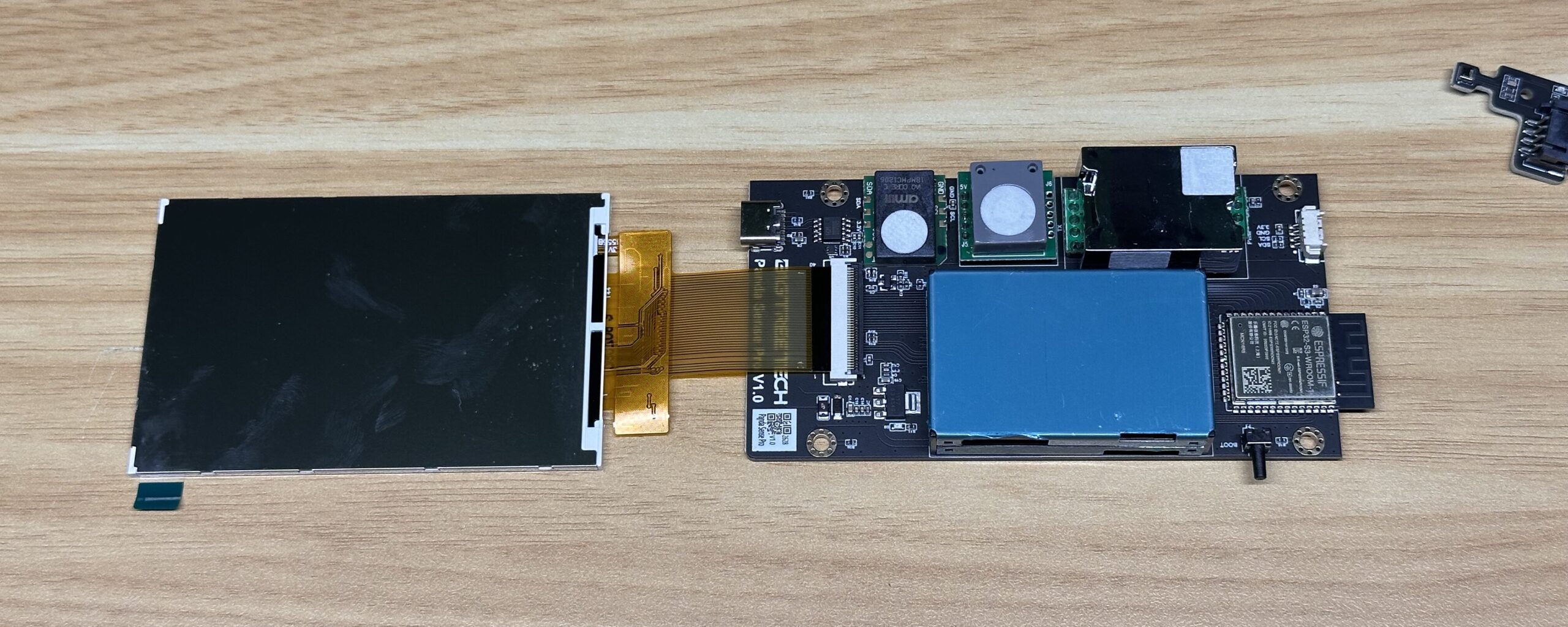
There are several dedicated sensors mounted onto to the PCB, including a laser particle sensor for particulate measurements, an electrochemical formaldehyde sensor and an NDIR infrared sensor for measuring CO₂.
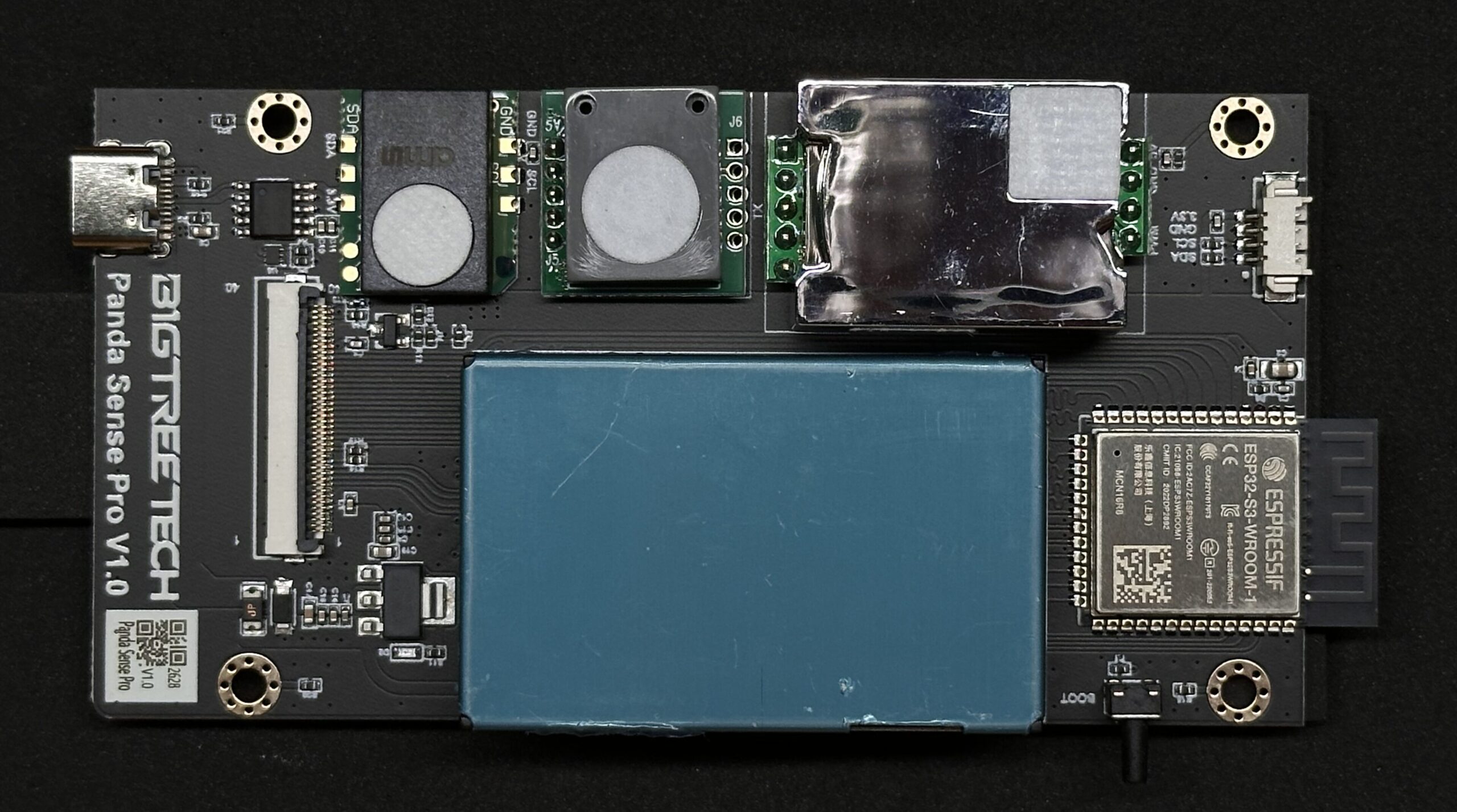
That last one is worth highlighting. A dedicated NDIR sensor is better for measuring actual carbon dioxide concentration than inexpensive monitors that derive estimated CO₂ figures from their VOC measurements.
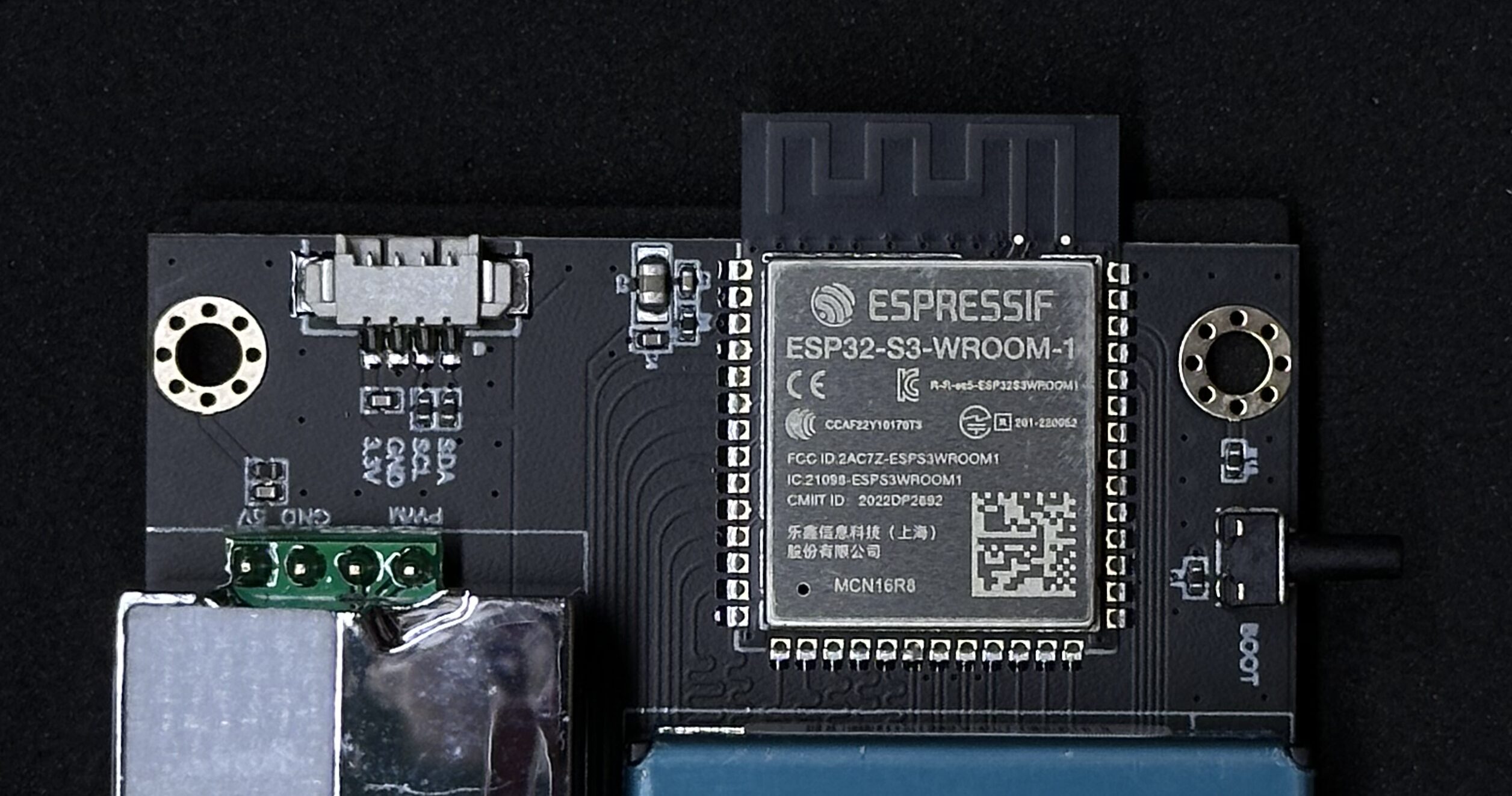
The brains of the Panda Sense Pro is a ESP32-S3 and through this, connectivity is provided using 2.4 GHz Wi-Fi, and the device is powered by a USB-C port, which requires a 5 V, 1 A supply. This means you can power it from a normal 5V USB charger, power bank or potentially a spare USB port on your 3D printer.
Setting Up The Panda Sense Pro
Setup is really simple. Once the board has been installed into the enclosure and the temp & humidity sensor unit and display are connected, the Panda Sense Pro just requires a USB-C input for power. It can run from any suitable 5 V USB power supply, so it doesn’t need its own dedicated power adapter. It can be powered from a free USB port on a printer or computer or even a cheap charger.
Once running, it’s again pretty easy to use. Rather than needing to open an app every time you want to check the environment, you can glance over and immediately see PM2.5, PM10, temperature, humidity, eTVOC, CO₂, AQI and formaldehyde on the well laid out display. eTVOC takes a few minutes to start up, so shows up as a “-” when you first power the Panda Sense Pro up.
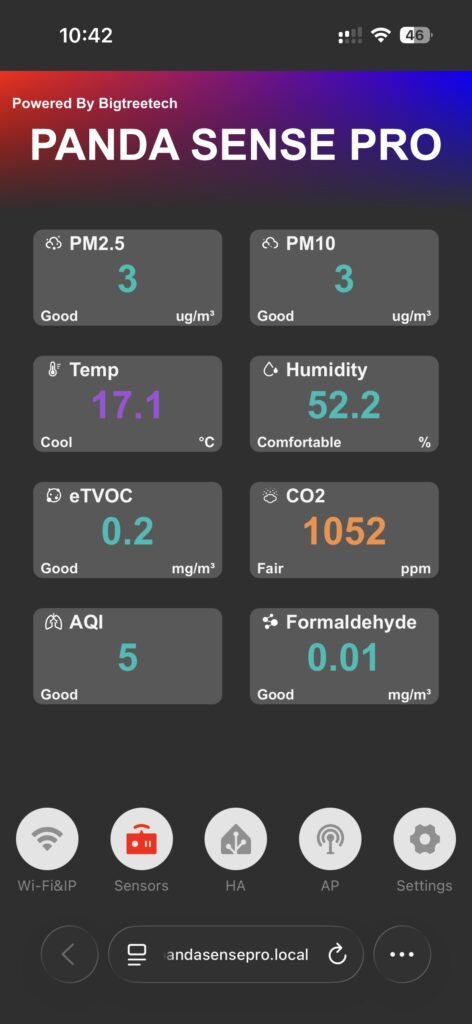
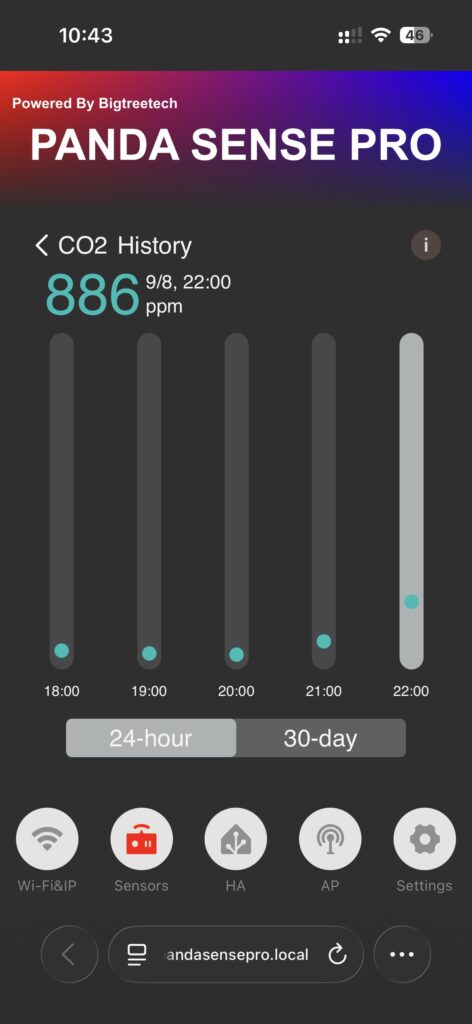
You can also connect to it’s own WiFi network and access a small web dashboard with instantaneous readings, historical trends and settings, or use that interface to tell it to connect to your own WiFi network and you’ll then be able to access the dashboard from any device on the same network.
Historical Monitoring
The Panda Sense Pro also provides historical data rather than only showing instantaneous measurements.
It’s got an on-device trend showing changes over the past hour, grouped over two pages, and then both 24-hour and 30-day history through the web dashboard, allowing you to look back at environmental changes over time.
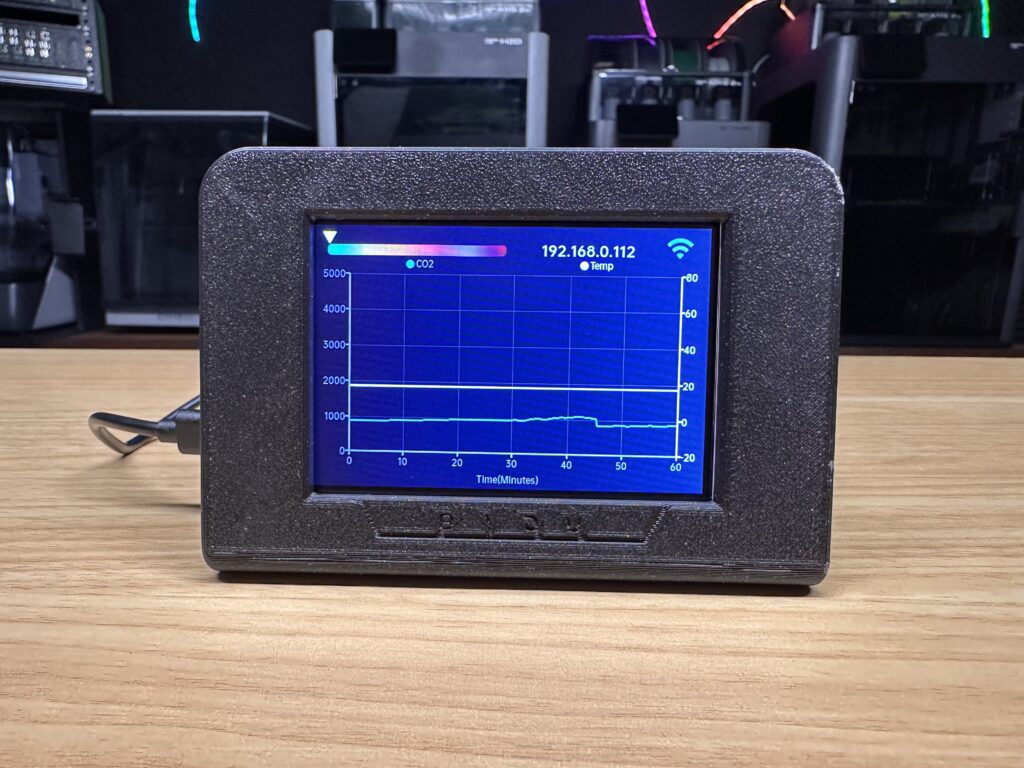
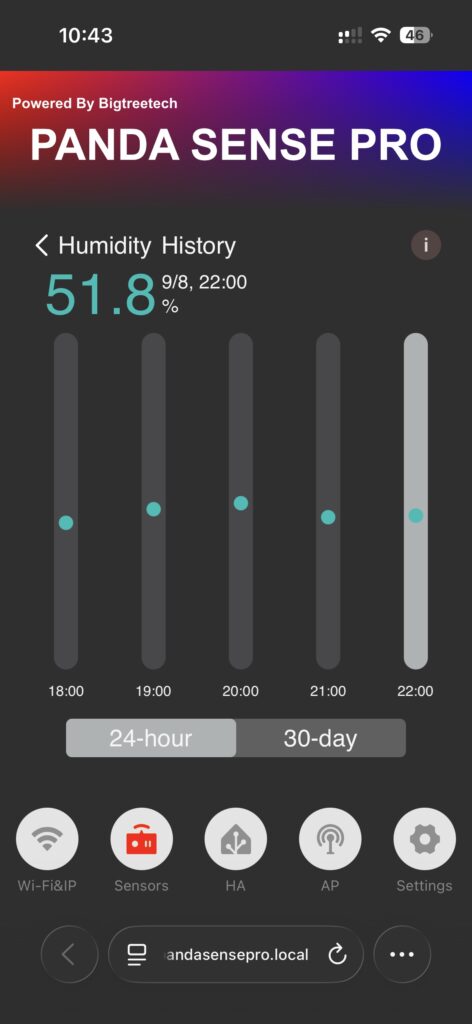
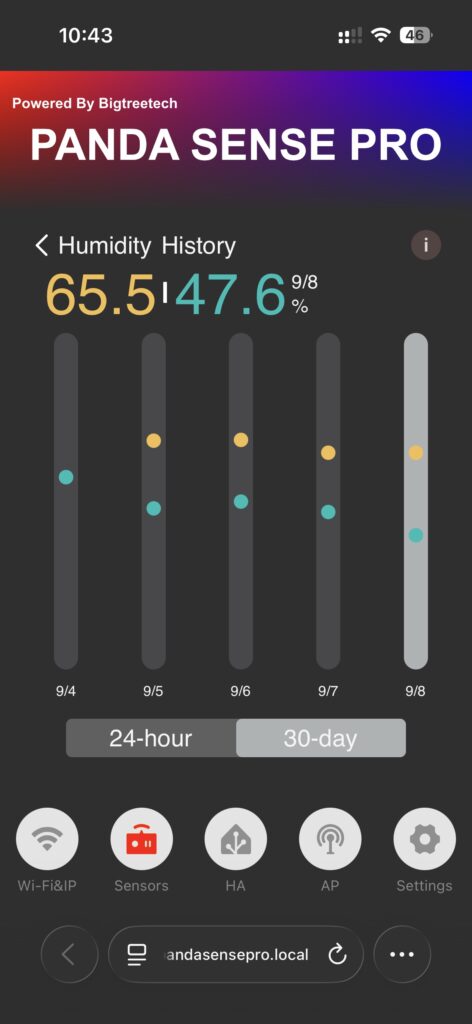
This is arguably more useful than the live display. An instantaneous VOC or particulate reading on a device like this doesn’t necessarily tell you very much on its own. Being able to see that a measurement consistently increases after starting a printer or using a particular filament is a lot more useful.
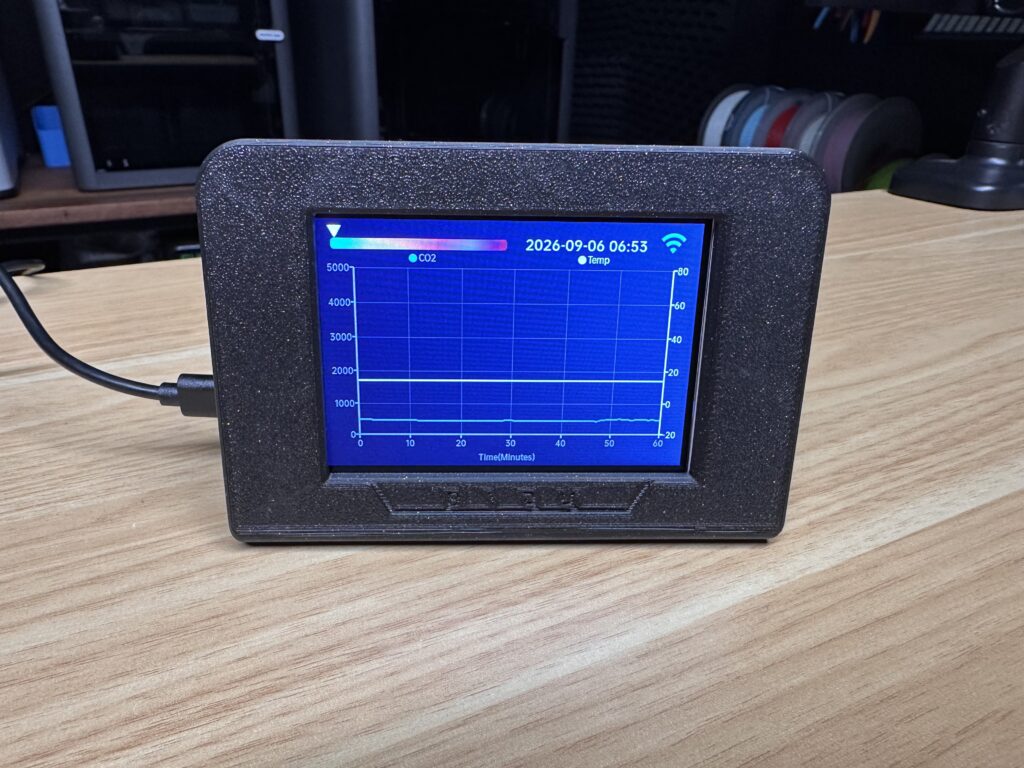
It’s also helpful for testing ventilation. You could run a print with the room closed, for example, record the resulting measurements, and then repeat the experiment with an extractor fan or window open and see how the results compare. This turns the Panda Sense Pro into a useful testing tool.
Running Some Tests In My Workshop
To demonstrate how the Panda Sense Pro works, I ran some tests in my workshop, but rather than deliberately creating extreme pollution to make the numbers move, I wanted to see what happens during normal day-to-day tests and use.
Baseline Test
I first left the Panda Sense Pro running in the workshop without any printers operating to establish a baseline.
After allowing a few hours for the readings to stabilise, I recorded:
| Measurement | Baseline |
|---|---|
| PM2.5 | 3 µg/m³ |
| PM10 | 3 µg/m³ |
| CO₂ | 427 ppm |
| eTVOC | 0.1 mg/m³ |
| Formaldehyde | 0.01 mg/m³ |
| Temperature | 17.4 °C |
| Humidity | 63.2 % |
| AQI | 5 |
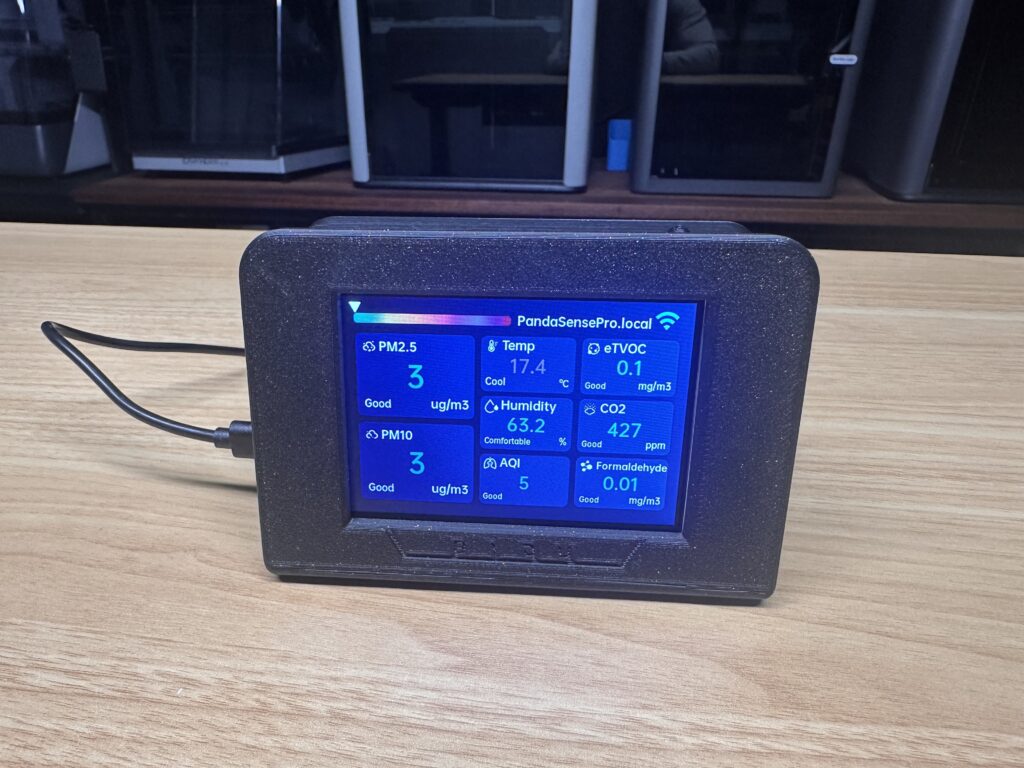
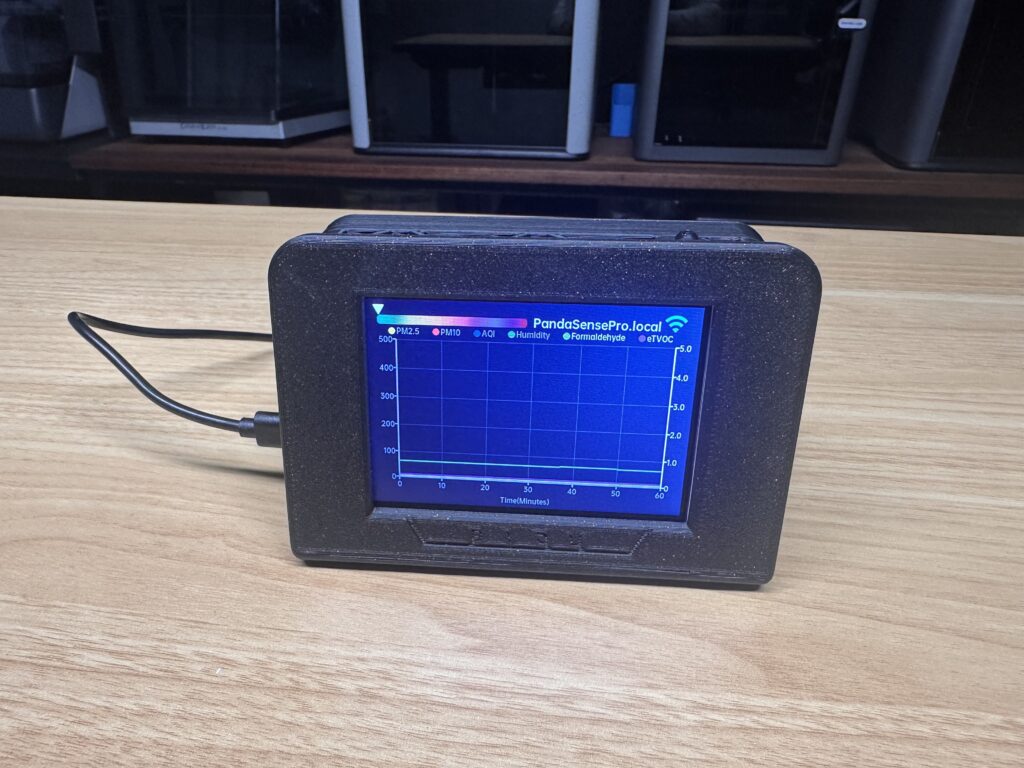
This gives me something meaningful to compare subsequent tests against.
PLA & PETG Printing Test
Next, I ran some overnight PLA and PETG prints across 3 of my 3D printers that I have in the room. I ran two printing dual colour PETG prints and one printing in PLA. These are all enclosed printers and also using an enclosed AMS.
Here are the results overnight (roughly 11 hours):
| Measurement | PLA & PETG Test |
|---|---|
| PM2.5 | 8 µg/m³ |
| PM10 | 10 µg/m³ |
| CO₂ | 445 ppm |
| eTVOC | 0.1 mg/m³ |
| Formaldehyde | 0.01 mg/m³ |
| Temperature | 14.4 °C |
| Humidity | 68.8 % |
| AQI | 11 |
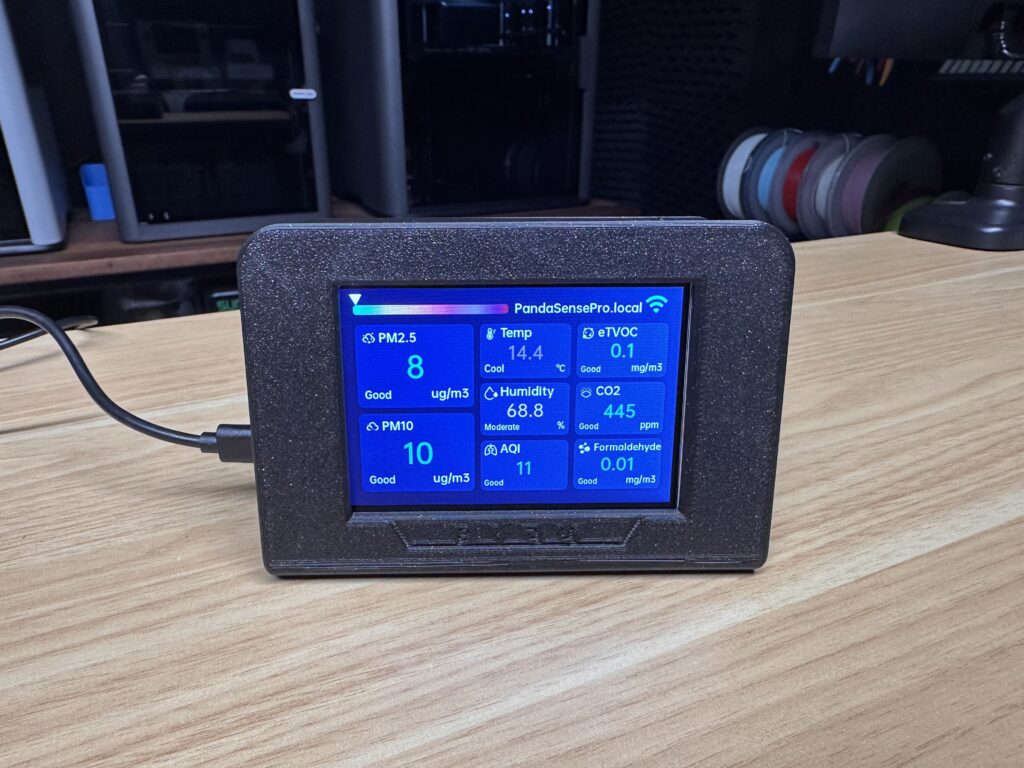
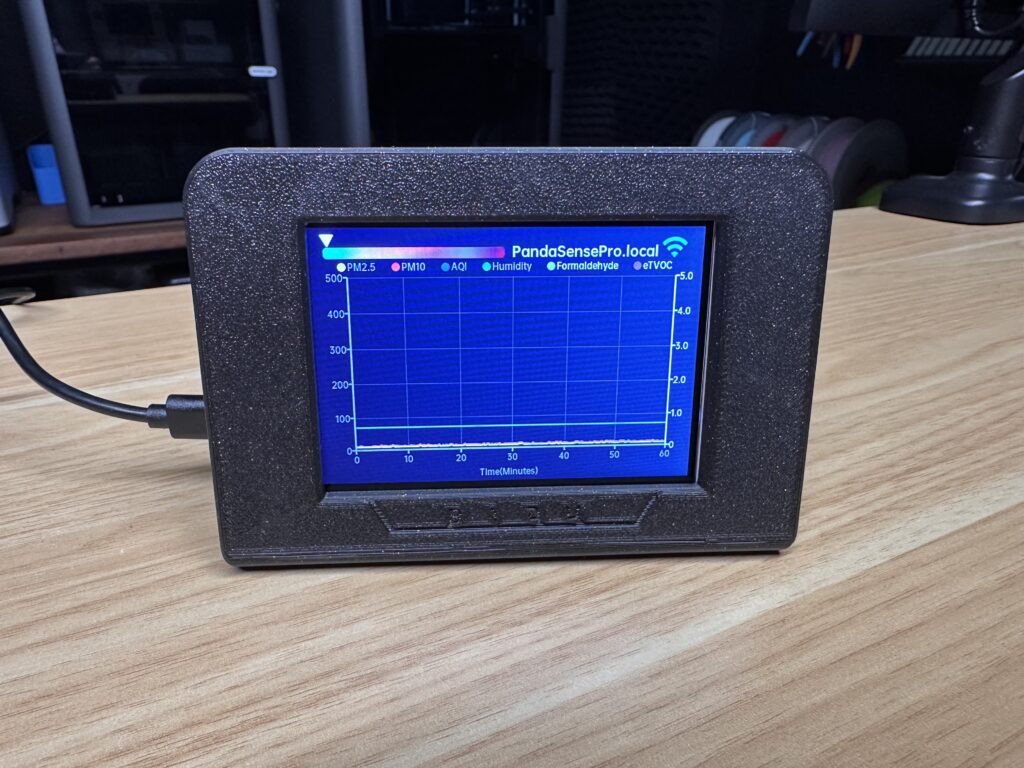
So there was a small increase in PM2.5 and PM10 measurements but no significant changes or dangerously high readings. These are still within the Panda Sense Pro’s “Good” range for each result.
Ventilation Test
I also ran a test while I was working in my workshop over the course of an evening to see how CO₂ levels change. I had the windows and door closed and I was in the workshop for about 2 hours.
These were the results after the 2 hour period:
| Measurement | Ventilation Test |
|---|---|
| PM2.5 | 3 µg/m³ |
| PM10 | 3 µg/m³ |
| CO₂ | 1032 ppm |
| eTVOC | 0.2 mg/m³ |
| Formaldehyde | 0.01 mg/m³ |
| Temperature | 17.2 °C |
| Humidity | 52.6 % |
| AQI | 5 |
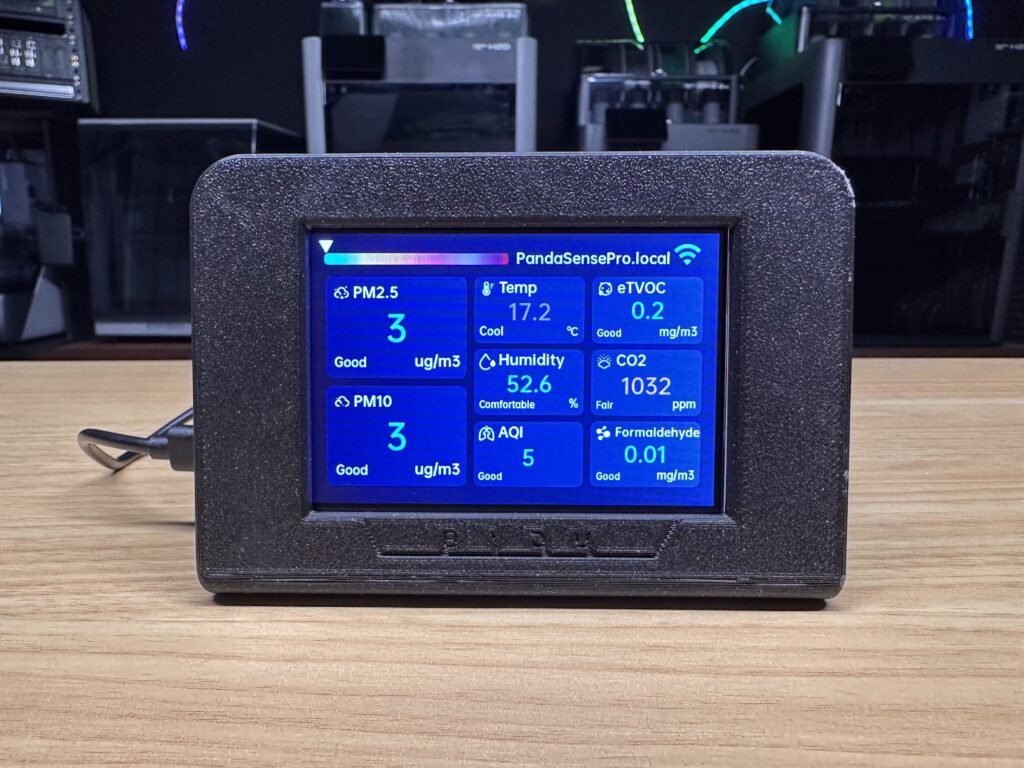
So again, no major changes to most metrics but a noticeable increase in the CO₂ concentration over the evening, which was to be expected. At over 1,000ppm, it’s starting to get to the point where I’d be feeling fatigued and sluggish.
Important Limitations When Interpreting The Results
It’s worth being careful about what these measurements actually mean. Like many other consumer-grade air quality products, the Panda Sense Pro is an environmental monitor, not laboratory analytical equipment.
A TVOC sensor, for example, measures the overall response to a range of volatile organic compounds. It doesn’t tell you exactly which chemical is present or precisely where it came from. Likewise, PM2.5 and PM10 measurements tell you about the quantity of airborne particulate matter within those size categories, but they obviously don’t identify the particles.
The AQI is also a calculated air-quality metric rather than being based on an independent physical sensor.
The Panda Sense Pro is useful as a relative monitoring device. If your workshop or printer room normally sits at a particular level and VOC or particulate readings repeatedly increase while a certain printer is running, that’s useful information. Similarly, you can see whether your installed ventilation or filtration is improving air quality.
Integration With Other Systems
The Panda Sense Pro also supports Home Assistant and Moonraker for Klipper based printers, which both substantially increases what you can potentially do with the data. Rather than simply viewing the measurements on the Panda Sense Pro, you could incorporate them into a wider workshop and printer monitoring system and build automations around them.
For example, you could potentially use increasing particulate or VOC measurements to trigger ventilation, send a notification when air quality deteriorates, or log environmental conditions alongside other workshop data. So the device doesn’t necessarily become another isolated smart gadget with its own ecosystem.
If neither of those suit your needs, the Panda Sense Pro also has MQTT cloud synchronisation and remote monitoring through an app.
At the time of testing, there is mention of an app in development, but that is still “coming soon”.
What I Like
The biggest strength of the Panda Sense Pro is probably how much information it puts into one compact device. Having particulate, VOC, formaldehyde, CO₂, temperature and humidity monitoring in a single unit is really useful in a workshop where many devices or machines could affect air quality.
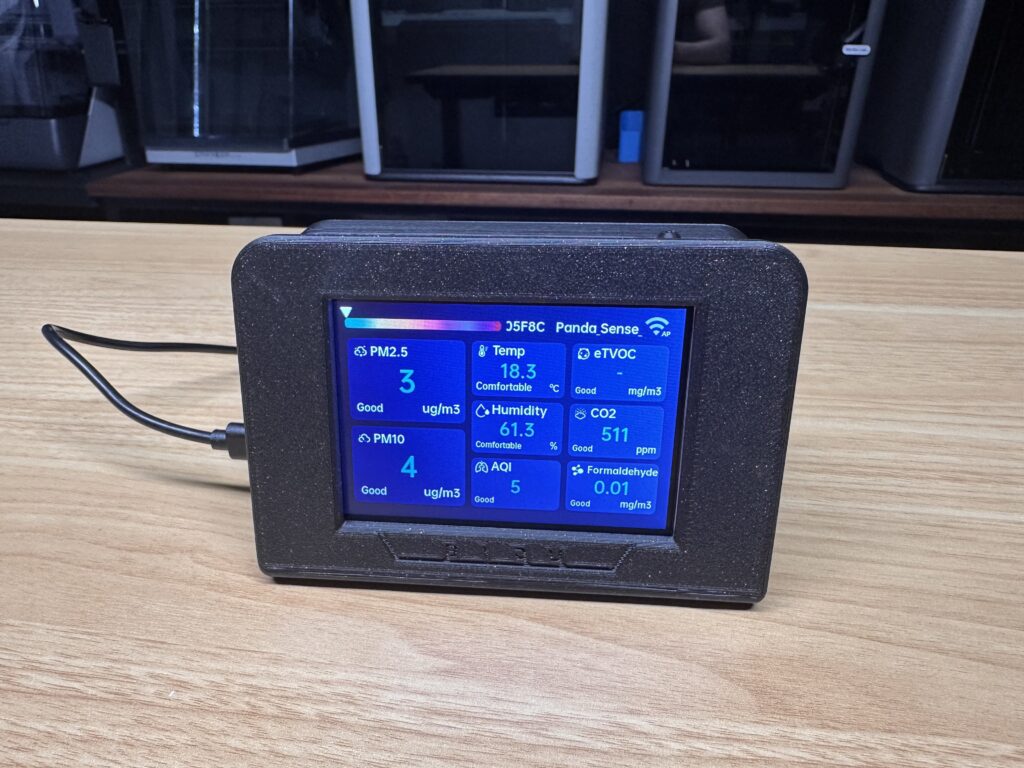
The colour display is also a great inclusion. A lot of environmental sensors become invisible once they’re set up because accessing their data requires opening an app or dashboard. Here, the data is always visible.
I also like the printed enclosure approach. Requiring customers to print their own case certainly won’t appeal to everyone, but for the intended audience it makes sense. The enclosure is easy to print, only uses around 100 g of filament, and you can modify it if you want something different or want to integrate it into a custom setup.
Finally, the Home Assistant and Moonraker integrations make the device more functional than a generic desktop air-quality monitor, particularly if you already have a smart-home or complex 3D printing setup.
What Could Be Better
The obvious drawback to one of the strengths that I listed is that the Panda Sense Pro arrives without an enclosure. If you’re buying it specifically because you’re into 3D printing then is a non-issue, but if you’re just looking for a good air quality monitor for your workshop then its something worth considering.
I’d also like BIGTREETECH to publish some more detailed information about the individual sensors, their specified accuracy, measurement ranges and calibration behaviour. For an air-quality monitor, the quality of the measurements matters more than the number of measurements displayed on the screen.
Some of the connected functionality is still being worked on. So, I wouldn’t purchase the device on the promise of future app/cloud functionality until those features are actually available.
Final Thoughts On The Panda Sense Pro
The BIQU Panda Sense Pro is another great addition to their growing ecosystem of accessories around 3D printing.
At the time of writing this post, it’s currently listed on their website for $89.99 and it seems to be available for a similar price across other platforms like Amazon and Aliexpress. For the price, I think it’s good value for money. You’ll struggle to find another air quality monitor that covers a similar range of sensors for a similar or cheaper price.
With measurements for PM2.5, PM10, CO₂, formaldehyde, eTVOC, temperature and humidity, it provides a lot more information than a conventional temperature and humidity monitor, and the 3.5-inch display makes that information immediately accessible.
The printable enclosure is also a nice fit for the intended audience, and I like that BIGTREETECH has provided a finished design while still leaving users free to modify it.
Disclosure – BIGTREETECH provided the Panda Sense Pro used in this review. They have not paid for or had any editorial control over this review, and the opinions and test results are my own.
